

How to Launch a Website Successfully in 2025
Learn how to launch a website step-by-step, ensuring a professional digital presence for your business with our comprehensive guide.
Start reading
Building a website that actually works is no small task. With competition fierce and user attention dropping fast, over 90 percent of websites fail to achieve their original business goals. Most people think the secret is just slick design or technical know-how. Yet the real magic starts long before the coding begins. It all comes down to knowing exactly what your website needs to do and who it needs to serve.
Table of Contents
- Step 1: Define Your Website’s Purpose And Goals
- Step 2: Choose A Suitable Domain Name And Hosting Provider
- Step 3: Develop Your Website’s Structure And Content
- Step 4: Design And Create Your Website Using A CMS
- Step 5: Test Your Website For Functionality And Performance
- Step 6: Launch Your Website And Implement Marketing Strategies
Quick Summary
Key Point | Explanation |
|---|---|
1. Clearly define your website’s purpose | Articulate your website’s goals and target audience to guide design and content effectively. |
2. Choose a memorable domain name | Select a domain that reflects your brand identity and is easy to spell for better user recall. |
3. Structure your website for user journeys | Ensure intuitive navigation paths that align with primary user actions to enhance conversions. |
4. Test thoroughly before launch | Conduct comprehensive performance and security testing to identify issues and ensure functionality across devices. |
5. Implement a multi-channel marketing strategy | Utilize SEO, social media, and email marketing immediately upon launch to attract your target audience effectively. |
Step 1: Define your website’s purpose and goals
Launching a successful website in 2025 starts with crystal clear strategic planning. Before writing a single line of code or designing a pixel, you must articulate exactly what your website needs to achieve and for whom. This foundational step determines everything from your design approach to technical infrastructure.
Starting with purpose means understanding your specific business objectives and target audience needs. Are you creating an e-commerce platform selling unique South African products? A professional portfolio showcasing your design work? A comprehensive information resource for your industry? Each purpose demands a distinct strategic approach. Your website’s core mission will drive every subsequent decision, from technology selection to content strategy.
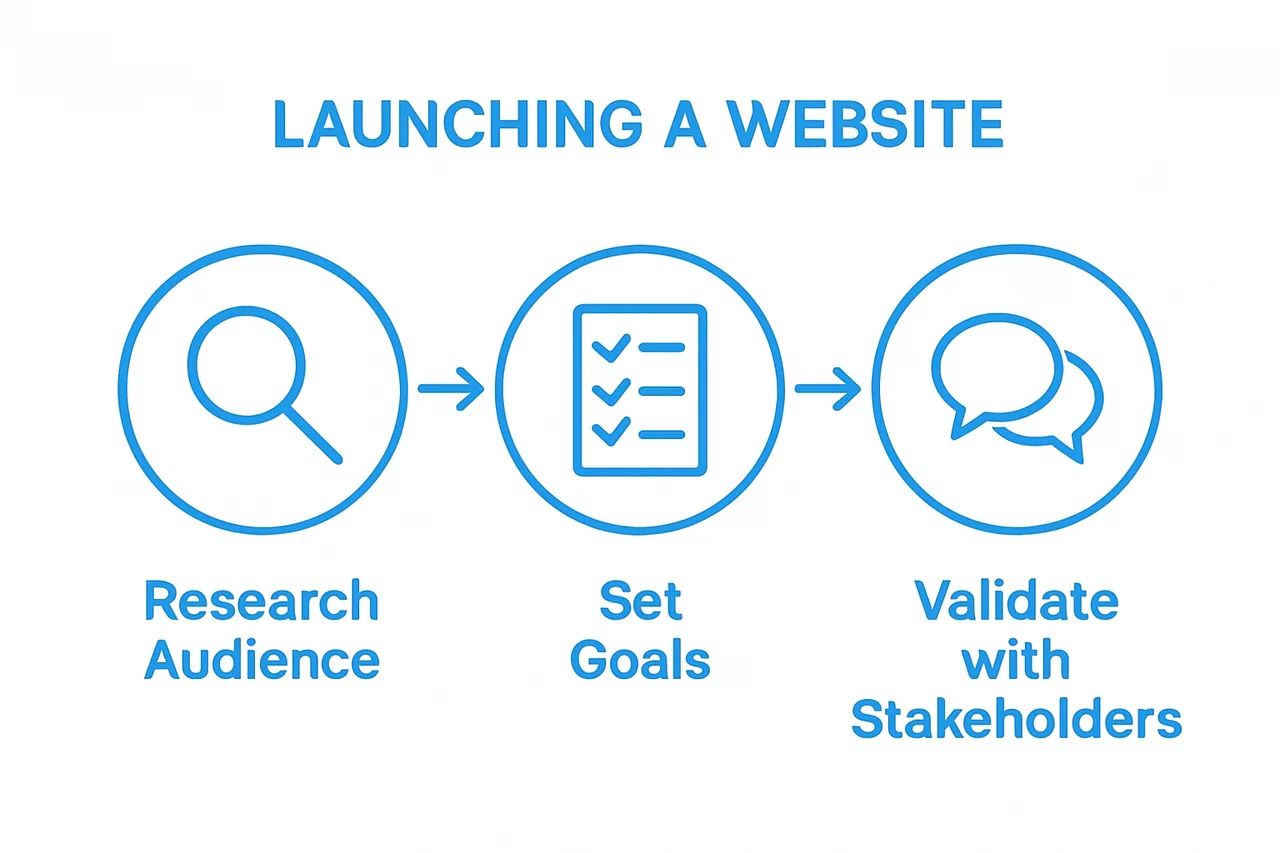
To define your website’s purpose effectively, begin by conducting a comprehensive goals assessment. Map out precise, measurable outcomes you want to accomplish. For digital businesses, these might include generating leads, selling products, providing customer support, or establishing thought leadership. Consider both short term and long term objectives. Quantify your expectations by setting specific metrics like monthly visitor numbers, conversion rates, or revenue targets.
Audience research becomes critical during this planning phase. Understanding who will use your website allows you to design an experience that truly resonates. Develop detailed user personas representing your target demographic. Consider their online behaviours, technological preferences, and specific pain points your website can address. Read our comprehensive guide on creating effective user personas to refine this process.
Once you have articulated your purpose and audience, validate your goals through stakeholder discussions. Engage with team members, potential customers, or industry experts to pressure test your initial assumptions. This collaborative approach ensures your website concept remains grounded in real-world requirements and has the best chance of delivering meaningful results.
Step 2: Choose a suitable domain name and hosting provider
Selecting the right domain name and hosting provider represents a critical infrastructure decision that will impact your website’s performance, credibility, and user experience. Your domain name serves as your digital address, while your hosting provider determines your website’s speed, reliability, and security.
Choosing a domain name requires strategic thinking beyond mere availability. Your domain should be memorable, relevant to your business, and easy to communicate. Aim for something concise that reflects your brand identity and is simple to spell. Consider using your business name or a clear descriptor of your primary service. Local South African businesses might benefit from a .co.za extension, which signals local presence and can improve regional search visibility.
Before finalising your domain, conduct thorough research to ensure it does not infringe on existing trademarks or closely resemble competitors’ web addresses. Use domain registration platforms to check availability and explore variations if your preferred name is taken. Our domain registration service can help simplify this process and provide expert guidance on selecting the most appropriate domain.
Hosting selection demands equally careful consideration. Different hosting options suit different business needs. Shared hosting works well for smaller websites with moderate traffic, while dedicated servers provide more robust performance for high-traffic or complex sites. Cloud hosting has emerged as a flexible, scalable solution that can adapt to changing computational demands. Consider factors like server location, uptime guarantees, security features, and technical support when evaluating hosting providers.
According to industry research, businesses should prioritise hosting providers offering comprehensive support, robust security protocols, and flexible scaling options. Evaluate potential hosts based on their performance metrics, customer reviews, and alignment with your specific technical requirements. Budget is important, but should not be the sole determining factor when selecting a hosting solution that will underpin your digital presence.
Verify your choices by conducting preliminary speed and reliability tests. Most reputable hosting providers offer trial periods or money-back guarantees, allowing you to assess their service quality before making a long-term commitment. Your domain and hosting decisions lay the technical foundation for your entire online strategy.
Below is a comparison table highlighting key domain name and hosting provider options discussed in the article, making it easier to match your website needs to the right technical foundation.
Option | Best For | Key Features | Considerations |
|---|---|---|---|
.co.za Domain | Local SA Businesses | Signals local presence, improves regional SEO | Check trademark conflicts |
Shared Hosting | Small/Moderate Traffic Websites | Affordable, easy setup | Limited resources, less scalability |
Dedicated Server | High-Traffic/Complex Websites | Robust performance, exclusive resources | Higher cost, technical management |
Cloud Hosting | Sites Requiring Flexibility | Scalable, adapts to traffic, pay-as-you-go | Varies in complexity, ongoing fees |
Performance Support | Any Business | Uptime guarantees, local server locations | Compare SLAs and support availability |
Step 3: Develop your website’s structure and content
Developing your website’s structure and content represents the critical phase where your digital vision transforms into a tangible online experience. This step goes beyond aesthetic design, focusing on creating a strategic framework that communicates your brand message effectively while providing seamless user navigation.
Website architecture begins with understanding user journeys. Map out how visitors will move through your site, ensuring intuitive pathways that guide them toward key conversion points. Consider the primary actions you want users to take - whether purchasing a product, requesting a quote, or accessing information. Your site structure should make these objectives effortlessly achievable with minimal clicks and clear, logical navigation.
Content development requires a methodical approach that balances informative depth with engaging storytelling. Each page should serve a specific purpose, delivering value to your target audience while reinforcing your brand’s unique value proposition. Craft compelling, clear messages that speak directly to user needs and expectations. This means moving beyond generic descriptions to create narrative-driven content that resonates emotionally and intellectually with your audience.
Explore our comprehensive guide on website content planning to refine your content strategy. Focus on creating a consistent tone of voice that reflects your brand’s personality. Whether professional and authoritative or friendly and approachable, maintain this consistency across all pages to build trust and credibility.
Technical considerations are equally important during this development stage. Ensure your content is structured with proper heading hierarchies, uses semantic HTML, and incorporates relevant keywords naturally. This approach supports both user experience and search engine optimization, helping your website rank effectively while remaining readable and engaging.
To verify your website’s structure and content effectiveness, conduct thorough user testing. Gather feedback from potential users who represent your target demographic. Pay attention to their navigation patterns, comprehension of your messaging, and overall site usability. Be prepared to iterate and refine your approach based on real-world user interactions. A successful website is not a static product but an evolving platform that continuously adapts to user needs and technological advancements.
Step 4: Design and create your website using a CMS
Selecting and implementing the right Content Management System (CMS) transforms your website from a conceptual blueprint into a functional digital platform. In 2025, your CMS choice is more than a technical decision - it’s a strategic business tool that determines your online capabilities, scalability, and user experience.
Modern CMS platforms offer unprecedented flexibility and power. Rather than viewing them as simple website builders, consider them comprehensive digital ecosystems that integrate design, content management, and functional capabilities. WordPress, Drupal, and newer platforms like Webflow provide robust frameworks that cater to diverse business requirements. The key is matching your specific needs with a platform’s inherent strengths.
Begin by evaluating your technical expertise and resource constraints. Some CMS platforms require more technical knowledge, while others offer drag-and-drop interfaces suitable for beginners. Assess your team’s skills and the level of customization you require. For businesses seeking advanced functionality, platforms that support custom development and offer extensive plugin ecosystems might prove more suitable.
Explore our comprehensive guide to selecting the right CMS for your business to make an informed decision. During implementation, prioritize responsive design principles. Your website must perform seamlessly across desktop, tablet, and mobile devices. Modern CMS platforms typically offer mobile-responsive templates, but careful customization remains crucial.
According to user-centered design principles, your design process should prioritize intuitive navigation and clear visual hierarchies. This means creating clean layouts that guide users effortlessly toward key conversion points. Pay attention to colour schemes, typography, and visual elements that reflect your brand identity while maintaining readability and accessibility.
Verify your CMS implementation through comprehensive testing. Check page load speeds, mobile responsiveness, cross-browser compatibility, and user interaction flows.
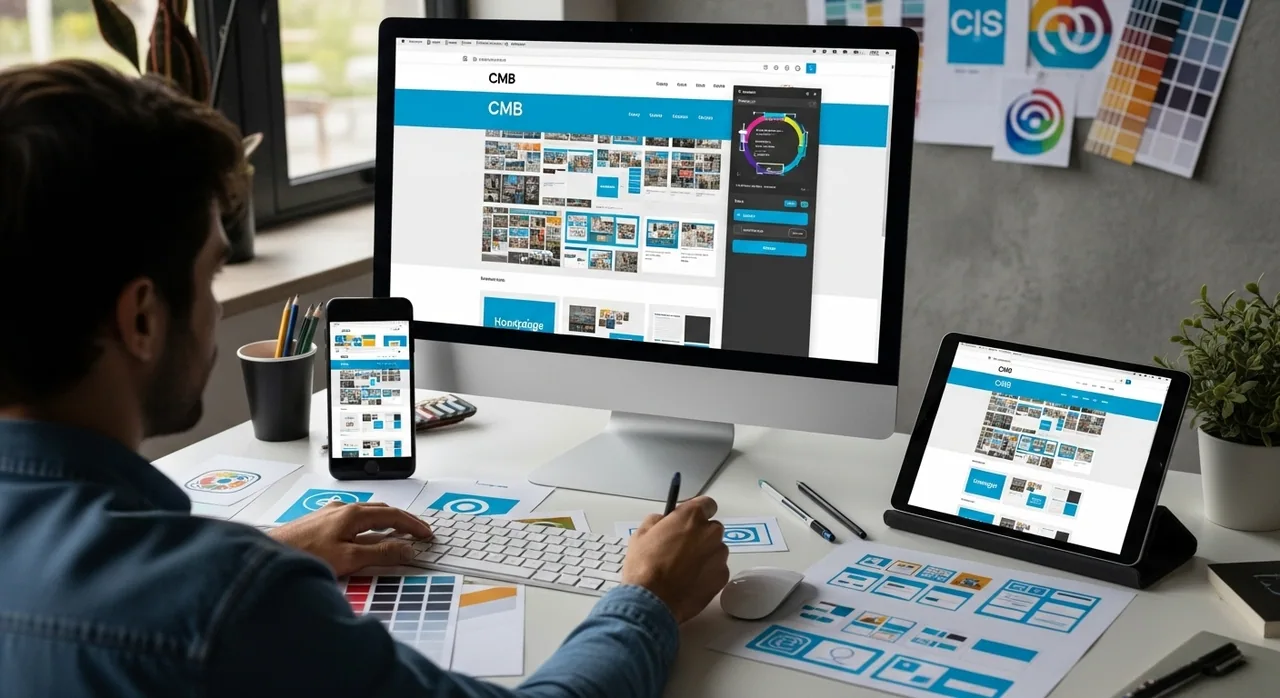
Conduct user testing with individuals representing your target demographic, gathering feedback on navigation, content clarity, and overall experience. Remember, a successful website is an evolving platform that requires continuous refinement and adaptation to changing user expectations and technological trends.
Step 5: Test your website for functionality and performance
Website testing represents the critical quality assurance phase where theoretical design meets practical execution. This comprehensive evaluation ensures your digital platform performs flawlessly across multiple devices, browsers, and user scenarios, protecting your brand’s reputation and user experience.
Performance testing goes beyond simple functionality checks. You need a systematic approach that examines loading speeds, responsiveness, and user interaction pathways. Utilize professional testing tools like Google PageSpeed Insights, GTmetrix, and WebPageTest to simulate real-world access conditions. These platforms provide detailed metrics about page load times, potential bottlenecks, and optimization opportunities that can significantly impact user engagement and search engine rankings.
Security assessment forms another crucial component of website testing. Identify and address potential vulnerabilities before launching. This means checking for common security risks such as cross-site scripting, SQL injection points, and ensuring robust authentication mechanisms. Consider engaging professional penetration testing services or using automated security scanning tools to comprehensively evaluate your website’s defensive capabilities.
Explore our in-depth guide to understanding website usability testing to refine your testing strategy. Conduct thorough cross-device and cross-browser compatibility testing. Modern websites must deliver consistent experiences whether accessed via desktop, tablet, or mobile devices running different operating systems and browser versions.
According to comprehensive usability testing principles, involve real users in your testing process. Recruit individuals representing your target demographic and observe their interactions with the website. Pay attention to navigation complexity, content comprehension, and overall user satisfaction. Their feedback provides invaluable insights that automated testing cannot capture.
Verification involves creating a comprehensive testing checklist. Confirm that all forms function correctly, payment gateways process transactions securely, contact mechanisms work seamlessly, and critical user journeys remain uninterrupted. Document any identified issues, prioritize them by severity, and systematically resolve each problem before launching. Remember, successful website testing is an iterative process that requires patience, attention to detail, and a commitment to delivering an exceptional digital experience.
This table offers a concise checklist of crucial website testing tasks and criteria, helping you ensure readiness before your public launch.
Testing Task | What to Check | Verification Method |
|---|---|---|
Page Load Speed | Fast, consistent loading on desktop & mobile | Use PageSpeed Insights, GTmetrix |
Mobile Responsiveness | Proper display & interaction on all devices | Test on phones/tablets |
Security Vulnerabilities | No XSS, SQL injection, secure authentication | Automated scans/pen tests |
Form Functionality | Forms submit and validate correctly | Manual & test submissions |
Payment Gateways | Transactions process securely without errors | Test with sample payments |
Cross-Browser Compatibility | Consistent experience on Chrome, Firefox, Safari | Test on major browsers |
Navigation & User Tasks | Users can complete key actions easily | Real user testing sessions |
Analytics & Tracking | All tracking codes and events fire as intended | Verify in Google Analytics |
Step 6: Launch your website and implement marketing strategies
Launching your website marks the transition from development to active digital engagement. This critical phase involves strategic deployment and immediate marketing activation to establish your online presence and begin attracting your target audience.
Website launch requires a calculated, multi-channel approach. Begin by ensuring your technical infrastructure is completely stable. Perform a final comprehensive review of all website functionalities, checking that contact forms, payment gateways, and interactive elements work seamlessly. Verify your hosting environment can handle anticipated traffic volumes and that all security protocols are correctly implemented.
Marketing strategy becomes paramount immediately after launch. Develop a comprehensive digital marketing plan that encompasses search engine optimization, social media engagement, and targeted advertising. Search engine visibility demands immediate attention. Configure your Google Search Console and submit your sitemap to accelerate indexing. Implement strategic keyword targeting that aligns with your business objectives and audience search behaviors.
Explore our comprehensive internet marketing strategies to amplify your digital reach. Social media platforms offer powerful launch amplification opportunities. Create coordinated announcements across LinkedIn, Facebook, Instagram, and Twitter. Develop engaging launch content that tells your brand’s story and highlights the unique value your website provides to potential users.
Email marketing represents another crucial launch strategy. Build an initial subscriber list by offering valuable content incentives like downloadable guides, exclusive discounts, or informative resources. Craft a compelling launch email that introduces your website, explains its purpose, and provides clear value propositions for potential users. Segment your email communication to ensure targeted, relevant messaging.
Verify your launch success by monitoring key performance indicators. Track website traffic, user engagement metrics, conversion rates, and initial user feedback. Set up comprehensive analytics using tools like Google Analytics to gain real-time insights into user behavior. Be prepared to make rapid adjustments based on initial performance data. A successful website launch is not a destination but the beginning of an ongoing digital evolution, requiring continuous optimization and strategic refinement.
Ready to Launch Your Website Without Stress?
You have mapped your goals, chosen a domain, developed the perfect structure, and now you are at the most critical stage: turning your vision into a live, high-performing website. But many businesses in South Africa quickly realise how overwhelming it can be to tie every technical and strategic detail together. From picking the right CMS and ensuring a secure hosting environment to designing for seamless user journeys, the risks of making a costly mistake are real. The article highlighted how each step, like solid planning and rigorous testing, is crucial to build a digital presence that stands out and grows reliably.
A website launch needs agreed content, working customer tasks and clear handover responsibilities. Discuss your website launch with Cloudfusion so those requirements can be included in the project scope.
Frequently Asked Questions
What are the first steps to launch a website successfully in 2025?
The first steps involve defining your website’s purpose and goals, choosing a suitable domain name and hosting provider, and developing your website’s structure and content. This strategic planning sets a solid foundation for your website.
How do I choose the right domain name for my website?
Select a domain name that is memorable, relevant to your business, and easy to spell. It should ideally reflect your brand identity. Conduct research to ensure it doesn’t infringe on existing trademarks and explore variations if needed.
What should I consider when selecting a content management system (CMS)?
Evaluate your technical expertise and the level of customization you need. Look for a CMS that meets your specific business requirements, offers responsive design capabilities, and supports user-friendly interfaces for effective content management.
How can I test my website before launching it?
Before launching, perform functionality and performance tests to ensure everything works seamlessly. Use testing tools to check loading speeds, responsiveness, and cross-browser compatibility. Involve real users in testing to gather feedback on usability and identify any issues.