Online website development course guide for 2026
Discover the best online website development courses for 2026! Our guide helps you choose wisely and maximize your career potential.
Start reading
TL;DR:
- Choosing the right online website development course requires evaluating course formats, technologies, and practical output to align with your goals. Modern curricula focus on the MERN stack, TypeScript, AI tools, and deploying real projects, emphasizing active coding over passive watching. Success depends on self-assessment, building personal projects, engaging with communities, and prioritizing portfolios over certificates to secure developer roles.
Choosing the right online website development course is not as straightforward as picking the first result that appears in a search. Thousands of courses exist across dozens of platforms, each making bold promises about job readiness, salary potential, and the speed at which you will go from zero to developer. The reality is that most of these courses are not equal, and selecting the wrong one can cost you months of time and thousands of Rands in wasted investment. This guide cuts through that noise, giving you a clear framework to evaluate your options, understand what current industry curricula actually cover, and get the most out of whichever course you choose.
Table of Contents
- Key takeaways
- What online website development courses actually look like
- Core skills in top 2026 web development courses
- How to choose the right course for your goals
- Getting the most out of your web development course
- Comparing top online web development platforms
- My take on learning web development online in 2026
- How Cloudfusion can support your web development journey
- FAQ
Key takeaways
| Point | Details |
|---|---|
| Course formats vary significantly | Self-paced tutorials, bootcamps, and certification programmes differ in cost, depth, and career outcomes. |
| 2026 curricula include AI tools | Modern courses teach MERN stack alongside TypeScript, Git, and AI-assisted coding as industry standards. |
| Portfolios outweigh certificates | Employers prioritise deployable projects over credentials when assessing developer skill. |
| Active coding beats passive watching | Hands-on, interactive learning environments produce measurably better skill retention than video-only formats. |
| Match course to your circumstances | Experience level, schedule, budget, and career goals should all drive your course selection decision. |
What online website development courses actually look like
The first thing to understand is that “online website development course” is an umbrella term that covers a wide spectrum of learning experiences. At one end, you have free self-paced tutorials on platforms offering dozens of hours of content at no cost. At the other end, you have intensive professional certificate programmes requiring serious time and financial commitment.
Course durations vary widely: some courses offer 62 or more hours of structured content you work through at your own pace, while professional bootcamps often run for 26 weeks with 15 to 20 hours of study required each week. The financial range is equally broad, with costs for comprehensive certificate programmes starting around R90,000 and going higher for university-affiliated credentials.
Here is a snapshot of the main course formats you will encounter:
| Format | Typical duration | Approximate cost | Best suited for |
|---|---|---|---|
| Free self-paced tutorials | 2 to 6 months | Free | Beginners exploring web development |
| Paid structured courses | 1 to 4 months | R500 to R5,000 | Career changers and upskillers |
| Professional bootcamps | 4 to 6 months | R60,000 to R120,000 | Those seeking job placement support |
| University certificate programmes | 6 to 12 months | R90,000+ | Professionals wanting formal credentials |
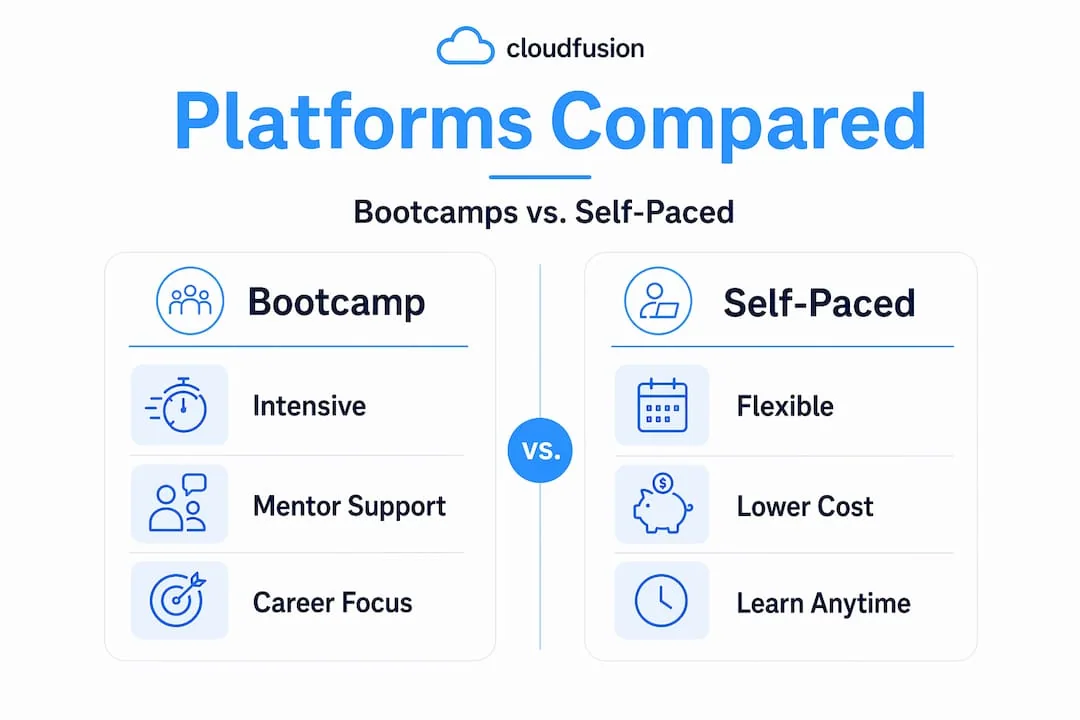
How a course is formatted directly affects learning outcomes. A self-paced video course gives you flexibility but no accountability. A bootcamp gives you structure and community but demands significant daily time. Free platforms like freeCodeCamp deliver comprehensive project-based curricula, while paid courses add mentorship, career coaching, and certificates that carry weight with employers. Understanding these trade-offs before enrolling prevents the frustration of discovering three months in that the format does not suit your lifestyle.
Web development online training at the free tier is genuinely valuable, particularly for foundational concepts. The ceiling of free resources, however, tends to be lower when it comes to career support and recognised credentials.
Core skills in top 2026 web development courses
The question of what a good web development course should teach has a clearer answer now than it did five years ago. The industry has largely converged on a core set of tools and technologies, with some meaningful additions driven by the rise of AI-assisted development.

Modern curricula focus on the MERN stack, covering HTML, CSS, JavaScript, React, Node.js, Express, and databases like MongoDB or PostgreSQL. TypeScript has moved from optional to expected in professional environments, and AI coding tools are now part of how developers actually work day to day.
A course worth your time in 2026 should cover:
- Foundational front-end skills: HTML for structure, CSS for styling, and JavaScript for interactivity. These are non-negotiable starting points.
- React for UI development: React remains the dominant front-end library in industry. Any course positioning itself as job-ready should include it.
- Back-end fundamentals: Node.js and Express for server-side logic, paired with at least one relational or document database.
- TypeScript literacy: Type safety is now standard in professional codebases. Courses that skip TypeScript are behind the curve.
- Version control with Git: Early Git proficiency is non-negotiable for collaboration, open-source contribution, and professional development workflows.
- AI coding assistants: Tools like GitHub Copilot and Cursor are now part of professional coding workflows. The best courses teach you to use them without becoming dependent on them.
- Deployable capstone projects: Employers validate skills through live apps, not just credentials, so any credible course should require you to build and deploy real projects.
Understanding how AI is reshaping the field is also worth your attention. If you want context on that shift, this piece on AI and web development growth provides useful background on where the industry is heading.
Pro Tip: When evaluating a course curriculum, search for the course name alongside the word “syllabus” or “curriculum 2026” before enrolling. Many platforms publish detailed syllabi that reveal whether the content is genuinely current or three years out of date.
How to choose the right course for your goals
Picking the best website design course for your situation requires honest self-assessment before you look at any platform. The course that works brilliantly for a school leaver with eight hours a day to study will frustrate a working professional with two hours available on weekday evenings.
Work through these considerations in order:
- Assess your current level. Complete beginners need courses that start from scratch with HTML and CSS. Those with some coding exposure can skip introductory content and focus on specific skill gaps like React or back-end development.
- Define your goal. Are you building your own business website, changing careers, or adding a skill to an existing role? A how to create a website course aimed at small business owners looks very different from a full-stack bootcamp targeting software engineers.
- Evaluate the learning format. Interactive coding environments with real-time feedback significantly improve outcomes over passive video watching. If a course is primarily lecture-based with no hands-on coding, treat that as a red flag.
- Check for practical output. Job-oriented courses with live projects and placement support enhance employability far more than theory-heavy programmes. Ask specifically what you will have built by the end.
- Match the time commitment to your schedule. A 26-week bootcamp requiring 20 hours per week is not compatible with a full-time job. Be realistic about what you can sustain for several months.
- Factor in career support. If you are using the course to change careers, mentorship, portfolio review, and interview coaching matter enormously. Look for platforms that offer these features, not just certificates.
Pro Tip: Affordable web development classes are not always inferior. Some of the best structured learning paths for beginners cost under R1,000 total. Price is not a reliable indicator of quality. Check the instructor’s credentials, the course update history, and student reviews from the past six months.
Getting the most out of your web development course
Enrolling in a course is the easy part. Many learners fall into what the developer community calls “tutorial hell”: they watch lesson after lesson, feel productive, and then realise they cannot build anything without following a video step by step. Avoiding that trap requires deliberate strategies from day one.
Building your own projects alongside a course is the most effective way to escape tutorial dependency. Even simple projects like a personal portfolio site, a task manager, or a weather app force you to problem-solve without a safety net.
Here are the practices that separate learners who actually land developer roles from those who stay permanently in course mode:
- Set weekly milestones. Treat your course like a work project with deadlines. Vague intentions like “I’ll study when I have time” produce inconsistent results.
- Use Git from the very first lesson. Version control proficiency is expected in every professional environment. Starting it early makes it second nature, not an afterthought.
- Deploy projects publicly. Platforms like Netlify and Vercel allow you to host live applications for free. A live URL on a portfolio is worth ten screenshots.
- Use AI assistants responsibly. Tools like GitHub Copilot can accelerate your workflow, but lean on them before you understand the underlying code and you will struggle with debugging. Use them to check your thinking, not replace it.
- Engage with coding communities. Platforms like GitHub, Discord developer servers, and local South African developer communities offer code review, accountability, and job leads that no course provides on its own.
The freeCodeCamp responsive web design certification is one structured path that integrates version control and project-based learning from the outset, making it a solid complement to paid courses that may skip those foundations.
Pro Tip: Document your learning publicly on GitHub or a personal blog. Employers reviewing applications spend more time on GitHub profiles than on CV bullet points. A repository showing consistent commits over several months tells a compelling story about your commitment and growth.
Comparing top online web development platforms
Not all learning platforms are created equal. The table below outlines what differentiates major categories of top online web design programmes so you can make an informed decision based on your priorities.
| Platform type | Depth of content | Interactivity | Career support | Approximate cost |
|---|---|---|---|---|
| Free platforms (e.g. freeCodeCamp) | High foundational depth | Project-based | Limited | Free |
| Subscription platforms | Moderate to high | Video + quizzes | Basic certificates | R150 to R600/month |
| Paid bootcamps | High, job-focused | Live coding, mentorship | Strong: coaching, placement | R60,000 to R120,000 |
| University certificates | High, theory and practice | Assignments, forums | Formal credentials | R90,000+ |
| Interactive coding platforms | High, practical | Real-time coding feedback | Structured paths | Free to R1,500/month |
When evaluating platform reputation, look for courses updated within the past 12 months, instructor profiles with verifiable industry experience, and reviews on independent sites rather than testimonials on the platform itself. A website development certification online from an unknown platform carries little weight with employers. Recognised names, university affiliations, or platforms with strong developer community endorsements carry more credibility.
For a detailed breakdown of how specific platforms compare on features and pricing, the web development platforms comparison guide covers this in depth.
My take on learning web development online in 2026
I have seen a consistent pattern among learners who successfully transition into web development versus those who get stuck. The difference is almost never intelligence or aptitude. It is almost always the gap between watching and doing.
In my experience, the learners who progress fastest treat their course as a starting framework, not a complete education. They finish a module on React and immediately build something with it before moving on. They make mistakes, search for answers, read documentation, and break their code. That cycle of breaking and fixing is where actual skill lives. No course can manufacture that experience for you.
I also think the AI conversation in web development education needs more nuance. Using GitHub Copilot while you are still learning HTML fundamentals is like using a calculator before you understand arithmetic. You get answers without understanding them. The better approach is to learn a concept properly first, then use AI to accelerate once you have a working mental model of what the code is doing.
Version control is the other area where most courses shortchange their students. I have reviewed portfolios from learners who completed six-month programmes without ever making a single Git commit. That is a serious gap. Git is not an advanced topic. It is a day-one professional skill, and any course that defers it until the end of the curriculum is not preparing you for real work.
Portfolio matters far more than any certificate. I have seen developers with no formal qualifications land strong roles because their GitHub showed three well-built, deployed projects with clean code and good commit histories. That is what employers look for in practice.
— Anton
How Cloudfusion can support your web development journey
Whether you are midway through a course and want to apply your skills to a real project, or you have completed your training and need expert guidance on building something production-ready, Cloudfusion is well placed to help. Our team works across the full development spectrum: responsive web design, modern JavaScript frameworks, AI-powered web solutions, and cloud-based deployments that match current industry standards.
If you are looking to put your newly acquired skills into practice, exploring our custom web development portfolio gives you a clear sense of what production-grade projects look like. For those ready to deploy what they have built, our web hosting packages are designed to get South African developers live quickly and affordably. Give us a shout or request a quotation to discuss how we can support your next project.
FAQ
How long does an online website development course take?
Course duration depends on the format. Self-paced tutorials can be completed in two to three months with consistent study, while intensive bootcamps typically run for 26 weeks requiring 15 to 20 hours per week.
Are free web development courses worth it?
Free platforms like freeCodeCamp offer genuine, project-based curricula that are suitable for beginners. They lack career services and mentorship, but the foundational technical content is comparable to many paid options.
What skills should a 2026 web development course teach?
A current course should cover HTML, CSS, JavaScript, React, Node.js, TypeScript, Git, and AI-assisted coding tools. These represent the standard stack components expected in professional web development roles.
Do I need a certificate to get a web development job?
Not necessarily. Employers prioritise portfolios of deployable projects over certificates. A certificate from a reputable institution adds credibility, but live projects and Git history are what most hiring managers examine first.
How do I avoid tutorial hell in web development learning?
Build independent projects alongside your course material rather than only watching lessons. Apply each concept you learn to a small self-directed project before moving to the next module.