

Boost team workflows with website design collaboration tools
Enhance team workflows with a website design collaboration tool. Centralize feedback, streamline projects, and boost efficiency today!
Start reading
TL;DR:
- Centralized collaboration tools ensure clear feedback, version control, and traceability in website design.
- Key features include real-time presence, anchored comments, and comprehensive version history.
- Proper process mapping and governance are vital for effective tool adoption and large team alignment.
Cross-team website design projects stall for a predictable reason: feedback arrives in scattered email threads, version numbers conflict, and no single source of truth exists for what was approved and when. The result is rework, missed deadlines, and frustrated stakeholders. Modern collaboration tools solve this by centralising design review, anchoring feedback to specific elements, and preserving a traceable history of every decision. This article walks you through the mechanics that matter, the features worth paying for, and the governance structures that keep large teams aligned from first wireframe to final deployment.
Table of Contents
- Understanding the role of collaboration tools in website design
- Key features every website design collaboration tool should have
- Integration workflows: Bridging design and development
- Ensuring stakeholder traceability and feedback in enterprise workflows
- Governance, roles, and approval processes in large organisations
- Our perspective: What most teams miss about design collaboration tools
- Transform your design process with expert guidance
- Frequently asked questions
Key Takeaways
| Point | Details |
|---|---|
| Collaboration tool essentials | Choose tools with real-time presence, in-context commenting, and robust version history for effective teamwork. |
| Design-development sync | Streamline your workflow by integrating design platforms directly with development tools to reduce errors and delays. |
| Stakeholder traceability | Centralize feedback and approvals with tools that tie reviews into project management environments. |
| Governance and roles | Set clear permissions and governance processes to keep design updates organized and secure as teamwork scales. |
Understanding the role of collaboration tools in website design
Rapid project cycles leave little room for communication gaps. When designers, developers, content teams, and business stakeholders all work on the same website simultaneously, the absence of structured collaboration mechanics creates bottlenecks that compound quickly. A single misunderstood feedback comment can send a design team down the wrong path for days, and without version history, there is no reliable way to recover the last approved state.
Following website development best practices means treating collaboration infrastructure as seriously as your technology stack. The right tool does not just store files; it creates a shared environment where every participant knows what is current, who changed what, and where the conversation about each element lives.
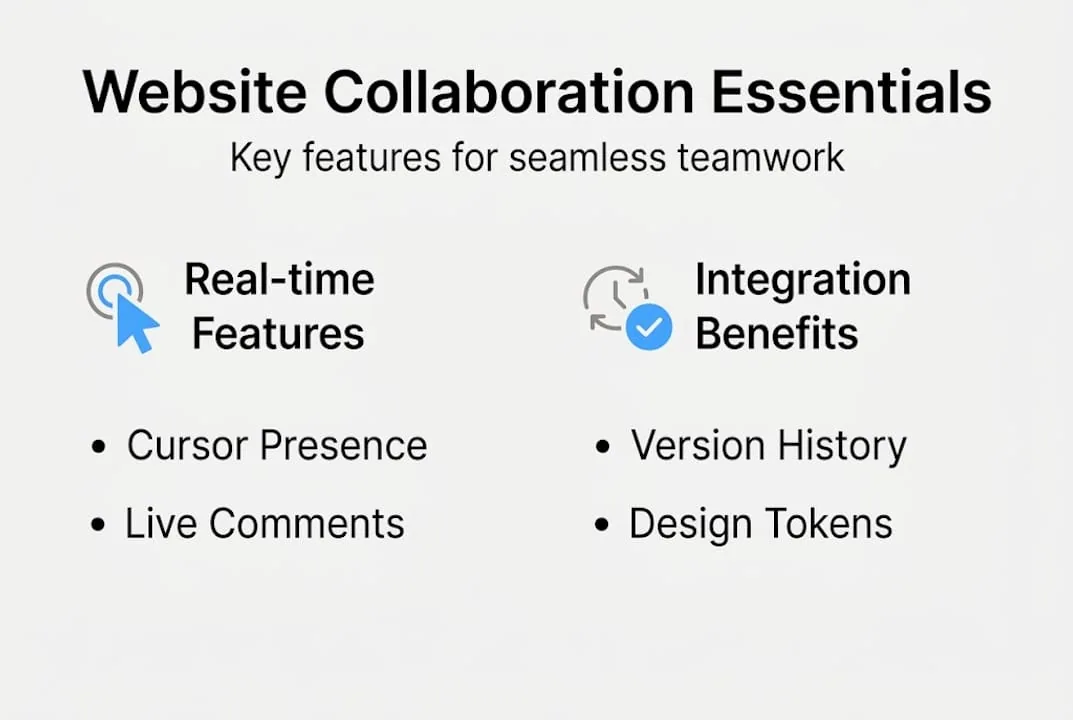
Real-time collaboration in website design hinges on three concrete UX mechanics: presence indicators and cursors, anchored commenting, and version or snapshot history. Each mechanic addresses a distinct failure mode. Presence indicators prevent duplicate effort by showing who is active and where. Anchored comments tie feedback directly to the design element it references, eliminating the ambiguity of “the button on the left” in a long email chain. Version history creates a recoverable audit trail so teams can compare iterations and revert confidently.
Without these mechanics, teams face a predictable set of problems:
- Feedback confusion: Comments arrive without context, referencing elements that have since moved or changed.
- Version conflicts: Multiple designers save competing versions of the same file, with no clear resolution path.
- Lost decisions: Approval conversations happen in chat tools and are never linked back to the design artifact.
- Onboarding friction: New team members cannot reconstruct the reasoning behind current design choices.
- Stakeholder misalignment: Business reviewers approve a version that developers never received.
Synchronising your web design workflows across tools is as important as the design files themselves. A team that uses a best-in-class design platform but routes feedback through disconnected chat channels will still lose context at every handoff.
Pro Tip: Before evaluating any collaboration platform, map your current feedback loop from first design draft to stakeholder sign-off. Identify exactly where context breaks down. The tool you choose should address those specific failure points, not just add features.
Key features every website design collaboration tool should have
Having established why these tools matter, zero in on the precise features your business should evaluate before committing to a platform. Not every tool delivers the same depth of collaboration mechanics, and the gap between a surface-level feature list and genuine enterprise capability is significant.
The three non-negotiable mechanics when evaluating collaboration tool features are presence and selection visibility, in-context anchored commenting, and version history with snapshots. These mechanics must work reliably at scale, meaning dozens of concurrent users across multiple projects without performance degradation.
| Feature | Figma | Sketch | Confluence/Jira |
|---|---|---|---|
| Real-time cursor presence | Yes, all plans | Yes, with Workspaces | Limited (page editing only) |
| Anchored design comments | Yes | Yes | Yes (on pages, not designs) |
| Version/snapshot history | Yes | Yes | Full revision history |
| Design-to-dev handoff | Built-in inspect mode | Zeplin integration | Via linked tools |
| Role-based permissions | Yes | Workspace-level | Project and space-level |
| PM tool integration | Jira, Asana, Slack | Jira, Confluence | Native Jira integration |
Beyond the core mechanics, emerging website design techniques increasingly demand that collaboration tools support design tokens, component libraries, and responsive layout previews. These capabilities determine whether your design system scales across a growing product portfolio.
Follow this evaluation process before finalising your tool selection:
- Audit your team structure. Identify how many concurrent users you need, which roles require edit access versus comment-only, and whether external stakeholders need guest access.
- Test the commenting workflow. Run a live review session with a real design file and measure how quickly reviewers can leave, resolve, and respond to anchored comments.
- Stress-test version history. Deliberately create conflicting edits and verify that the tool’s rollback and comparison features give you a clear recovery path.
- Evaluate integration depth. Confirm that the tool connects to your existing project management and build platforms, not just at a surface level but with bidirectional data sync.
- Assess governance controls. Verify that administrators can control who updates shared libraries and how those updates are rolled out to the broader team.
Pro Tip: Do not evaluate integration depth based on marketing pages alone. Request a technical demo that shows live data flowing between your design tool and your project management platform. Surface-level integrations that only sync notifications will not eliminate the context gaps you are trying to solve.
Integration workflows: Bridging design and development
With the must-have features defined, the next strategic priority is connecting your design environment to your development platform. This is where many enterprise teams encounter their most costly inefficiencies: a beautifully reviewed design that developers cannot consume without manual re-creation.

A practical approach for mid-to-large organisations is to use a design collaboration tool for live review and iteration, then connect it to the website build platform via an official integration for design-to-development synchronisation. The Figma-to-Webflow plugin is one of the most mature examples of this pattern in production use.
| Integration type | What it syncs | Key constraint |
|---|---|---|
| Design tokens | Colours, typography, spacing | Requires consistent naming conventions |
| Auto layout to flexbox | Responsive frame structures | Browser layout limitations apply |
| Component mapping | Figma components to Webflow symbols | Naming conflicts require manual resolution |
| Style variables | Design system variables to CSS variables | Partial browser support for some properties |
| Asset export | Images, icons, SVGs | File size and format optimisation needed |
The Webflow Figma plugin includes explicit conflict handling steps during sync and import, giving teams three resolution options: accept incoming changes, create a new component, or revert to the previous state. This granularity is essential in large projects where multiple designers and developers may be modifying related elements simultaneously.
Key integration pain points to plan for include:
- Browser layout constraints: Auto layout in Figma does not map perfectly to CSS flexbox in all scenarios, particularly with complex nested structures.
- Naming convention drift: Component names that diverge between the design file and the codebase create sync failures that require manual correction.
- Conflict resolution fatigue: When many changes accumulate before a sync, the volume of conflicts can slow down the handoff process significantly.
- Asset optimisation gaps: Design exports may not meet web performance standards without an additional optimisation step.
To structure a smooth handoff, establish a clear sync cadence, assign a dedicated integration owner who understands both design and development constraints, and document your naming conventions before the first sync. Connecting this workflow to a web development platform comparison exercise will help you select build platforms that support the integrations your design tools require. For teams building bespoke solutions, reviewing custom web development practices provides additional context on managing complex handoffs.
Ensuring stakeholder traceability and feedback in enterprise workflows
After clarifying technical integrations, the equally important challenge is managing the human side: how do you ensure that every stakeholder’s feedback is captured, contextualised, and traceable from initial comment to final resolution?
Enterprise website projects involve reviewers who are not designers or developers. Legal teams, brand managers, and executive sponsors all need to contribute feedback without disrupting the design workflow. Structuring this process requires a deliberate combination of design tool commenting and project management documentation.
“If your website design process depends on PM and documentation traceability alongside design review, Atlassian’s Confluence and Jira integration is a documented pattern to keep context in one place during execution.”
Confluence positions itself as a connected collaboration space for drafting and reviewing content with revision history and embedded artifacts, including design files. When design comments in Figma or Sketch are linked to Jira issues, and those issues are documented in Confluence pages, the full decision trail becomes accessible to anyone with project access, including auditors and new team members joining mid-project.
Structure your stakeholder review process using these steps:
- Define review stages explicitly. Separate internal design review from stakeholder review from final approval. Each stage should have a named owner and a defined output.
- Use anchored comments for all feedback. Require reviewers to comment directly on design elements rather than submitting feedback through email or chat.
- Link design comments to Jira issues. Every piece of feedback that requires action should become a trackable Jira issue with an assignee and a due date.
- Document approvals in Confluence. Record who approved what version and when, with a link to the relevant design snapshot.
- Set review deadlines. Stakeholder reviews without deadlines create indefinite project delays. Build review windows into your project schedule and enforce them.
For teams focused on enterprise web design growth, this level of traceability is not optional. Regulatory requirements, brand governance policies, and post-launch audits all depend on a documented record of design decisions.
Governance, roles, and approval processes in large organisations
With traceability managed, the final operational layer is governance: who controls what, who approves changes, and how updates propagate through the organisation without creating chaos.
Enterprise collaboration tool selection must account for governance over updates and roles. Sketch explicitly includes controls for who can update shared libraries and roll out those updates across a workspace. This level of control prevents a single designer from pushing breaking changes to components that dozens of other team members depend on.
Large organisations benefit from distinguishing between synchronous and asynchronous approval flows. Synchronous review works well for time-sensitive decisions where immediate alignment is needed, such as pre-launch design sign-off. Asynchronous review, where stakeholders review and comment on their own schedule within a defined window, is better suited to ongoing iteration cycles where forcing everyone into a live session creates unnecessary scheduling friction.
Independent sync and approval pipelines for design feedback are commonly used in practice, with some stakeholders preferring structured asynchronous review over pure live co-editing. This is a practical reality that your governance model must accommodate.
Follow these best practices for collaborative governance in large teams:
- Assign a design system owner. This person controls library updates, approves component changes, and manages the rollout schedule to the broader team.
- Define role tiers clearly. Separate edit, comment, and view permissions. Not every stakeholder needs edit access, and unrestricted access creates version conflicts.
- Establish a change request process. Significant design system changes should go through a lightweight approval workflow before being pushed to the workspace.
- Schedule library update windows. Push shared library updates during low-activity periods to minimise disruption to active design work.
- Document governance decisions. Record who approved major design system changes and why, creating a reference for future decisions.
Pro Tip: Codify your design library governance policy in writing before onboarding your team to a new collaboration platform. Role ambiguity is one of the most common causes of update conflicts and change fatigue in enterprise design environments.
Pitfalls to actively avoid include change conflicts caused by simultaneous library edits, update fatigue from too-frequent component pushes, and role ambiguity that leads to unauthorised modifications. Connecting your governance model to integrating branding in web design ensures that brand standards are enforced consistently across every design iteration.
Our perspective: What most teams miss about design collaboration tools
Having equipped you with best practices and frameworks, here is a candid observation from the front lines of digital transformation: the teams that struggle most with collaboration tools are not using the wrong platforms. They are using the right platforms incorrectly.
The most common failure pattern is adopting a feature-rich tool without mapping its capabilities to the team’s actual workflow. Features that are not anchored to a defined process become noise. Presence indicators are only valuable if your team has a shared understanding of when to use live co-editing versus asynchronous review. Version history is only useful if someone is responsible for creating named snapshots at meaningful milestones.
More features do not automatically produce better alignment. What produces alignment is disciplined governance, clear role assignment, and integration between your design tool and your project management ecosystem. We have seen organisations run highly effective design reviews using tools with fewer features than their competitors, simply because their process was better defined.
The real project lesson is that tool selection is a process design exercise first and a technology selection exercise second. Define your workflow, identify your failure points, and then choose the tool that addresses them with the least friction.
Transform your design process with expert guidance
Applying these frameworks across a large organisation requires more than the right tool selection. It requires a partner who understands how design collaboration, development workflows, and enterprise governance intersect in practice. At CloudFusion, we support businesses in building custom web development processes that integrate proven collaboration platforms with scalable development workflows. Whether you are standardising your design review process, bridging a design-to-development gap, or establishing governance for a growing team, our website development solutions are built to align with your operational realities. Reach out to discuss how we can accelerate your digital transformation with the right tools and the right process behind them.
Frequently asked questions
What are the most important features to look for in a website design collaboration tool?
The key features are real-time presence indicators, anchored commenting, and comprehensive version history, as these three mechanics directly address feedback confusion, version conflicts, and loss of decision context.
How do you integrate design tools with website development platforms?
Mid-to-large organisations typically use a design collaboration tool for live review and iteration, then connect it to the build platform via an official plugin or integration, though browser compatibility and naming conventions can affect how cleanly the sync operates.
How can teams manage feedback and approvals efficiently with these tools?
Teams combine in-tool commenting and version snapshots with structured approval stages tracked through Confluence and Jira, ensuring every feedback item becomes a traceable, assignable task rather than a lost conversation thread.
Do all collaborators need the same version of a design app?
Yes, particularly in tools like Sketch where real-time collaboration requires compatible app versions across all participants, as version mismatches can prevent users from seeing each other’s edits or accessing shared workspaces correctly.