TL;DR:
- Most development teams discover their app’s scaling issues only during outages caused by traffic surges. Building scalable web applications depends on early architectural decisions, such as embracing horizontal, stateless, and loosely coupled design principles. Continuous testing, monitoring, and avoiding common pitfalls are essential for maintaining performance as user demand grows.
Most development teams don’t discover their app has a scaling problem until it’s causing an outage. Building scalable web applications is less about raw infrastructure spend and more about architectural decisions made early, before traffic peaks expose hidden bottlenecks. Whether you’re designing a greenfield system or retrofitting an existing app to handle growing user demand, the principles covered here apply directly. This guide walks you through foundational architecture choices, practical implementation strategies, testing approaches, and the common mistakes that quietly undermine otherwise well-built systems.
Table of Contents
- Key takeaways
- Building scalable web applications: foundational principles
- Executing scalability: infrastructure and coding practices
- Testing, monitoring, and ongoing management
- Common scalability mistakes to avoid
- My honest take on scaling in the real world
- How Cloudfusion can help you scale with confidence
- FAQ
Key takeaways
| Point | Details |
|---|---|
| Choose horizontal over vertical scaling | Loosely coupled, stateless services scale out far more effectively than single, increasingly powerful servers. |
| Design for stateless compute from day one | Session state stored on specific instances blocks autoscaling and creates failure points during traffic surges. |
| Fix database bottlenecks before adding servers | Connection pooling and query optimisation resolve most production bottlenecks faster than provisioning extra compute. |
| Test scalability before traffic demands it | Load and stress testing under simulated peak conditions reveals architectural gaps before users experience them. |
| Automate deployments and monitoring | CI/CD pipelines with automated rollback and real-time metrics are prerequisites for sustainable scalability at any scale. |
Building scalable web applications: foundational principles
The single most important decision you’ll make when learning how to build scalable web architecture is choosing between vertical and horizontal scaling. Vertical scaling means upgrading a single server’s CPU, memory, or storage. It’s simple to implement but hits hard limits quickly and creates a single point of failure. Horizontal scaling means adding more instances of your service, distributing load across them, and letting the cluster grow or shrink with demand.
Horizontal scaling only works reliably when your compute layer is stateless. If a user’s session is stored in memory on a specific server instance, routing their next request to a different instance breaks the experience. Stateless compute tiers avoid this entirely by externalising state to a shared store like Redis or a managed database, making every instance interchangeable.
Modern scalable architectures also depend on loose coupling between services. A multi-tier design typically includes edge protection (CDN and WAF), stateless application servers, a caching layer, asynchronous message queues, and managed databases. Each tier scales independently, which means a spike in API traffic doesn’t necessarily stress your database or your background job workers.
| Architectural pattern | Scalability strength | Key trade-off |
|---|---|---|
| Monolith | Low. Entire app scales as one unit. | Simple to start, difficult to scale selectively. |
| Microservices | High. Each service scales independently. | Higher operational overhead and complexity. |
| Serverless | Very high. Auto-scales per request. | Cold starts; less control over runtime environment. |
| Multi-tier (layered) | High. Tiers decouple scaling concerns. | Requires careful design of inter-tier communication. |
Pro Tip: If you’re just starting out, a well-structured monolith is not automatically a bad choice. Many South African startups succeed on a modular monolith for years before migrating to microservices. The mistake is building a tightly coupled monolith that cannot be decomposed later.
Executing scalability: infrastructure and coding practices
Knowing how to design scalable web apps is one thing. Translating that into working infrastructure is another. Cloud providers like AWS, GCP, and Azure give you managed services that handle much of the operational complexity, but only if your application is designed to use them properly.

Autoscaling allows managed instance groups to add or remove compute instances automatically based on CPU utilisation, request count, or custom metrics. This eliminates the need for manual capacity guesses and keeps costs proportional to actual demand. Pair this with a load balancer that distributes incoming requests across healthy instances, and you have the core of a horizontally scalable compute tier.
Caching and async processing
Caching is one of the highest-leverage techniques available. Place a CDN in front of your static assets and cacheable API responses, and a significant portion of your traffic never reaches your application servers at all. For data that changes frequently, in-process caches like Redis reduce database read pressure considerably.
Asynchronous processing is equally important. Any workload that doesn’t need to complete synchronously within a user request, such as sending emails, processing uploads, or generating reports, belongs in a message queue. Services like Google Pub/Sub, AWS SQS, or RabbitMQ decouple producers from consumers and absorb traffic spikes without slowing the user-facing response.
Database performance and API security
Optimising your database before adding application servers is the correct sequence most teams get backwards. Connection exhaustion and slow queries are responsible for a large proportion of production scalability failures. Connection pooling tools like PgBouncer (for PostgreSQL) keep the number of active database connections bounded even as your application tier grows. Indexing frequently queried columns and avoiding N+1 query patterns make a measurable difference under real load.
API security also becomes a scalability concern in cloud-native systems. Unprotected endpoints can be overwhelmed by malicious traffic, which consumes compute resources and degrades performance for legitimate users. Rate limiting, authentication enforcement, and input validation should be built in from the start, not added reactively.
Key tools and services your scalable web app development stack should include:
- Compute: Cloud Run, AWS Fargate, or Kubernetes for containerised, stateless workloads
- Database: Cloud SQL, Amazon RDS, or PlanetScale with read replicas for query distribution
- Caching: Redis or Memcached for session data and hot query results
- CDN: Cloudflare, AWS CloudFront, or Google Cloud CDN for edge caching
- Message queues: Google Pub/Sub, AWS SQS, or RabbitMQ for async task processing
- CI/CD: GitHub Actions, Cloud Build, or CircleCI for automated deployment pipelines
For South African teams, also factor in latency to your primary user base. Hosting on a Johannesburg or Cape Town region where available, or using a CDN with local edge nodes, reduces round-trip times meaningfully. You can read more about how cloud vs traditional hosting affects performance and business outcomes in the local context.
Pro Tip: Never store session data in application memory when building for horizontal scale. Use Redis with a short TTL for session state, and keep your compute instances completely disposable. If any instance can be terminated without affecting a user session, your autoscaling will work as designed.
Testing, monitoring, and ongoing management
Building a scalable architecture is not a one-time event. You need to verify that the system performs as expected under real conditions, and then monitor it continuously so you can catch degradation before users notice.
Here is a practical approach to scalability verification and ongoing management:
- Baseline performance testing. Before any load test, establish your baseline: response times, throughput, and error rates under normal traffic. This gives you a reference point for interpreting results later.
- Load testing. Use tools like k6, Locust, or Apache JMeter to simulate expected peak traffic. Gradually ramp up concurrent users and observe where response times degrade or error rates climb.
- Stress testing. Push beyond expected peak to find your system’s actual breaking point. You want to discover this in a test environment, not during a Black Friday promotion.
- Soak testing. Run sustained moderate load for several hours. Memory leaks, connection pool exhaustion, and log file growth often only appear after extended operation.
- Chaos engineering. Deliberately terminate instances or introduce latency between services to confirm that your redundancy and failover mechanisms work under real conditions.
Metrics that actually matter
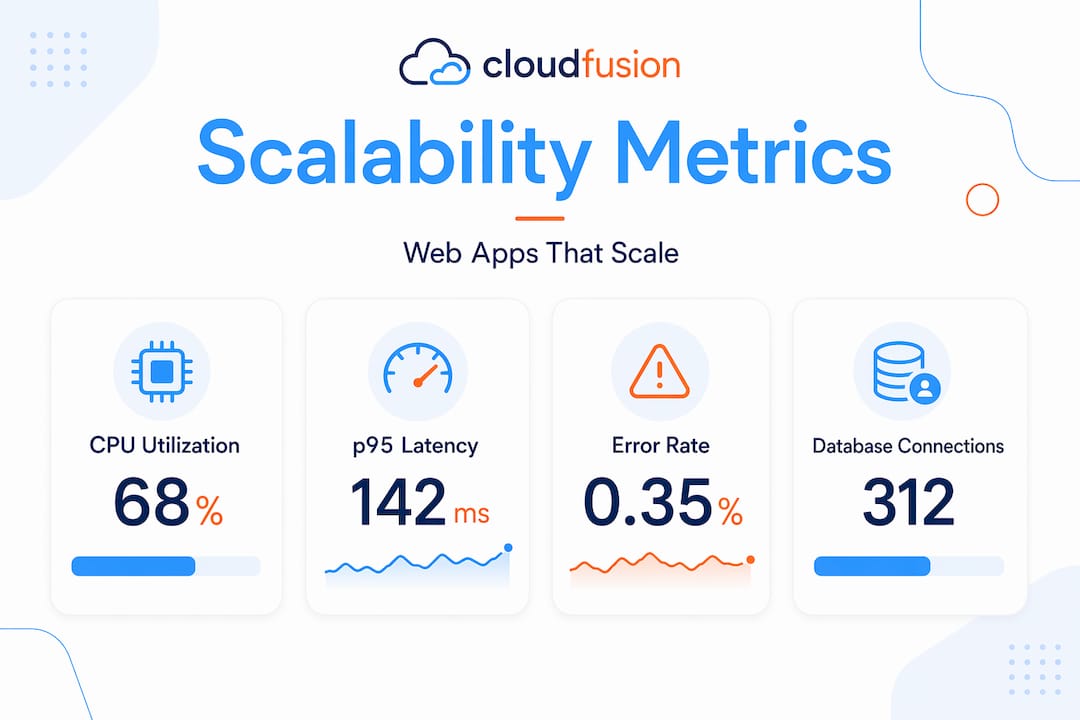
Monitor CPU utilisation, memory usage, request latency (p50, p95, p99 percentiles), error rates, and database connection pool saturation. The p99 latency figure, meaning the slowest 1% of requests, is particularly telling because it reflects what your least-lucky users experience.
Kubernetes features like Pod Disruption Budgets and readiness probes help maintain availability during rolling deployments and maintenance windows. A readiness probe tells the load balancer not to route traffic to a pod that hasn’t finished starting up, which eliminates a common source of transient errors during deploys.
CI/CD pipelines with automated build, test, and deployment stages reduce the risk of human error and give you reliable rollback capabilities when a deployment causes unexpected issues. Treat your infrastructure as code using Terraform or Pulumi, and version-control it alongside your application code.
Pro Tip: Set up alerting on your p95 latency, not just your average. Average response times mask tail latency problems that only appear under load. If your p95 exceeds your SLA threshold, you want a page, not a graph you notice three days later.
Common scalability mistakes to avoid
Even experienced teams fall into patterns that quietly undermine their scaling strategy. Recognising these anti-patterns early saves significant remediation effort later.
| Mistake | What goes wrong | Corrective action |
|---|---|---|
| Stateful compute instances | Autoscaling breaks; users lose sessions | Externalise all state to Redis or managed DB |
| Vertical-only scaling | Hits resource limits; single point of failure | Refactor to stateless horizontal architecture |
| Skipping connection pooling | DB connection exhaustion under moderate load | Implement PgBouncer or equivalent pooler |
| Hard capacity planning | Overprovisioning costs money; underprovisioning causes outages | Use elastic architectures and autoscaling |
| No monitoring in production | Bottlenecks go undetected until failure | Add metrics, alerting, and dashboards from day one |
A few additional patterns worth calling out specifically:
- Tight service coupling. When Service A calls Service B synchronously for every request, a slowdown in B cascades into A. Introduce async queues or circuit breakers to isolate failures.
- Ignoring operational maturity. Monitoring, automation, and reversible deployments are not optional additions. They are prerequisites for sustainable scalability.
- Premature microservice decomposition. Splitting a monolith too early introduces distributed systems complexity before your team has the tooling or experience to manage it. Start with a modular design and decompose based on demonstrated need.
My honest take on scaling in the real world
I’ve worked with enough development teams to say with confidence that the biggest scaling failures I’ve seen weren’t caused by wrong technology choices. They were caused by teams that treated scalability as something to add later, after the product proved itself.
The argument makes sense on the surface. Why invest in scalable architecture before you know the product will succeed? The problem is that retrofitting a tightly coupled, stateful monolith under production pressure is far more expensive and risky than getting the basics right upfront. Stateless compute, externalised session storage, and a CI/CD pipeline aren’t exotic engineering decisions. They’re table stakes for any application with growth ambitions.
What I’ve also found is that small, reversible changes consistently outperform large, one-time architectural bets. If you’re debating whether to migrate to a microservices architecture, start by extracting one high-traffic service and learning from the operational reality before committing fully. The cloud scalability benefits only materialise when your team has the processes and monitoring in place to exploit them.
For South African teams specifically, I’d add this: don’t let international architectural patterns be applied uncritically to your context. Local bandwidth constraints, Rand-denominated cloud spend, and the reality of smaller engineering teams mean that pragmatic simplicity often beats architectural purity. A well-monitored, well-tested monolith on a sensibly sized cloud instance will serve many local businesses far better than a poorly operated Kubernetes cluster.
— Anton
How Cloudfusion can help you scale with confidence
If you’re planning a new build or assessing whether your current architecture can handle growth, Cloudfusion’s team of developers and technical architects has hands-on experience building high-performance, production-grade web applications for South African organisations. From initial architecture reviews through to full custom web development and deployment, Cloudfusion works with technical teams to design systems that scale gracefully under pressure. Whether you need scalable web hosting infrastructure or a complete application built from the ground up, give us a shout and let’s talk through your requirements.
FAQ
What does “scalable web application” actually mean?
A scalable web application is one that can handle increased user load by adding resources without requiring a full redesign. It achieves this through stateless compute, horizontal scaling, and loosely coupled service architecture.
What is the difference between horizontal and vertical scaling?
Vertical scaling adds more power to a single server, while horizontal scaling adds more server instances. Horizontal scaling is generally preferred because it avoids single points of failure and supports elastic autoscaling.
How do I know if my app has a scalability problem?
Watch for rising p95 and p99 response times under moderate load, database connection errors, or memory growth that doesn’t stabilise. Load testing tools like k6 or Locust can surface these issues in a controlled environment before they affect users.
Why does stateless design matter for scaling?
Stateless compute means any server instance can handle any request, making autoscaling safe and reliable. When session data is tied to a specific instance, removing that instance during a scale-down event breaks active user sessions.
How should South African teams approach cloud infrastructure costs?
Use autoscaling to match resource spend to actual demand rather than provisioning for peak at all times. Tools like AWS cost explorer and GCP billing budgets help track Rand-denominated spend, while cloud infrastructure basics provide a practical starting point for teams new to cloud-native architecture.
Recommended