

Mobile-first website design guide for SMEs in 2026
Master mobile-first website design in 2026. Learn how SMEs can boost engagement 200%, improve conversions 400%, and enhance SEO with mobile-first strategies.
Start reading
Most business owners believe their website is mobile optimized simply because it loads on smartphones. The truth? Mobile-friendly websites are often misconceived as mobile-first; mobile-friendly adapts desktop designs whereas mobile-first designs start with mobile UX at the core. This distinction determines whether your site merely functions on mobile or truly excels, driving engagement rates up to 200% higher and boosting conversions by 400%. Understanding mobile-first design is essential for SMEs to compete effectively in 2026.
Table of Contents
- Why Mobile-First Design Is Critical In 2026
- Common Misconceptions About Mobile-First Design
- Mobile User Experience Benefits And Impact
- Practical Implementation Of Mobile-First Design For SMEs
- Current State And Challenges Of SME Web Design
- Summary And Next Steps
- Explore Cloudfusion’s Mobile-First Web Design Solutions
Key takeaways
Point | Details |
|---|---|
Mobile-first design prioritizes mobile user experience from the start | Unlike mobile-friendly approaches, mobile-first builds for small screens first, then enhances for larger displays. |
Google’s mobile-first indexing makes mobile design critical for SEO | Google ranks sites based on their mobile version, making mobile optimization essential for search visibility. |
Mobile-first sites improve engagement, conversion rates, and user satisfaction | Sites designed mobile-first see doubled engagement time and conversion increases up to 400%. |
Shrinking desktop sites isn’t enough for true mobile optimization | Responsive adaptation differs fundamentally from designing mobile experiences from the ground up. |
Practical steps can help SMEs implement effective mobile-first design | Starting with mobile analytics, minimalist layouts, and device testing enables successful implementation. |
Introduction to mobile-first website design
Mobile-first website design means starting your design process with mobile user experience and functionality as the foundation, then progressively enhancing for tablets and desktops. This approach contrasts sharply with traditional methods where designers created desktop versions first, then adapted them for smaller screens. The difference matters more than you think.
Here’s what sets mobile-first apart from mobile-friendly:
- Mobile-first: Design begins with mobile constraints, ensuring core content and features work perfectly on small screens before adding desktop enhancements
- Mobile-friendly: Desktop design gets squeezed and adapted to fit mobile screens, often compromising usability and performance
- Responsive: Layout adjusts fluidly across devices, but may still prioritize desktop design thinking
With mobile traffic exceeding 63% of all web traffic globally, designing for mobile first isn’t optional anymore. It’s the baseline expectation. Users access websites predominantly through smartphones, making mobile the primary touchpoint for most businesses.
The mobile-first philosophy embraces progressive enhancement: start with essential content and features that work flawlessly on small screens with limited bandwidth, then layer on additional functionality for larger screens and faster connections. This ensures every user gets a solid experience regardless of device.
For SMEs, this shift means rethinking how you present your business online. Instead of asking “How do we fit our desktop site onto mobile?”, you ask “What do mobile users need most?” This question leads to cleaner designs, faster load times, and better mobile responsiveness across all devices.
Why mobile-first design is critical in 2026
The business case for mobile-first design has never been stronger. Mobile devices generated over 63% of global website traffic in 2025, a trend that continues accelerating in 2026. More importantly, mobile commerce now represents the majority of online transactions, with users expecting seamless mobile shopping experiences.

Google’s mobile-first indexing policy fundamentally changed how websites get ranked. Since March 2021, Google’s mobile-first indexing means that the mobile version of a website is used for ranking and indexing, directly impacting SEO visibility. If your mobile site underperforms, your search rankings suffer regardless of how good your desktop version looks.
Here’s how mobile-first indexing impacts your business:
- Search visibility: Google crawls and ranks your mobile site primarily, making mobile optimization essential for appearing in search results
- Page experience signals: Core Web Vitals measured on mobile affect rankings across all devices
- Content parity: Missing content or features on mobile compared to desktop can hurt rankings
- Mobile usability: Navigation issues, small text, or tappable elements too close together trigger ranking penalties
Approach | Indexing Priority | SEO Impact | User Experience |
|---|---|---|---|
Mobile-first design | Mobile version indexed first | Optimized for Google’s ranking algorithm | Excellent on all devices |
Desktop-first adapted | Mobile version may lack features | Potential ranking penalties | Compromised on mobile |
No mobile optimization | Desktop version indexed by default | Severe ranking penalties | Poor mobile experience |
The mobile-friendly website importance extends beyond search rankings. Conversion opportunities multiply when users can easily navigate, read content, and complete actions on mobile devices. Sites that ignore mobile-first principles lose both search visibility and revenue.
For SMEs competing in local markets, mobile search dominance matters even more. Users searching for local businesses on smartphones expect instant, mobile-optimized results. Failing to deliver means losing customers to competitors who prioritize mobile experience.
Common misconceptions about mobile-first design
Many businesses confuse mobile-friendly with mobile-first, leading to suboptimal implementations that waste resources and disappoint users. Understanding these distinctions prevents costly mistakes during website redesigns.
The biggest myth: making your site “mobile-friendly” means you’ve achieved mobile-first design. Not true. Mobile-friendly typically means applying responsive CSS to make desktop layouts squeeze onto smaller screens. Mobile-first means designing specifically for mobile constraints from day one.
Approach | Design Process | Performance | SEO Optimization | UX Quality |
|---|---|---|---|---|
Mobile-first | Starts with mobile, enhances for desktop | Optimized for mobile bandwidth | Prioritized by Google indexing | Excellent mobile experience |
Mobile-friendly | Desktop adapted for mobile | Often slower on mobile | May miss indexing opportunities | Compromised mobile UX |
Responsive only | Flexible layouts across devices | Variable performance | Depends on implementation | Inconsistent experience |
Simply shrinking your desktop design creates several problems:
- Performance issues: Large desktop images and scripts slow mobile load times dramatically
- Navigation confusion: Desktop menus crammed into mobile screens become unusable
- Content overload: Desktop content volumes overwhelm small screens, burying key information
- Touch target problems: Desktop-sized buttons and links prove too small for accurate tapping
Pro tip: When planning a redesign, start by mapping out your mobile user journey first. Identify the core tasks mobile users need to complete, design those flows for thumb-friendly interaction, then add desktop enhancements. This prevents the common failure of treating mobile as an afterthought.
Key features exclusive to properly executed mobile-first design include touch-optimized interfaces, vertical scrolling navigation, content prioritization based on mobile user needs, and performance budgets that ensure fast loading on cellular connections. These elements rarely emerge from responsive vs adaptive design approaches that start with desktop thinking.
When businesses persist with these misconceptions, they face tangible consequences: lower search rankings due to poor mobile signals, higher bounce rates from frustrated mobile users, and lost conversions from clunky mobile checkout processes. Addressing mobile responsiveness problems requires understanding that true mobile optimization starts with mobile-first thinking, not desktop adaptation.
Mobile user experience benefits and impact
Mobile-first design delivers measurable improvements in user engagement, conversion rates, and brand perception. These benefits translate directly to business outcomes for SMEs investing in proper mobile optimization.
Engagement metrics improve dramatically with mobile-first approaches. Users spend double the time on mobile-first sites compared to poorly adapted desktop sites. Why? Because mobile-first design eliminates friction: content loads faster, navigation feels intuitive, and information appears in logical, scannable chunks suited for small screens.
Conversion rates tell an even more compelling story. Properly designed mobile-first sites achieve conversion rate increases between 200% and 400% compared to desktop-adapted alternatives. The difference comes from removing barriers: simplified forms, prominent calls-to-action sized for thumbs, and streamlined checkout processes designed for mobile context.
User trust hinges on mobile experience quality. Research shows 57% of users won’t recommend businesses with poorly designed mobile sites. That’s not just lost recommendations; it’s damaged brand reputation that affects all marketing channels.
Specific UX improvements that drive these benefits include:
- Thumb-friendly navigation: Buttons and links positioned in the natural thumb zone of smartphone screens
- Readable typography: Font sizes starting at 16px ensure readability without zooming
- Fast load speeds: Optimized images and minimal scripts deliver sub-3-second page loads
- Vertical scrolling: Content flows naturally downward, matching mobile browsing behavior
- Touch-optimized interactions: Adequate spacing between tappable elements prevents mis-taps
Pro tip: Design with a “mobile minimalism” mindset. Strip each screen to its essential elements, prioritizing the single most important action users should take. Add complexity only where it serves clear mobile user needs. This approach naturally creates effective website design that works across devices.
For SMEs, these UX improvements translate to tangible business metrics: lower customer acquisition costs through better conversion rates, higher customer lifetime value from improved satisfaction, and stronger competitive positioning in mobile-dominated markets. Following essential UX principles specific to mobile contexts helps businesses improve conversions through digital solutions that genuinely serve mobile users.
Practical implementation of mobile-first design for SMEs
Implementing mobile-first design requires a structured approach that prioritizes mobile user needs from project inception. SMEs can achieve professional results by following these practical steps.
Start with data-driven assessment:
- Analyze mobile traffic patterns: Use Google Analytics to identify what percentage of visitors use mobile, which pages they visit, and where they drop off
- Review mobile UX pain points: Examine heatmaps and session recordings to spot navigation issues, abandoned forms, and content scrolling problems
- Audit current mobile performance: Test load speeds, Core Web Vitals, and mobile usability using Google’s tools
- Identify competitor mobile strategies: Analyze how successful competitors structure their mobile experiences
Design principles for mobile-first success:
- Start with mobile wireframes: Sketch layouts for 375px width (standard smartphone) before considering larger screens
- Embrace minimalist design: Every element must justify its presence; remove anything non-essential
- Prioritize vertical flow: Design content to flow naturally downward, avoiding horizontal scrolling
- Optimize touch targets: Make buttons at least 44x44 pixels with adequate spacing
- Implement progressive disclosure: Show core content first, reveal additional details on demand
Technical implementation essentials:
- Use responsive images with srcset attributes to serve appropriate file sizes per device
- Implement lazy loading for images below the fold to improve initial load speed
- Minimize JavaScript and CSS, loading only what mobile users need
- Ensure text remains readable without zooming (minimum 16px font size)
- Test navigation works with one thumb while holding the phone
Pro tip: The biggest mobile-first failure happens when teams design mobile layouts but test only on desktop browsers. Always test on actual smartphones with real cellular connections. Emulators miss touch interaction nuances and don’t accurately reflect true mobile performance constraints. This testing reveals issues that analytics alone won’t show, helping you avoid common website errors.
Content parity and functionality consistency matter enormously. Your mobile site must offer the same core features and information as desktop, just presented differently. Hiding important content or functionality on mobile damages both user experience and SEO.
Validation and testing process:
- Test on multiple real devices (iPhone, Android phones of various sizes)
- Check important tasks on real phones and use appropriate automated diagnostics alongside manual accessibility and usability checks.
- Run Lighthouse audits to measure performance, accessibility, and SEO
- Conduct user testing with actual customers completing key tasks on mobile
- Monitor mobile analytics continuously after launch to identify issues
Successful mobile-first implementation requires applying proven UX design principles specifically adapted for mobile contexts. By starting with mobile constraints and progressively enhancing for larger screens, SMEs create experiences that work exceptionally well everywhere.
Current state and challenges of SME web design
Despite mobile’s dominance, many SMEs still struggle with proper mobile-first optimization. Understanding these challenges helps businesses recognize the urgency of modernizing their web presence.
The statistics reveal a concerning gap: 72% of businesses now have websites, but 50% of small businesses still lack professionally designed and mobile-first optimized sites. This means half of SME websites fail to meet modern user expectations and Google’s ranking requirements.
Common obstacles preventing mobile-first adoption include:
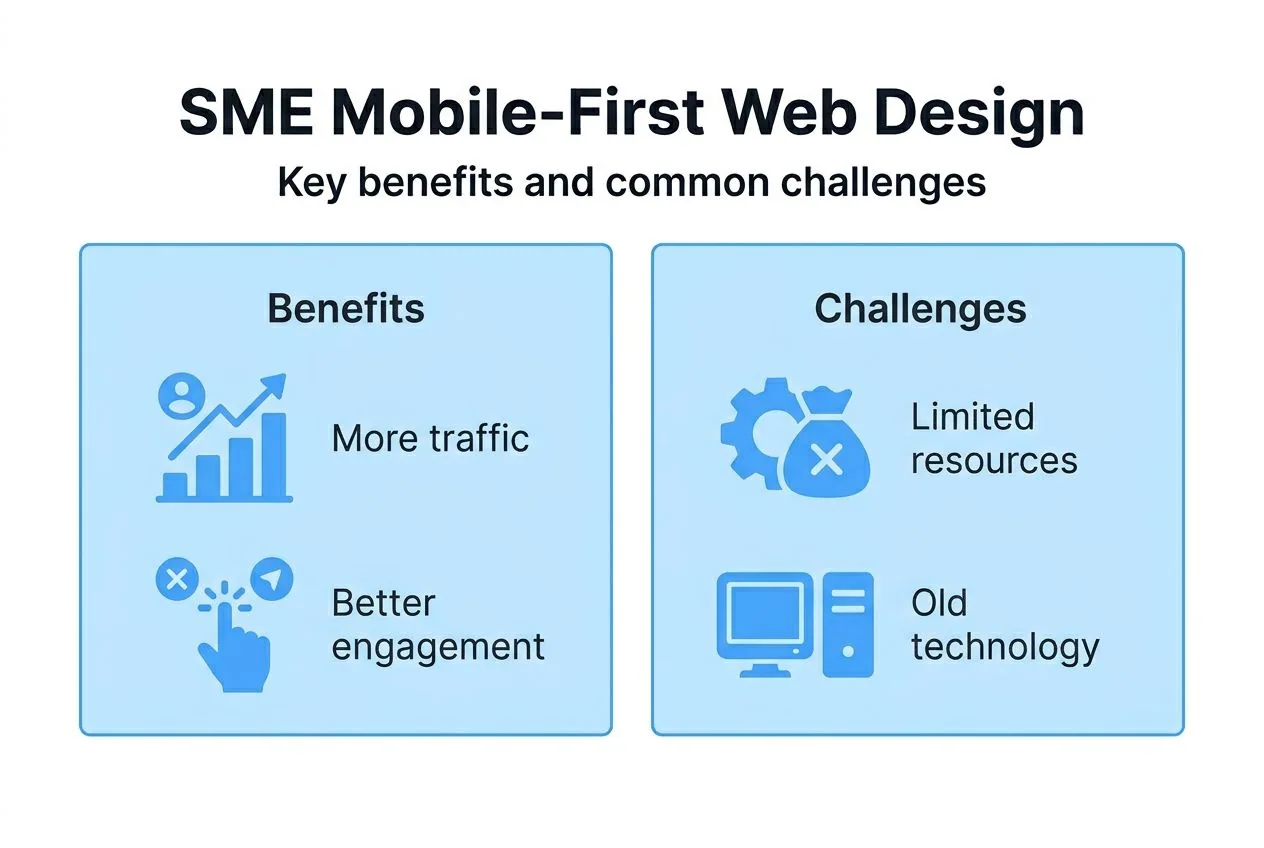
- Budget constraints: SMEs often view mobile-first redesigns as expensive, prioritizing other investments
- Technical skill gaps: Many businesses lack in-house expertise to implement mobile-first principles properly
- Legacy system limitations: Older content management systems and e-commerce platforms resist mobile-first approaches
- Misaligned priorities: Decision-makers underestimate mobile’s importance, focusing resources on desktop experiences
- Knowledge deficits: Confusion between mobile-friendly and mobile-first leads to inadequate solutions
The risks of ignoring mobile-first design compound over time. Poor mobile experiences drive users to competitors, reducing market share. Google’s mobile-first indexing penalizes desktop-focused sites, cutting organic traffic. Negative mobile experiences damage brand perception, making customer acquisition more expensive across all channels.
Businesses that persist with desktop-first approaches face specific failures: using desktop-sized images that bloat mobile page weight, implementing navigation patterns that fail on touchscreens, neglecting mobile checkout optimization, and skipping mobile UX testing altogether. These mistakes create the exact mobile responsiveness problems that drive customers away.
SMEs need bespoke solutions tailored to their specific industries, customer bases, and technical constraints. Off-the-shelf templates rarely deliver truly mobile-first experiences without significant customization. Professional services that understand SME contexts can bridge the gap between mobile-first best practices and practical business realities.
Recognizing these challenges helps businesses avoid common website errors that undermine mobile performance. The solution isn’t just awareness; it’s taking concrete action to modernize web presence with expert guidance.
Summary and next steps
Mobile-first design has evolved from optional enhancement to business necessity in 2026. With Google prioritizing mobile versions for indexing and over 63% of web traffic originating from mobile devices, SMEs cannot afford desktop-focused approaches.
The quantifiable benefits make the case compelling:
- Doubled user engagement time on properly designed mobile-first sites
- Conversion rate improvements ranging from 200% to 400%
- Enhanced search visibility through alignment with Google’s mobile-first indexing
- Stronger brand trust and customer recommendations
Your next steps should include:
- Audit your current mobile performance using Google’s tools and real device testing
- Analyze mobile user behavior in your analytics to identify pain points
- Prioritize mobile-first redesign as a strategic investment, not a technical project
- Consult with experts who understand both mobile-first design principles and SME business contexts
The competitive advantage goes to businesses that recognize mobile as the primary digital touchpoint, not a secondary consideration. Start implementing mobile-first principles now to capture the engagement, conversion, and SEO benefits that drive measurable business growth.
Explore Cloudfusion’s mobile-first web design solutions
Ready to transform your digital presence with professional mobile-first design? Cloudfusion specializes in custom web development that prioritizes mobile user experience from the ground up, ensuring your site excels on every device.
Our approach combines mobile-first design principles with industry-specific customization, creating websites that engage mobile users and convert visitors into customers. We complement exceptional design with fast and secure web hosting optimized for mobile performance, ensuring your site loads quickly even on cellular connections.
Pro tip: Partnering with experienced developers prevents costly redesign mistakes like treating mobile as an afterthought or implementing responsive frameworks that compromise mobile performance. Expert guidance maximizes ROI by getting mobile-first implementation right the first time.
If your site is difficult to use on a phone, start with the affected pages and tasks. Discuss your mobile website with Cloudfusion before planning the changes.
FAQ
What is mobile-first website design?
Mobile-first website design is an approach that prioritizes mobile user experience and functionality before designing for larger screens. It starts with designing for smartphone constraints, ensuring core content and features work perfectly on small screens, then progressively enhances the experience for tablets and desktops. This contrasts with traditional methods that adapt desktop designs for mobile, often compromising speed and usability.
How does mobile-first design affect SEO in 2026?
Google ranks and indexes sites based on their mobile version, making mobile-first design critical for search visibility. Sites designed mobile-first typically achieve better Core Web Vitals scores, faster load times, and superior mobile usability signals, all of which directly impact search rankings. Without proper mobile optimization, your site faces ranking penalties regardless of desktop performance quality.
What are common mistakes when adopting mobile-first design?
The most common mistake is treating mobile as an afterthought by simply shrinking desktop designs rather than redesigning from mobile up. Other frequent errors include neglecting page load speed optimization for cellular connections, using desktop-sized images that bloat mobile page weight, and failing to test on real devices with actual users. Many businesses also compromise mobile functionality by hiding important content or features that exist on desktop versions.
How can SMEs start implementing mobile-first design effectively?
Start by reviewing available mobile traffic and observed problems in the current experience. Design around the important information and tasks, then test a range of screen widths, input methods and actual smartphones. Automated tools such as Lighthouse can help identify issues, but manual checks and real tasks are also needed; a tool result alone does not establish accessibility compliance.