

How to use a responsive website maker for growth
Learn how to use a responsive website maker to build a mobile-ready business site that improves SEO, engages customers, and drives measurable growth for SMEs.
Start reading
TL;DR:
- Nearly two-thirds of website traffic is mobile, making responsive design essential for engagement.
- No-code platforms like Duda and Shopify offer high performance and ease of building mobile-friendly sites.
- Ongoing testing and optimization are crucial for maintaining responsiveness and maximizing business results.
Nearly two-thirds of all website traffic now comes from mobile devices, yet many business sites still deliver a broken or frustrating experience on smaller screens. For small and medium-sized enterprises, this is not a design inconvenience — it is a direct threat to customer engagement, search rankings, and revenue. The good news is that modern responsive website makers have made it possible to build a professional, mobile-ready site without writing a single line of code. This guide walks you through every stage, from selecting the right platform and preparing your content, to building, testing, and continuously improving your site for measurable business results.
Table of Contents
- What is a responsive website maker and why use one?
- What you need before you start: Requirements and preparation
- Step-by-step: Creating a fully responsive website
- Testing and troubleshooting your responsive website
- Our take: What most guides miss about responsive website makers
- Supercharge your results with expert support
- Frequently asked questions
Key Takeaways
| Point | Details |
|---|---|
| Mobile-first is essential | Designing for mobile users should come first to capture more than 60% of website traffic. |
| Choose the right tool | Platforms like Wix and Duda offer high mobile performance and simplify SME site launches. |
| Test and optimize | Real-device testing and site speed optimization are crucial for conversions and engagement. |
| Continuous improvement | Regular updates and testing keep your site responsive and business-ready as technology evolves. |
What is a responsive website maker and why use one?
A responsive website maker is a no-code or low-code platform that uses fluid grids, flexible images, and CSS media queries to automatically adapt your site’s layout to any screen size, whether that is a desktop monitor, tablet, or smartphone. Understanding responsive web design basics helps clarify why this matters: when your layout adjusts intelligently, visitors get a consistent and usable experience regardless of device.
Traditional web development requires a developer to write and maintain custom code for every design change, which drives up costs and slows down updates. Responsive website makers eliminate that dependency. No-code platforms like Wix, Squarespace, Duda, Shopify, and Webflow allow SMEs to build sites that automatically adapt to all devices, putting professional-grade web presence within reach of any business owner.
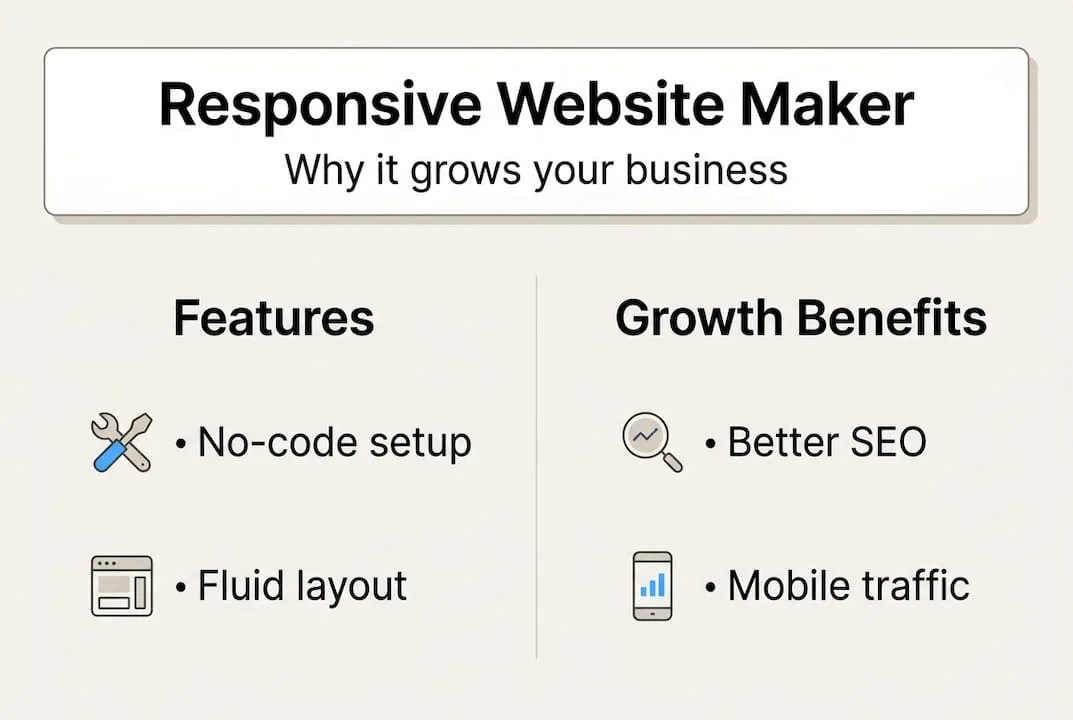
The business case is straightforward. A responsive site ranks higher in Google search results because mobile-friendliness is a confirmed ranking signal. It also converts better, since users who can navigate your site easily are far more likely to make a purchase or submit an enquiry. Lower bounce rates, improved session duration, and reduced maintenance overhead are additional advantages that compound over time.
Here is a quick comparison of leading platforms and their Core Web Vitals (CWV) pass rates, which measure real-world loading speed and visual stability:
| Platform | CWV pass rate | Best suited for |
|---|---|---|
| Duda | 83.63% | Agencies and service businesses |
| Shopify | 75% | E-commerce retailers |
| Wix | 71% | SMEs and creatives |
| Squarespace | 68% | Portfolio and lifestyle brands |
| WordPress | 43% | Content-heavy or custom builds |
Key benefits of using a responsive website maker include:
- Improved SEO through mobile-first indexing compliance
- Higher conversions from a consistent cross-device experience
- Faster time to launch compared to custom-coded solutions
- Lower ongoing costs with built-in hosting and updates
- Scalability as your product or service range grows
Pro Tip: Prioritise platforms with high CWV pass rates. A builder that scores well on loading speed and layout stability will retain more visitors and signal quality to search engines, directly supporting your growth goals.
What you need before you start: Requirements and preparation
Rushing into a build without preparation is one of the most common and costly mistakes SMEs make. Before you open any platform, gather the assets and information that will drive your site’s effectiveness.
Start by defining your primary business goal. Are you generating leads, selling products online, or building brand credibility? Your goal determines which platform features matter most. A service business prioritising enquiries needs strong contact forms and local SEO tools, while a retailer needs robust e-commerce functionality.
Use this checklist to ensure you are ready before building:
- Brand assets: Logo files in PNG or SVG format, brand colours (hex codes), and approved fonts
- Core content: Homepage copy, service or product descriptions, an About page, and contact details
- Images: High-resolution photos compressed for web use (under 200KB per image where possible)
- Business goals: A clear statement of what each page should make the visitor do next
- Competitor reference: Two or three competitor sites you admire for layout or functionality
Once your assets are ready, selecting the right platform becomes a strategic decision. To optimise your website for all devices, you need a builder that scores well on real-world performance metrics, not just feature lists.
Here is a comparison to guide your selection:
| Platform | Starting price (monthly) | E-commerce | SEO tools | Mobile CWV pass rate |
|---|---|---|---|---|
| Duda | ~$19 | Limited | Strong | 83.63% |
| Shopify | ~$29 | Excellent | Good | 75% |
| Wix | ~$17 | Good | Strong | 71% |
| Squarespace | ~$16 | Good | Moderate | 68% |
| WordPress | Variable | Excellent | Excellent | 43% |
The CWV pass rates across major builders reveal a meaningful performance gap between platforms. Duda at 83.63% and Shopify at 75% lead the field, while WordPress at 43% requires significant technical investment to achieve comparable results. For most SMEs, a managed builder with strong out-of-the-box performance is the smarter starting point.
Also evaluate uptime guarantees, customer support quality, and whether the platform allows you to export your data if you ever need to migrate. These factors protect your investment over the long term.
Step-by-step: Creating a fully responsive website
With your preparation complete, the build process becomes a structured sequence of decisions rather than a creative guessing game. Follow these steps to create a site that performs well from day one.
- Choose a mobile-first template. Select a template designed for your industry. Confirm it looks clean on a smartphone screen before evaluating the desktop version. Most platforms preview templates across device sizes before you commit.
- Set up your brand identity. Upload your logo, apply your brand colours, and set your typography. Consistent branding across every page builds trust and recognition with first-time visitors.
- Add your core pages. Build your Homepage, About, Services or Products, and Contact pages first. These four pages serve the majority of visitor journeys and should be prioritised before any secondary content.
- Write and place your content. Use your prepared copy and images. Keep paragraphs short, use clear headings, and ensure every page has a visible call to action that guides the visitor toward your business goal.
- Configure navigation. Set up a simple, logical menu. On mobile, this typically collapses into a hamburger icon, so test that it opens and closes correctly on a real smartphone.
- Enable mobile optimisation features. Most builders offer settings for lazy image loading, font scaling, and touch-friendly button sizes. Activate these before publishing.
- Review breakpoints. A breakpoint is the screen width at which your layout changes. Adopt a mobile-first website approach by designing for the smallest screen first, then progressively enhancing for larger sizes.
Applying mobile-friendly design tips at this stage prevents the most common layout failures before they reach real users. Experts recommend content-driven breakpoints and intrinsic layouts rather than fixed pixel values, which means your layout adapts based on content needs rather than arbitrary screen sizes.
Pro Tip: Use container queries and reusable component blocks within your builder where available. This reduces the number of manual adjustments needed when you add new pages or sections in future, keeping maintenance effort low as your site scales.
Testing and troubleshooting your responsive website
Publishing your site is not the finish line. Thorough testing is what separates a site that looks good in a preview from one that actually performs for your customers.

Begin with real device testing. Open your site on at least three physical devices: a recent smartphone, an older Android model, and a tablet. Emulators in browser developer tools are useful but do not replicate real-world touch behaviour, network latency, or font rendering accurately.
Use this checklist to cover the most critical quality checks:
- Layout shifts: Confirm no elements jump or overlap as the page loads
- Touch targets: Buttons and links should be at least 44px in height and width for reliable tapping
- Scroll behaviour: Horizontal scrolling on mobile almost always indicates a fixed-width element that needs correcting
- Image optimisation: Unoptimised images cause cumulative layout shift (CLS), a key CWV metric that affects both user experience and SEO
- Form functionality: Submit every form and confirm that confirmation messages display correctly on mobile
- Navigation testing: Verify that dropdown menus and mobile navigation work without errors
Between-breakpoint testing reveals layout shifts, touch targets under 44px, and CLS from unoptimised images, all of which require real device testing to catch reliably.
Speed is equally critical. Addressing mobile responsiveness problems early prevents compounding issues that erode user trust over time. Understanding website speed importance reinforces why this step cannot be skipped.
Critical warning: A one-second delay in page load time can reduce conversions by 7%. On mobile networks, where speeds vary significantly, even a two-second delay can cost you a substantial portion of potential customers before they see your offer.
Common mistakes to avoid include using fixed-width containers that break on narrow screens, skipping real-world device tests in favour of desktop previews only, and ignoring performance scores after launch. Treat your site as a living asset that requires periodic review, not a one-time project.
Our take: What most guides miss about responsive website makers
Most articles on this topic focus heavily on feature comparisons and platform rankings. That information is useful, but it misses a more important point: selecting a high-scoring builder is only the starting condition, not the outcome.
We have seen businesses choose Duda or Shopify for their strong CWV scores, then undo that advantage by loading their pages with oversized images, unnecessary plugins, and complex animations. The platform sets a ceiling on performance; your content and configuration decisions determine whether you reach it.
The more honest framing is this: prioritise CWV-optimised builders and test on real devices and networks, then treat your site as an ongoing investment rather than a completed project. Businesses that revisit their site quarterly, checking performance scores and updating content, consistently outperform those that launch and move on.
We also advocate for intrinsic CSS layouts and container queries over heavy reliance on media queries. This approach, as outlined in our SME responsive design guide, produces more maintainable code and reduces the technical debt that accumulates when sites are updated without a clear architecture.
The businesses that win online are not those with the most features. They are the ones that load fast, work on every device, and keep improving based on real user behaviour.
Supercharge your results with expert support
Building a responsive site with a website maker is achievable for most SMEs, but getting every detail right, from CWV optimisation to scalable architecture, requires experience that takes time to develop. At Cloudfusion, we deliver custom web development solutions tailored to your business goals, ensuring your site performs at the highest level across all devices and screen sizes. Our digital online business solutions combine technical precision with strategic thinking, so your investment drives measurable growth. Whether you are starting from scratch or improving an existing site, our team is ready to help. Visit our website development solutions page to request a consultation and take the next step with confidence.
Frequently asked questions
What makes a good responsive website maker for SMEs?
A good responsive website maker for SMEs offers no-code design tools, mobile-first templates, high Core Web Vitals scores, and straightforward content management without requiring technical expertise.
How can I test if my website is truly responsive?
Test on multiple real devices and browsers, checking for layout shifts and touch target sizing across different screen widths, as emulators alone do not replicate real-world conditions accurately.
Why does page speed matter for mobile users?
A 1-second delay reduces conversions by 7%, and on variable mobile networks this impact compounds quickly, making speed optimisation a direct business priority.
Do I need coding skills to use a responsive website maker?
No-code platforms enable SMEs to build fully responsive sites using drag-and-drop interfaces and pre-built mobile-ready templates, with no programming knowledge required.