Failing to comply with website legal requirements exposes your business to fines exceeding R10 million under South African law and potential lawsuits from users. Yet many business owners remain unaware of the full scope of regulations governing their online presence. This comprehensive checklist guides you through every critical compliance requirement, from privacy policies to accessibility standards, ensuring your website meets all legal obligations while building customer trust and protecting your brand from costly penalties.
Table of Contents
- Key takeaways
- Understanding the core legal requirements for websites
- Building a comprehensive website legal compliance checklist
- Common pitfalls and how to avoid them in website compliance
- Applying your website legal compliance checklist: best practices and tools
- Ensure your website meets all legal requirements with Cloudfusion
- Frequently asked questions
Key Takeaways
| Point | Details |
|---|---|
| Four legal domains | Website compliance spans privacy, accessibility, consumer protection, and security requirements. |
| Regular audits advised | Schedule quarterly compliance audits to catch gaps before they become violations. |
| Essential documents | Privacy policy, terms and conditions, and cookie notices are required to govern data use and site obligations. |
| Noncompliance risks | Failure to comply can trigger large fines, lawsuits, and reputational harm. |
Understanding the core legal requirements for websites
Website compliance spans four critical legal domains. First, data privacy regulations govern how you collect, store, and process personal information. Complying with privacy laws such as POPI and GDPR protects personal data and builds customer trust, especially when your site handles South African or European user information. Second, accessibility laws require your website to serve users with disabilities through features like screen reader compatibility and keyboard navigation.
Consumer protection forms the third pillar. Your website must display transparent pricing, honor refund rights, and clearly state terms of service. This includes ecommerce sites selling physical goods and service providers collecting payments online. Finally, security requirements mandate encrypted connections and secure data storage to prevent breaches that expose customer information.
Your website needs three essential legal documents. A privacy policy explains what data you collect and how you use it. Terms and conditions establish the rules governing site use and transactions. Cookie notices inform visitors about tracking technologies and obtain consent where required. Understanding GDPR compliance is critical for websites targeting international audiences, as violations can trigger fines up to 4% of annual revenue.
Accessibility goes beyond legal compliance. Designing for users with visual, auditory, or motor impairments expands your audience and demonstrates social responsibility. Features like alt text for images, captions for videos, and proper heading structure benefit all users while meeting legal standards.
Pro tip: Schedule quarterly compliance audits to catch gaps before they become violations. Regulations evolve constantly, and outdated policies leave you exposed to penalties even if your original documentation was compliant.
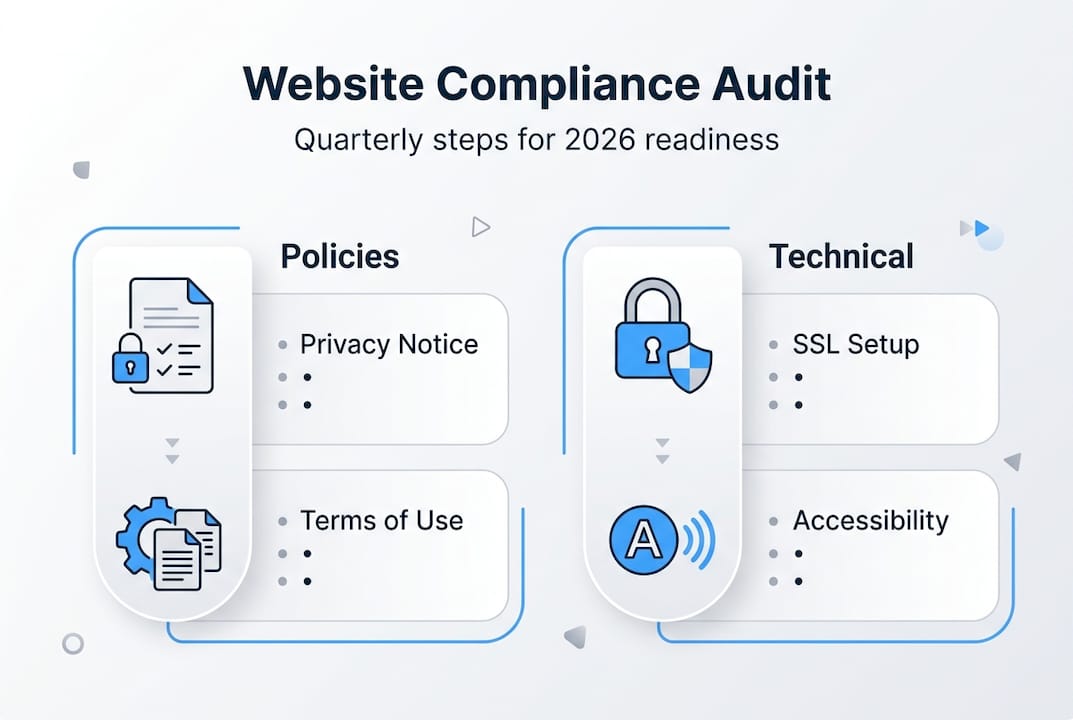
Building a comprehensive website legal compliance checklist
A practical compliance checklist transforms complex regulations into manageable action items. Start with documentation requirements. Your privacy policy must specify what personal data you collect, why you need it, how long you retain it, and who can access it. Terms and conditions should cover user responsibilities, intellectual property rights, limitation of liability, and dispute resolution procedures.
Next, address technical compliance elements. Install an SSL certificate to enable HTTPS encryption across your entire site. Implement a cookie consent banner that allows users to accept or reject non-essential cookies before they load. Configure your content management system to support accessibility features like semantic HTML and ARIA labels.

| Checklist component | Legal basis | Compliance tip |
|---|---|---|
| Privacy policy | POPI Act, GDPR | Update when data practices change |
| Cookie consent | POPI, ePrivacy Directive | Allow granular control over cookie types |
| Terms of service | Consumer Protection Act | Include jurisdiction and governing law |
| Accessibility features | Equality Act, WCAG | Test with assistive technologies |
| Security measures | POPI Act Section 19 | Encrypt data at rest and in transit |
| Contact information | Consumer Protection Act | Display physical address and email |
A structured checklist helps ensure no important compliance step is overlooked on your website. Verify each item by testing functionality and reviewing documentation against current legal standards. For privacy policies, confirm you disclose third-party data sharing and provide mechanisms for users to exercise their rights.
Implement your checklist systematically. Assign responsibility for each item to specific team members. Set deadlines for completion and schedule follow-up reviews. Document your compliance efforts with dated records of policy updates, security implementations, and accessibility improvements. This documentation proves due diligence if questions arise.
Consider website privacy policies as living documents requiring regular updates. When you add new features like newsletter signups or analytics tools, revise your privacy policy immediately to reflect the additional data collection.
Pro tip: Create automated reminders for compliance reviews tied to your website update schedule. This ensures legal considerations stay front of mind during development rather than becoming an afterthought that creates risk.
Common pitfalls and how to avoid them in website compliance
Businesses repeatedly make five critical compliance mistakes. First, they launch websites with generic privacy policies copied from templates without customizing them to actual data practices. Second, they ignore cookie consent requirements, assuming implied consent suffices. Third, they neglect accessibility, treating it as optional rather than mandatory. Fourth, they fail to update legal documents when adding new features or third-party integrations. Fifth, they lack clear contact information and complaint procedures required by consumer protection laws.
Avoid the first mistake by conducting a data mapping exercise. List every form, tracking pixel, and integration that touches user data. Document the purpose, retention period, and security measures for each. Use this map to write an accurate privacy policy reflecting your actual operations. For cookie consent, implement a compliant banner before any non-essential cookies load, offering users genuine choice.
Address accessibility proactively during design and development. Use semantic HTML, ensure sufficient color contrast, and provide text alternatives for non-text content. Test your site with keyboard navigation and screen readers before launch. Budget for accessibility from the start rather than treating it as expensive remediation later.
Neglecting privacy policy updates is one of the most common compliance failings that leads to fines, especially when businesses add marketing tools or payment processors without revising their documentation.
Create a change management process linking website updates to compliance reviews. When developers add features, trigger an automatic compliance check. When marketing deploys new tracking tools, require legal review. This systematic approach prevents gaps from emerging.
Legal consequences escalate quickly. Initial violations may draw warning letters, but repeated non-compliance triggers substantial fines. Class action lawsuits from users affected by accessibility barriers or data breaches can cost millions in settlements and legal fees. Reputational damage compounds financial penalties as news coverage erodes customer trust.
Invest in continuous education for your team. Regulations change as courts interpret laws and regulators issue new guidance. Subscribe to legal updates relevant to your industry and jurisdiction. Conduct annual training so everyone understands their compliance responsibilities.
Applying your website legal compliance checklist: best practices and tools
Compliance management tools streamline implementation and maintenance. Cookie consent platforms like OneTrust and Cookiebot generate compliant banners, manage user preferences, and maintain consent records. Privacy policy generators such as Termly and iubenda create customized documentation based on your specific data practices. Accessibility testing tools including WAVE and axe DevTools identify barriers and suggest fixes.
| Tool category | Example solutions | Key features | Best for |
|---|---|---|---|
| Cookie consent | OneTrust, Cookiebot | Preference management, consent logs | Sites with complex tracking |
| Policy generators | Termly, iubenda | Customizable templates, auto-updates | Small to medium businesses |
| Accessibility testing | WAVE, axe DevTools | Automated scans, detailed reports | Development teams |
| Security scanning | Sucuri, Wordfence | Malware detection, firewall | WordPress sites |
| Compliance platforms | Osano, TrustArc | Multi-regulation support, audits | Enterprise organizations |
Select tools matching your technical capabilities and budget. Small businesses benefit from all-in-one platforms offering policy generation, cookie management, and basic accessibility checks in a single subscription. Larger organizations need enterprise solutions with advanced features like data mapping, vendor risk assessment, and regulatory change tracking.
Best practices extend beyond technology. Train your staff on compliance responsibilities relevant to their roles. Developers should understand accessibility standards and secure coding practices. Marketing teams need training on privacy-compliant data collection and consent requirements. Customer service representatives must know how to handle data access requests and complaints.
Maintain comprehensive documentation of your compliance program. Record policy versions with implementation dates, security measures with configuration details, and training sessions with attendance lists. This documentation demonstrates good faith efforts to regulators and provides evidence in legal disputes.
Utilizing compliance tools and expert services significantly streamlines legal adherence efforts for business websites, especially when regulations span multiple jurisdictions or industries.
Integrate compliance into your development workflow from the start. Include accessibility requirements in design specifications. Add privacy impact assessments to your project planning. Conduct security reviews before deploying new features. This proactive approach costs less and delivers better results than reactive fixes after problems emerge.
Consider website accessibility guidelines as design principles that improve usability for everyone, not just users with disabilities. Clear navigation, readable fonts, and logical structure benefit all visitors while meeting legal requirements.
Pro tip: Partner with compliance experts to customize solutions and reduce risk, especially when entering new markets or launching complex features that handle sensitive data. Expert guidance prevents costly mistakes and accelerates compliant implementation.
Ensure your website meets all legal requirements with Cloudfusion
Navigating website compliance requirements demands technical expertise and ongoing vigilance. Cloudfusion delivers custom web development services built with compliance at the foundation, ensuring your site meets privacy, accessibility, and security standards from launch. Our developers integrate legal requirements into every project phase, eliminating the need for expensive retrofits.
Our secure web hosting packages provide the infrastructure your compliance program requires, including SSL certificates, automated backups, and data encryption that satisfies regulatory standards. We handle technical security so you can focus on your business.
For businesses requiring specialized support, our POPI and GDPR compliance services offer expert guidance on data protection, policy development, and ongoing compliance management. We simplify complex regulations into actionable strategies tailored to your industry and operations.
Frequently asked questions
What is a website legal compliance checklist?
A website legal compliance checklist is a systematic tool that ensures your site meets all applicable laws and regulations. It covers privacy policies, accessibility standards, data security measures, and consumer protection requirements. Business owners and compliance officers use it to identify gaps, implement necessary features, and maintain ongoing adherence to evolving legal standards.
Which laws apply to my business website?
Your website must comply with data protection laws like POPI in South Africa and GDPR if you serve European users. Accessibility laws require features for users with disabilities. Consumer protection regulations mandate transparent terms, pricing, and refund policies. Industry-specific rules may apply to sectors like healthcare, finance, or ecommerce.
How often should I update my compliance checklist?
Review your compliance checklist quarterly to catch regulatory changes and assess new website features. Update your privacy policy immediately when adding data collection tools or third-party integrations. Conduct comprehensive annual audits covering all compliance areas. Schedule additional reviews when launching in new markets or jurisdictions.
What are the penalties for website non-compliance?
Penalties vary by violation and jurisdiction. POPI Act fines reach R10 million or 10 years imprisonment for serious breaches. GDPR violations trigger fines up to €20 million or 4% of global revenue. Accessibility lawsuits result in settlements averaging $50,000 to $100,000. Beyond financial penalties, non-compliance damages reputation and customer trust.
Can I use template policies for compliance?
Template policies provide starting points but require extensive customization to reflect your actual data practices and business operations. Generic templates often miss jurisdiction-specific requirements or fail to address your unique features. Work with legal professionals to adapt templates accurately, ensuring they protect your business rather than creating false compliance that increases liability.
What accessibility features does my website need?
Your website needs semantic HTML structure, sufficient color contrast ratios, keyboard navigation support, and text alternatives for images and videos. Provide captions for multimedia content and ensure forms include proper labels. Implement ARIA attributes where needed and allow users to resize text without breaking layouts. Test with assistive technologies to verify functionality.
Recommended