

Mobile friendly website design guide for success 2026
Learn how to create a mobile friendly website design that boosts engagement and conversions. Practical steps for business owners to optimize mobile experience and increase revenue in 2026.
Start reading
Your business is losing customers right now. Every mobile visitor who struggles to navigate your site, taps buttons that don’t respond, or waits too long for pages to load is a potential sale walking away. With mobile devices accounting for over 60% of web traffic in 2026, poor mobile design isn’t just a minor inconvenience. It’s a revenue killer. This guide walks you through creating a mobile friendly website design that keeps visitors engaged, improves conversions, and positions your business ahead of competitors still stuck with desktop-only thinking.
Table of Contents
- Understanding The Mobile User Landscape In 2026
- Preparing For Mobile-Friendly Website Design: Key Principles And Requirements
- Executing A Successful Mobile-Friendly Website Redesign
- Verifying Mobile-Friendly Design Success And Troubleshooting Common Issues
- How Cloudfusion Can Help Your Business With Mobile-Friendly Website Design
- Frequently Asked Questions About Mobile-Friendly Website Design
Key takeaways
| Point | Details |
|---|---|
| Mobile dominates web traffic | Over 60% of all web visits happen on mobile devices, making optimization essential for reaching your audience |
| Poor mobile design kills revenue | Users abandon poorly optimized sites at 5x the rate of mobile-friendly sites, directly impacting your bottom line |
| Responsive design consolidates SEO | Using one URL and codebase for all devices concentrates link equity and aligns with Google’s mobile-first indexing |
| User expectations are higher | Mobile visitors expect fast load times, readable text, and easy navigation or they’ll leave and never recommend you |
| Mobile-first approach drives results | Building for mobile first improves search rankings, reduces bounce rates, and increases conversion opportunities |
Understanding the mobile user landscape in 2026
The mobile web has fundamentally changed how people interact with businesses online. Mobile devices account for over 60% of web traffic in 2026, and that percentage continues climbing. This isn’t a temporary trend. Mobile has become the primary way your potential customers discover, research, and interact with your business.
Mobile users bring different expectations than desktop visitors. They want instant access to information, seamless navigation with their thumbs, and pages that load in seconds. When sites fail to deliver, the consequences are immediate and severe. Research shows users are 5x more likely to abandon a site that isn’t optimized for their screens. That’s not just a lost visit. It’s a lost opportunity, a potential customer who may never return.
The damage extends beyond individual sessions. Mobile users form strong opinions about businesses based on website experience. Studies reveal 57% of users won’t recommend a business with a poorly designed mobile site. Think about that ripple effect. One bad mobile experience doesn’t just cost you one customer. It costs you every person they might have referred.
Why mobile behavior demands different design thinking:
- Mobile sessions are typically shorter and more goal-oriented than desktop browsing
- Touch interfaces require larger tap targets and different navigation patterns
- Network conditions vary more on mobile, making speed optimization critical
- Screen real estate is limited, forcing prioritization of essential content
Understanding the mobile-friendly website importance means recognizing that mobile users aren’t just desktop users on smaller screens. They have different contexts, different goals, and different tolerance for friction. Your website needs to acknowledge and serve these differences, or you’re essentially telling the majority of your potential audience to shop elsewhere.
“Mobile optimization isn’t about making your desktop site smaller. It’s about rethinking the entire user experience for how people actually use their phones.”
The businesses winning in 2026 treat mobile as the primary experience, not an afterthought. They understand that user experience statistics consistently show mobile users make snap judgments. You have seconds to prove your site is worth their time. Every element that doesn’t load instantly, every button that’s too small to tap accurately, every paragraph that requires zooming costs you credibility and conversions.
Preparing for mobile-friendly website design: key principles and requirements
Before diving into redesign work, you need to understand what makes mobile-friendly design successful and how search engines evaluate your efforts. Google uses mobile-first indexing, meaning the search engine primarily crawls and ranks your site based on its mobile version. If your mobile experience is weak, your search rankings suffer regardless of how good your desktop site looks.
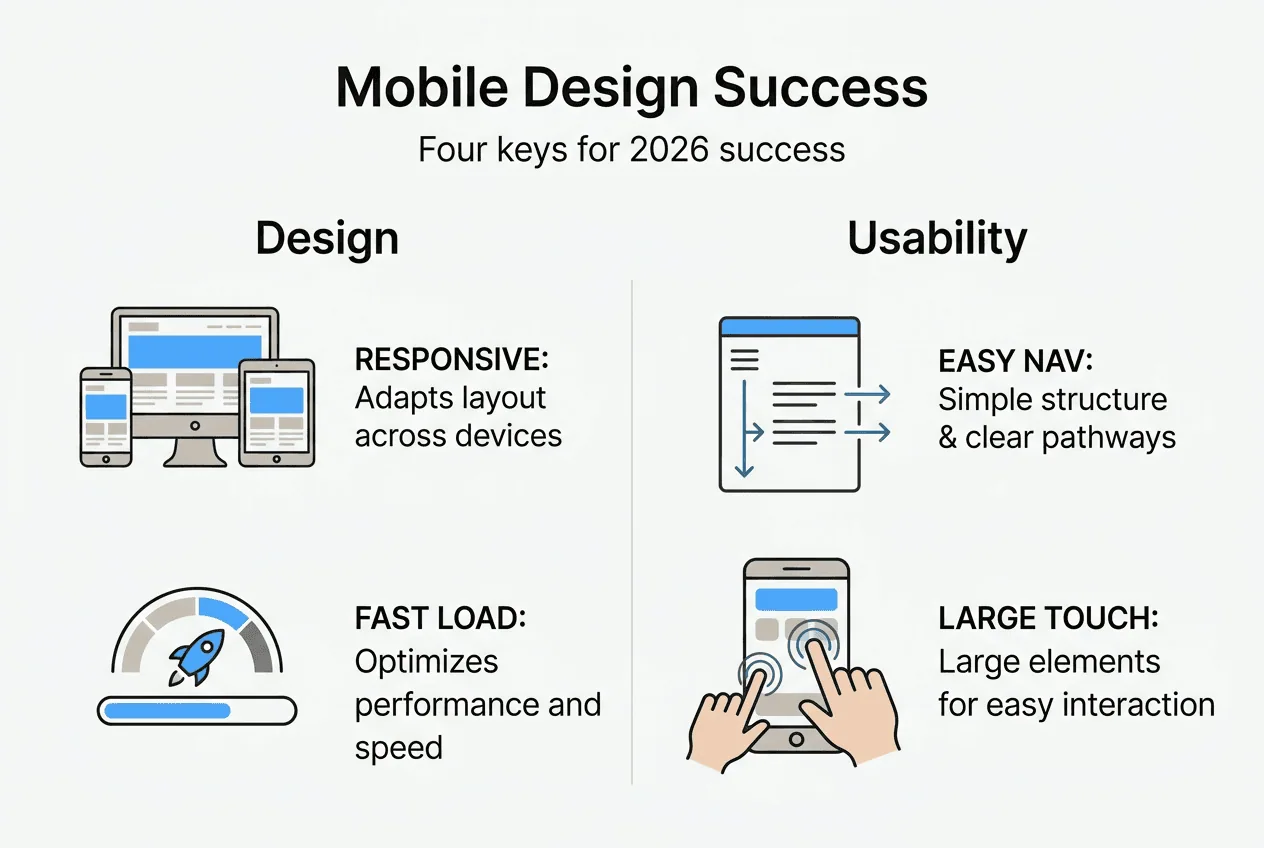
Responsive design has emerged as the gold standard approach for mobile optimization. Unlike separate mobile sites that split your audience across different URLs, responsive design serves the same HTML on the same URL to all devices. This consolidates link equity, simplifies content management, and ensures consistent user experience. When someone shares your page, the link works perfectly whether the next person opens it on a phone, tablet, or desktop.
Core principles for mobile-friendly design:
- Text must be readable without zooming, typically 16px minimum for body content
- Touch targets need adequate size and spacing, at least 48x48 pixels for buttons
- Content should fit the screen width without horizontal scrolling
- Navigation must work smoothly with thumb-based interaction patterns
- Page load times should stay under 3 seconds on mobile networks
| Approach | SEO Impact | Maintenance | User Experience | | — | — | — | | Responsive design | Consolidates all link equity to one URL | Single codebase, easier updates | Consistent experience across devices | | Separate mobile site | Splits signals between URLs | Requires maintaining two sites | Risk of content parity issues | | Desktop only | Poor mobile rankings, traffic loss | Simple but obsolete | Frustrating for 60%+ of visitors |
Before starting your redesign, audit your current mobile performance. Test your site on actual mobile devices, not just browser resize tools. Check load speeds on 4G connections, not just office WiFi. Navigate using only your thumb. These real-world tests reveal problems that desktop previews miss.
Your mobile-first website design guide preparation should include analyzing which content matters most to mobile visitors. They’re often looking for specific information like contact details, pricing, or product specs. Make sure these elements are immediately accessible, not buried three clicks deep or hidden in desktop-optimized layouts.
Pro Tip: Create a mobile content hierarchy before touching design. List every page element by importance to mobile users. This forces you to prioritize ruthlessly and ensures your most valuable content gets prime mobile real estate instead of getting squeezed into leftover space.
Understanding Google mobile-first indexing requirements helps avoid common pitfalls. Ensure your mobile version includes all important content from your desktop site. Hidden content, lazy-loaded images without proper markup, and mobile-only simplified versions can hurt your rankings if they remove valuable information Google expects to find.
Executing a successful mobile-friendly website redesign
Actual implementation separates successful mobile redesigns from projects that look good in mockups but fail in real use. Start with mobile-first wireframes that focus exclusively on essential content and core user journeys. This approach forces you to identify what truly matters before adding nice-to-have elements that might work on desktop but clutter mobile screens.
Step-by-step mobile-friendly implementation:
- Design mobile layouts first, then scale up to tablet and desktop rather than shrinking desktop designs down
- Implement flexible grid systems that adapt smoothly to any screen width using CSS media queries
- Use responsive images with srcset attributes to serve appropriately sized files for each device
- Optimize all resources, minifying CSS and JavaScript while compressing images without visible quality loss
- Test thoroughly on real devices across different manufacturers, screen sizes, and operating system versions
- Validate that interactive elements work with touch, not just mouse hover states
- Ensure forms are mobile-friendly with appropriate input types and auto-complete attributes
Responsive websites use optimized images and flexible layouts to deliver quick load times and smooth user experiences. This means every image should exist in multiple sizes, served based on the visitor’s screen resolution and bandwidth. A hero image that looks stunning on a 4K monitor shouldn’t force mobile users to download a 5MB file when a 200KB version would look identical on their phone.
Flexible grids form the foundation of responsive layouts. Instead of fixed pixel widths, use percentage-based or viewport-relative units that adapt automatically. CSS media queries then fine-tune the layout at specific breakpoints, adjusting column counts, font sizes, and spacing to maintain readability and usability across the full range of devices.

Maintaining one responsive codebase is easier than juggling separate mobile and desktop sites. Every feature, content update, or bug fix happens once and applies everywhere. This dramatically reduces development time, eliminates version sync issues, and ensures your entire audience gets the same quality experience regardless of how they access your site.
Pro Tip: Balance performance with aesthetics by setting a mobile page weight budget of 1-2MB maximum. This forces tough decisions about which images, fonts, and scripts truly add value versus just looking nice. Every element must justify its bandwidth cost or get cut.
Pay special attention to navigation on mobile. Hamburger menus work when implemented correctly, but make sure your most important pages are still discoverable. Consider sticky headers that keep key navigation accessible while scrolling, but ensure they don’t consume too much vertical space on small screens. Test navigation with actual thumbs, not mouse pointers, to catch tap target issues before launch.
Your website performance optimization tips should include lazy loading for below-the-fold images, critical CSS inlining for faster initial renders, and careful evaluation of third-party scripts that might slow mobile load times. Every millisecond counts when users are on cellular connections with varying speeds and data caps.
Verifying mobile-friendly design success and troubleshooting common issues
Launching your mobile-friendly redesign is just the beginning. Verification and ongoing optimization ensure your investment delivers actual business results rather than just looking good in screenshots. Start with technical validation using tools designed to catch issues human testing might miss.
Google’s Mobile-Friendly Test provides immediate feedback on whether your pages meet basic mobile usability standards. Lighthouse audits go deeper, scoring performance, accessibility, and SEO while identifying specific improvement opportunities. Run these tests on your key pages, not just the homepage. A mobile-friendly homepage means nothing if your product pages or checkout process fails on mobile.
Critical metrics for measuring mobile success:
- Mobile bounce rate compared to desktop indicates whether mobile visitors find what they need
- Average session duration on mobile shows engagement level and content accessibility
- Mobile conversion rate reveals whether your mobile experience actually drives business goals
- Page load time on 3G/4G networks identifies performance bottlenecks affecting real users
- Mobile-specific error rates highlight technical issues breaking the mobile experience
Businesses often discover problems only after launch. Research shows companies can lose 40-70% of organic traffic when mobile experience breaks after a redesign. Regular monitoring catches these issues before they devastate your search rankings and revenue. Set up alerts for sudden mobile traffic drops, conversion rate changes, or error rate spikes.
| Problem | Impact | Solution |
|---|---|---|
| Slow load times | High bounce rates, poor rankings | Compress images, minify code, enable caching, use CDN |
| Unclickable elements | Frustrated users, abandoned actions | Increase tap target size to 48x48px minimum with adequate spacing |
| Horizontal scrolling | Poor readability, unprofessional appearance | Use viewport meta tag, flexible layouts, max-width on images |
| Tiny text | Users zoom constantly, high exit rates | Set base font size to 16px, use relative units for scaling |
| Hidden content | SEO penalties, incomplete information | Ensure critical content is visible, use accordions only for supplementary details |
Understanding realistic expectations helps set appropriate goals. Data shows mobile conversion rates are 64% of desktop rates on average. This doesn’t mean your mobile site is failing if conversions are lower than desktop. It means you should focus on improving that ratio while recognizing mobile users often research on phones but convert on desktop later. Track assisted conversions and cross-device journeys for the complete picture.
Common troubleshooting starts with addressing mobile responsiveness problems systematically. Test on actual devices, not just emulators. Real phones reveal touch interaction issues, rendering bugs, and performance problems that desktop browser tools miss. Keep a testing device library spanning different manufacturers, screen sizes, and OS versions to catch platform-specific issues.
Continuous optimization means treating mobile-friendly design as an ongoing process, not a one-time project. User behavior evolves, new devices launch, and your content changes. Regular audits ensure your mobile experience stays competitive. Monitor responsive web design SEO insights to stay ahead of algorithm updates and ranking factor changes that might affect your mobile visibility.
How Cloudfusion can help your business with mobile-friendly website design
Transforming your website into a mobile-optimized conversion machine requires expertise across design, development, and performance optimization. Cloudfusion specializes in custom web development that puts mobile experience first, building responsive sites that engage users and drive measurable business results. Our team understands the technical requirements and user experience principles that separate truly effective mobile sites from those that just pass basic tests.
Our mobile application development services complement responsive web strategies when your business needs native app functionality alongside web presence. We ensure consistent branding and user experience across all digital touchpoints. Reliable web hosting packages guarantee your mobile-optimized site performs well under traffic spikes and delivers the fast load times mobile users demand. Partner with Cloudfusion to turn your website into a mobile-friendly sales and engagement tool that works as hard as you do.
Frequently asked questions about mobile-friendly website design
What exactly is mobile-friendly website design?
Mobile-friendly website design ensures your site functions properly on smartphones and tablets, adapting layout, images, and navigation to smaller screens and touch interfaces. It prioritizes fast loading, readable text without zooming, and easy navigation with thumbs rather than mouse pointers.
Why does mobile-friendly design matter for my business?
Most web traffic now comes from mobile devices, and Google ranks sites based primarily on their mobile versions. Poor mobile experience drives visitors away at five times the rate of optimized sites, directly impacting your revenue and brand reputation. Mobile-friendly design is essential for staying competitive.
How does responsive design differ from having a separate mobile site?
Responsive design uses one website that automatically adapts to different screen sizes, maintaining the same URL and content across all devices. Separate mobile sites require managing two codebases and split your SEO value across different URLs, creating maintenance headaches and potential content inconsistencies.
What are the most common mobile design mistakes to avoid?
Slow loading speeds top the list, followed by tiny text requiring zooming, buttons too small or close together to tap accurately, and navigation that works with a mouse but fails with touch. Horizontal scrolling and content that doesn’t fit screen width also frustrate mobile users and increase bounce rates.
How can I tell if my current website is truly mobile-friendly?
Test your site using Google’s Mobile-Friendly Test tool and Lighthouse audits for technical validation. More importantly, navigate your site on actual mobile devices using only your thumbs, checking load speeds on cellular networks. Track mobile-specific metrics like bounce rate and conversion rate compared to desktop performance.
Will mobile optimization improve my search engine rankings?
Yes, because Google uses mobile-first indexing, evaluating and ranking your site primarily based on the mobile version. Sites that provide poor mobile experiences rank lower than competitors with optimized mobile designs. Mobile-friendly sites also earn better engagement metrics, which indirectly supports rankings through improved user signals.
Recommended
- Mobile friendly design guide for SMB success in 2026
- Mobile-first website design guide for SMEs in 2026
- Responsive Web Design in 2025: A Complete Guide for Businesses
- Mobile-Friendly Website Importance: Complete Guide
- 7 Restaurant Design Trends 2025 for Canadian Owners - Probe IT