TL;DR:
- Building a credible online presence no longer requires extensive coding skills, thanks to modern web tools.
- Understanding core technologies like HTML, CSS, and JavaScript is essential for making informed decisions and communicating with developers effectively.
- A structured development process, including planning, design, testing, and maintenance, minimizes costly mistakes and ensures business goals are met.
Most business owners assume that building a credible online presence demands years of coding experience or a large in-house technical team. That assumption costs companies time, money, and competitive ground. The reality is that modern web technologies, frameworks, and content management systems have lowered the barrier significantly, meaning that a solid grasp of foundational principles is often all you need to make informed decisions, communicate clearly with developers, and ensure your website actively drives business results. This article walks you through the essentials: the core technologies, the development process, strategic methodologies, platform selection, and modern performance standards.
Table of Contents
- Understanding the basics: Key web technologies explained
- The web development process: From planning to launch
- Choosing the right approach: Waterfall, Agile, and hybrid models
- Tools of the trade: Choosing platforms and CMS for SMBs
- Modern essentials: Responsive design, performance, and accessibility
- A fresh perspective: What SMB leaders often overlook
- Take the next step for your business’s website
- Frequently asked questions
Key Takeaways
| Point | Details |
|---|---|
| No-code tools empower SMBs | Content management systems let businesses build sites without hiring developers. |
| Choose the right project methodology | Hybrid approaches balance flexibility and predictability for web projects. |
| Performance and accessibility matter | Responsive design and fast loading build trust and help drive conversions. |
| Regular updates are essential | Ongoing maintenance ensures security and keeps your site competitive. |
| Measure real results | Track traffic, conversions, and web vitals to understand website success. |
Understanding the basics: Key web technologies explained
Having previewed what web development encompasses, let’s start with the foundational technologies every website is built upon.
Think of a website the way you think of a commercial property. The building’s concrete structure is HTML (HyperText Markup Language), which defines the skeleton: headings, paragraphs, images, and links. The interior design, paint colours, and furniture layout represent CSS (Cascading Style Sheets), which controls how everything looks and where it sits on the screen. Then there is JavaScript, the electrical and plumbing systems that make the building functional and interactive, responding to every switch and tap. As core web technologies confirm, HTML provides structure, CSS handles styling and layout, and JavaScript delivers interactivity.
“Every modern website, regardless of its complexity or industry, is fundamentally built on these three layers. Misunderstanding even one of them leads to costly revisions and poor user experiences.”
Beyond this core trio, frameworks and libraries such as React, Vue, and Angular sit on top of JavaScript to accelerate development. On the server side, technologies like Node.js, Python, and PHP handle data processing, user authentication, and database communication. For website development basics, understanding these layers helps you ask the right questions and evaluate proposals from development partners accurately.
Key points for business decision-makers to retain:
- HTML determines your site’s content structure and is critical for search engine optimisation (SEO).
- CSS controls responsiveness, brand consistency, and visual hierarchy across all devices.
- JavaScript enables dynamic behaviour, from form validation to real-time product filters.
- Frameworks speed up development and improve maintainability, but they add complexity if poorly chosen.
- Back-end languages power your database, user accounts, and any custom business logic.
Pro Tip: When briefing a developer or reviewing a proposal, ask them to explain which technologies they plan to use and why. If they cannot justify the choice in plain business terms, that is a red flag worth addressing early.
The web development process: From planning to launch
With an understanding of the foundations, it is crucial to see how these technologies are applied throughout the entire web development journey.

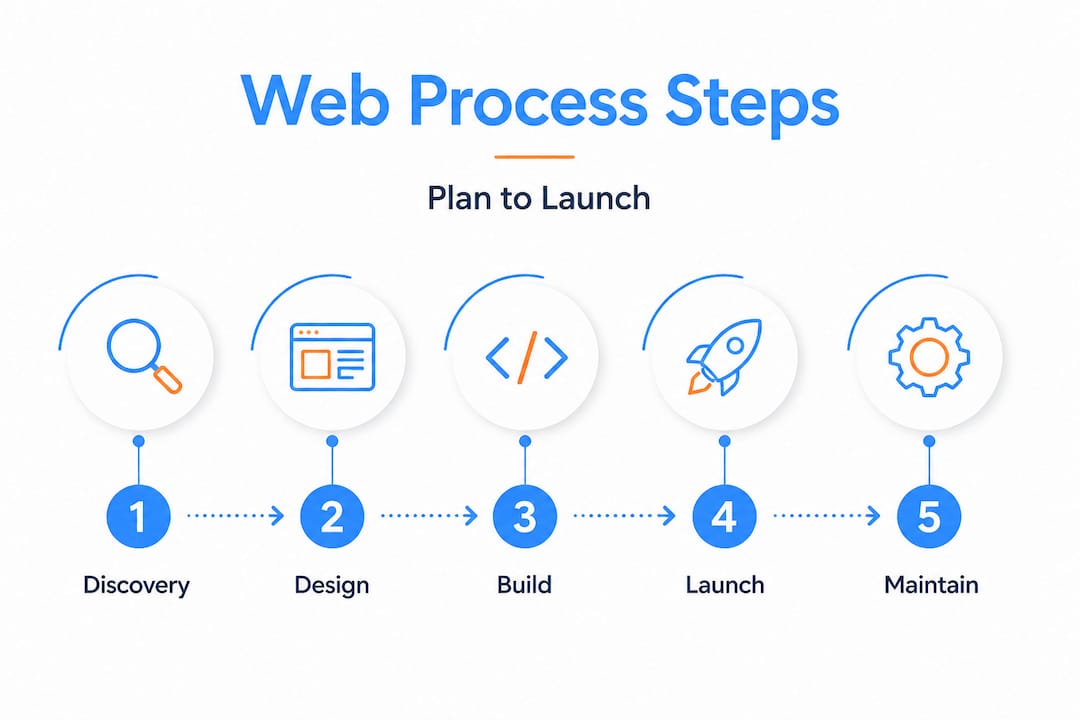
A web project without a clear process is one of the most expensive mistakes a business can make. Scope creep, missed deadlines, and budget overruns almost always trace back to a poorly structured development life cycle. The web development process spans planning, design, development, testing, deployment, and ongoing maintenance, each phase serving a distinct business purpose.
Here is how each phase maps to your business outcomes:
- Discovery and planning: Define your goals, target audience, competitors, and technical requirements. Skipping this phase is the single biggest driver of rework costs.
- Information architecture and wireframing: Map out page structures and user journeys before a single line of code is written, saving significant revision time.
- Visual design: Apply brand identity, colour systems, and typography to wireframes to produce design mockups for stakeholder approval.
- Front-end development: Developers translate approved designs into HTML, CSS, and JavaScript, ensuring the interface is responsive and accessible.
- Back-end development: Databases, APIs (Application Programming Interfaces), and server logic are built and integrated with the front end.
- Quality assurance and testing: Cross-browser testing, performance benchmarking, and security audits reduce post-launch issues dramatically.
- Deployment: The site is migrated to a live server environment, with DNS (Domain Name System) configuration and SSL (Secure Sockets Layer) certificates activated.
- Maintenance and iteration: Regular updates to content, plugins, and security patches keep the site performant and protected. Explore the full development life cycle to understand how each phase connects.
| Phase | Typical duration (SMB) | Key stakeholders |
|---|---|---|
| Discovery and planning | 1 to 2 weeks | Business owner, project manager |
| Design and wireframing | 2 to 3 weeks | Designer, marketing lead |
| Development | 4 to 8 weeks | Developers, QA team |
| Testing and QA | 1 to 2 weeks | QA engineers, business owner |
| Deployment | 1 to 3 days | Developer, hosting provider |
| Ongoing maintenance | Monthly | Developer, content manager |
Review the recommended web design steps to align your internal team with each milestone before your project kicks off.
Pro Tip: Maintenance is not optional. Businesses that treat their website as a one-time deliverable rather than a living asset typically spend three to five times more on emergency fixes within the first two years than they would have spent on regular upkeep.
Choosing the right approach: Waterfall, Agile, and hybrid models
Knowing the process steps is one thing. Selecting the right management method is the next critical decision.
The methodology you choose shapes how your project is managed, how changes are handled, and ultimately how much risk your business carries. Waterfall suits fixed requirements and predictability, Agile supports flexibility and iterative delivery, and hybrid models are common for web projects that need elements of both. Understanding which model your development partner uses, and why, is essential before you sign any contract.
| Methodology | Best for | Advantages | Disadvantages |
|---|---|---|---|
| Waterfall | Fixed-scope, well-defined projects | Predictable timelines and costs | Inflexible to change mid-project |
| Agile | Evolving requirements and iterative feedback | Faster value delivery, adaptable | Harder to estimate total cost upfront |
| Hybrid (Water-Scrum-Fall) | Most SMB web projects | Balances predictability with flexibility | Requires experienced project management |
For most small to medium businesses, the hybrid Water-Scrum-Fall model is the most pragmatic choice. It preserves the structured planning and fixed-milestone benefits of Waterfall for initial scoping, then applies Agile sprints (short development cycles of one to two weeks) during the build phase to accommodate feedback without derailing the timeline.
When evaluating which approach suits your business, consider the following criteria:
- Budget certainty: If your board requires fixed-cost approval, Waterfall or a hybrid with locked phase pricing is safer.
- Speed to market: If launching a minimum viable product quickly is the priority, Agile delivers value in shorter cycles.
- Team experience: Agile requires disciplined daily communication. If your team cannot commit to regular review sessions, a more structured model reduces friction.
- Likelihood of scope change: New businesses entering a market often discover new requirements mid-project, making Agile or hybrid a stronger fit.
Choosing the wrong methodology is as costly as choosing the wrong technology. When selecting a partner, ask about their methodology and how they handle scope changes mid-project. A reliable guide to choosing the best development company can help you evaluate this criterion objectively.
Tools of the trade: Choosing platforms and CMS for SMBs
Once you have defined your project strategy, your platform and CMS (Content Management System) choice will have a major impact on your site’s capabilities and future growth.
A CMS is the software layer that allows your team to create, edit, and publish website content without touching code directly. Popular CMS platforms like WordPress, Shopify, and Webflow require no coding knowledge for day-to-day content management, making them practical choices for businesses without dedicated development resources on staff.
Here is a breakdown of the most relevant options for SMBs:
- WordPress: Powers over 43% of all websites globally. Highly extensible via plugins, strong SEO capabilities, large developer community, and cost-effective hosting options. Best for content-driven sites and blogs.
- Shopify: Purpose-built for e-commerce with built-in payment processing, inventory management, and a large app marketplace. Ideal for businesses selling products online.
- Webflow: A designer-oriented platform that generates clean code without a visual editor compromise. Excellent for brand-driven websites requiring precise design control.
- Wix and Squarespace: Drag-and-drop builders suited for very small businesses or startups needing a fast, affordable launch with minimal technical involvement.
- Headless CMS platforms (Contentful, Sanity): Advanced options that separate content management from front-end presentation, offering maximum flexibility for businesses with multiple digital channels.
For a deeper evaluation of your options, explore choosing a CMS for e-commerce or read the ultimate guide to choosing the right CMS for business to align platform capabilities with your specific growth objectives.
Scalability and security deserve particular attention. A CMS that works well for 500 monthly visitors may buckle under 50,000 without proper infrastructure support. Ensure your chosen platform supports CDN (Content Delivery Network) integration, automated backups, and role-based access control to protect sensitive business data.
Pro Tip: Avoid choosing a CMS based solely on what your web designer prefers. The platform must also suit your internal team’s comfort level, your hosting environment, and your three-year content strategy. Misalignment here creates expensive migrations later.
Modern essentials: Responsive design, performance, and accessibility
No matter which platform you choose, implementing modern web essentials will make or break your user experience and SEO outcomes.
Google’s Core Web Vitals are a set of measurable performance benchmarks that directly influence your search engine ranking. According to modern web design standards, the key thresholds are: LCP (Largest Contentful Paint) under 2.5 seconds for fast loading, CLS (Cumulative Layout Shift) below 0.1 for visual stability, and INP (Interaction to Next Paint) under 200 milliseconds for responsiveness. Failing these benchmarks means losing both rankings and users.
Responsive design ensures your website renders correctly on smartphones, tablets, and desktops. Using CSS Flexbox and Grid layouts, developers can create fluid interfaces that adapt to any screen size. Given that mobile devices account for the majority of web traffic globally, a non-responsive website is not merely a design flaw, it is a commercial liability. Read the responsive web design guide to understand implementation standards in depth.
Actionable performance improvements your development team should prioritise:
- Compress and convert images to modern formats like WebP to reduce file sizes without sacrificing quality.
- Implement lazy loading so images and videos only load when they enter the user’s viewport.
- Minify CSS, JavaScript, and HTML files to reduce the data transferred on each page load.
- Use a CDN to serve assets from servers geographically close to your users.
- Enable browser caching so returning visitors load your site faster on repeat visits.
Semantic HTML, meaning the use of structurally meaningful tags like ",
Explore the performance optimization tips and the dedicated responsive design for business guide to build performance into your project from day one.
Pro Tip: Hero images, the large banner images at the top of most homepages, are among the most common causes of poor LCP scores. Always compress, resize, and lazy load hero images, and consider using CSS or SVG alternatives where visual quality allows.
A fresh perspective: What SMB leaders often overlook
Here is the uncomfortable truth most web development articles avoid stating directly. The majority of business owners treat their website as a line item on a once-off project budget rather than a revenue-generating asset that requires ongoing investment. That mindset is precisely what separates businesses with thriving digital presences from those perpetually restarting from scratch every three years.
A website’s value is not measured at launch. It is measured over time through traffic growth, lead conversion rates, repeat visit behaviour, and Core Web Vitals performance, all of which require continuous attention. The businesses that outperform their competitors online are those that schedule quarterly performance reviews, act on analytics data, and iterate their content strategy based on what the numbers reveal.
Another pattern we see repeatedly is businesses selecting platforms based on the lowest development quote rather than total cost of ownership. A cheaper build on an unsuitable platform often leads to performance problems, security vulnerabilities, and eventual migration costs that dwarf the original savings.
Prioritise platforms with strong out-of-box performance defaults, such as managed WordPress or Webflow, and commit to a mobile-first development approach from the outset. Explore our website speed tips to understand exactly which optimisations deliver the highest return. Your website is not a brochure. It is your most scalable salesperson, and it deserves the same strategic attention as any other revenue-generating function in your business.
Take the next step for your business’s website
Ready to turn knowledge into action? Here is where you can find expert support to build and grow your online presence.
At CloudFusion, we build custom, scalable websites and digital solutions tailored to the specific needs of South African businesses and beyond. Whether you are launching a brand new site, migrating from an outdated platform, or optimising an existing digital presence, our team combines technical depth with strategic business thinking. Explore our custom web development services to see what is possible, or read our guide to choosing a web development company before making your next move. We handle everything from hosting and branding through to performance optimisation, so your website works as hard as your team does.

Frequently asked questions
Do I need to know coding to manage a business website?
Most modern CMS platforms require no coding for day-to-day content management, allowing business owners to update pages, publish blogs, and manage products directly from a visual interface.
What security risks should SMBs watch for in web development?
Common risks include outdated plugins, weak administrator credentials, and unpatched software, all of which are mitigated through regular maintenance schedules and selecting platforms with strong built-in security frameworks.
How do I measure if my website is successful?
Track traffic, conversions, and Core Web Vitals including loading speed and interaction responsiveness, as these metrics directly reflect both user experience quality and business performance.
How often should my business website be updated?
Websites should receive content updates at least monthly and technical updates, including plugins and security patches, at minimum every few months to maintain performance and reduce vulnerability exposure.
Which CMS platform is best for small businesses?
WordPress, Webflow, and Shopify are consistently strong choices for SMBs, each offering a balance of ease of use, scalability, and ecosystem support suited to different business models.
Recommended