TL;DR:
- AI speeds up web design processes, reducing initial drafts from weeks to days.
- Human oversight ensures AI-generated sites maintain brand identity and strategic quality.
- A hybrid approach of AI assistance and human judgment yields the best long-term results.
AI is reshaping how businesses build their online presence, and the numbers are hard to ignore. Build times drop 30% on average when AI tools enter the workflow, which means faster launches, more iteration cycles, and less budget wasted on repetitive tasks. Yet many business owners hesitate, worried that AI-generated sites all look the same and feel impersonal. That concern is valid, but it misses the bigger picture. When AI is paired with strategic human oversight, the result is a site that is both fast to build and genuinely aligned with your brand identity and user experience goals.
Table of Contents
- How AI transforms web design workflows
- Balancing efficiency with brand and user experience
- Integrating AI for personalised UX and business growth
- Auditing AI-generated sites: Avoiding hidden pitfalls
- Our hard-won lessons from applying AI in web design
- Take your next step with expert web design solutions
- Frequently asked questions
Key Takeaways
| Point | Details |
|---|---|
| AI accelerates web design | AI tools let you build and iterate sites much faster, especially for small businesses. |
| Hybrid workflow drives best results | Combining AI with human review achieves unique branding and superior UX. |
| Audit for branding and strategy | Always review AI-generated sites for accessibility, SEO, security, and brand integrity. |
| Personalization boosts conversion | AI helps tailor user experiences for higher engagement and conversion rates. |
How AI transforms web design workflows
The shift AI brings to web design is not merely about shaving hours off a project timeline. It fundamentally changes what is possible at each stage of a project, from initial wireframing through to responsive layout generation and technical quality checks. Understanding these changes is the first step toward leveraging them strategically for your business.
Traditionally, drafting a website layout for a small to mid-sized business could take weeks of back-and-forth between designers, developers, and stakeholders. AI-assisted tools can compress that drafting phase from weeks into hours, generating multiple layout options based on your content structure, target audience profile, and brand guidelines. This acceleration means your team can evaluate real visual options on day one rather than waiting for a designer to produce a single concept after several rounds of briefing.
Beyond speed, AI brings measurable quality improvements at the technical level. AI tools catch approximately 90% of accessibility regressions automatically during the drafting phase, flagging contrast ratio failures, missing alt text, and improper heading hierarchies before a human reviewer ever opens the file. This baseline quality floor is genuinely valuable for businesses that cannot afford a dedicated accessibility specialist. Explore how AI web development is driving broader business growth in 2026 to see how these workflow gains translate into competitive advantage.
Core workflow changes AI introduces to web projects:
- Rapid prototyping: AI generates multiple layout and component variations from a single brief, enabling faster stakeholder decisions.
- Responsive design automation: Layouts are automatically adapted for mobile, tablet, and desktop viewports, reducing manual breakpoint work.
- SEO scaffolding: Basic meta structures, heading hierarchies, and semantic HTML are applied during generation, establishing a solid SEO foundation.
- Accessibility pre-checks: Contrast ratios, ARIA labels, and keyboard navigation patterns are validated automatically at draft stage.
- Content population: AI tools can populate placeholder content intelligently based on industry and audience, making prototypes more realistic for client review.
- Iteration speed: Design changes that previously required hours of manual adjustments can be applied globally in minutes using AI-driven design systems.
Before and after AI integration: SMB web project metrics
| Metric | Without AI | With AI integration |
|---|---|---|
| Initial draft delivery | 2 to 3 weeks | 1 to 3 days |
| Revision cycles | 4 to 6 rounds | 2 to 3 rounds |
| Accessibility issues at launch | 15 to 25 flagged | 2 to 5 flagged |
| Responsive breakpoint setup | 8 to 12 hours | 1 to 2 hours |
| SEO scaffold completion | Manual, often incomplete | Automated baseline |
| Overall build time reduction | Baseline | Up to 30% faster |
These gains are not theoretical. The AI digital solutions landscape in 2025 and into 2026 has produced tangible results across industries, and the data consistently points to AI as a force multiplier for lean web teams. The key question is not whether to use AI, but how to use it without sacrificing the strategic and experiential quality that your brand demands. The impact of AI on AI and user experience standards is particularly significant, as automated tools now set a higher baseline for usability before human refinement even begins.
Balancing efficiency with brand and user experience
Now that you understand the mechanics, consider how AI can sometimes miss the mark, and how a hybrid approach addresses these pitfalls.
AI is highly capable of producing sites that convert. One widely discussed experiment found that AI beat human design by 44% on conversion metrics in a controlled landing page test. That is a compelling result. But raw conversion improvement does not always equal strategic brand alignment. A page that converts well in isolation may still erode brand equity if its visual language contradicts your positioning, or if the user journey it creates feels transactional rather than relationship-building.
“AI beat our human-designed version by 44% but lacked the strategic refinement needed to sustain brand differentiation over time.” This tension between short-term performance and long-term brand coherence is the central challenge of AI-driven web design for SMBs.
The risk of what practitioners now call “vibe-coded” websites is real. Generic AI designs emerge when businesses apply AI tools without brand constraints, resulting in sites that look polished but feel interchangeable with dozens of competitors. Users notice this, even if they cannot articulate it precisely. Trust erodes when a site feels like it was assembled from a template rather than built to reflect a specific business identity.
Pure AI workflow vs. hybrid workflow: A strategic comparison
| Dimension | Pure AI workflow | Hybrid human + AI workflow |
|---|---|---|
| Speed to first draft | Very fast | Fast |
| Brand differentiation | Low to medium | High |
| UX strategic depth | Limited | Strong |
| Conversion baseline | High | High to very high |
| Scalability | Risk of hidden failures | Robust and tested |
| Long-term brand equity | Vulnerable | Protected |
| Cost efficiency | Lower upfront | Better long-term ROI |
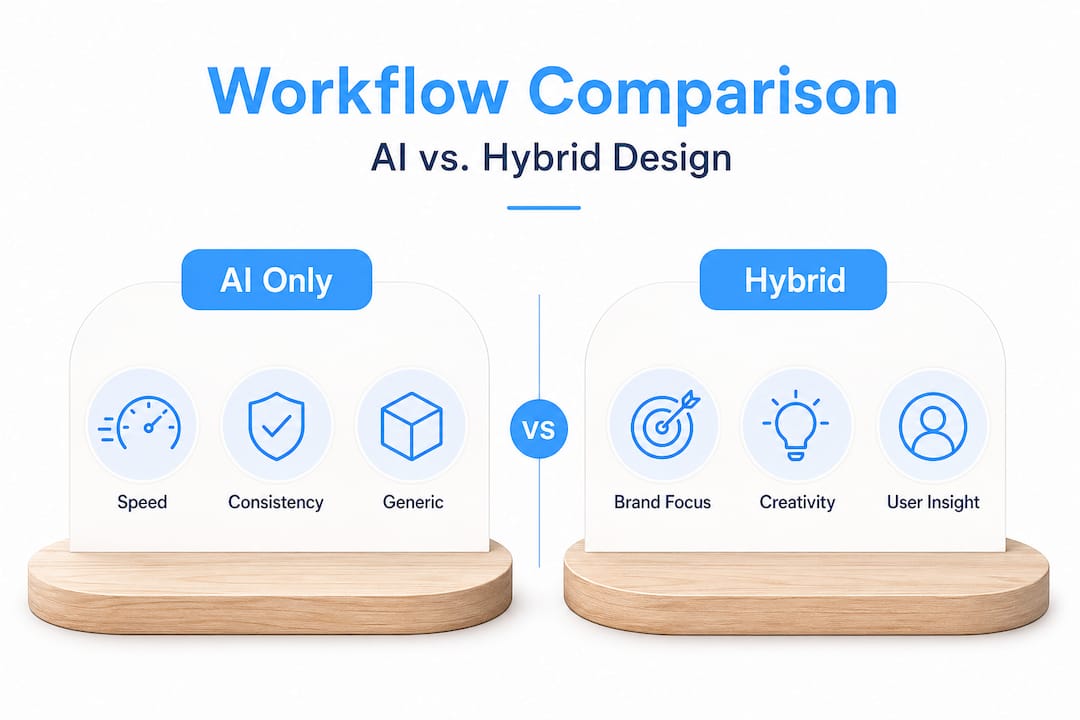
Strong UX design strategies require an understanding of user psychology, competitive context, and brand narrative that current AI tools simply do not possess. AI excels at pattern recognition and optimisation within defined parameters, but it does not understand why your brand exists or what emotional response you want to create in a first-time visitor. That strategic layer must come from human expertise.
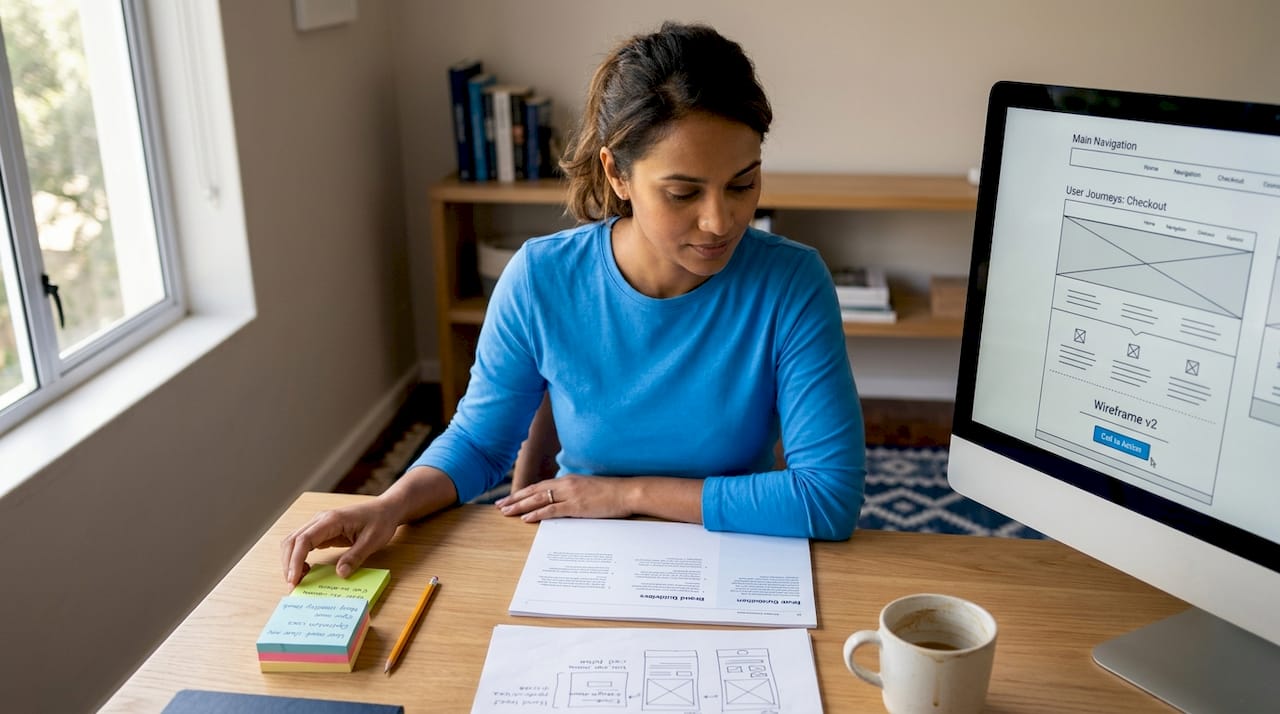
Consider the difference between effective website design that reflects genuine business intent and a site that merely ticks technical boxes. The former builds loyalty and supports long-term growth. The latter may perform adequately in the short term but ultimately fails to create meaningful differentiation in a crowded market.
Pro Tip: After every AI-generated design pass, assign a dedicated human reviewer whose sole task is to evaluate the output against your brand guidelines document. This review should cover tone, visual identity, CTA language, and the emotional arc of the user journey from landing page to conversion point.
Integrating AI for personalised UX and business growth
Once aware of the hybrid advantages, the practical question becomes how to deploy AI and human skills together for personalised, high-growth sites.
The most effective approach we have seen for SMBs is a three-phase workflow. In phase one, AI generates draft layouts, component libraries, and content structures based on a detailed brief that includes brand guidelines, target audience personas, and competitive context. In phase two, human designers review every output against strategic criteria, refining layouts, adjusting typographic hierarchy, and ensuring visual language consistency. In phase three, AI assists with testing, optimisation, and personalisation at scale, using data to refine UX patterns that human designers then validate.
Tools like Figma and Webflow AI are particularly well-suited to this model because they integrate AI assistance directly into professional design environments where human oversight is the default. This means AI suggestions remain within the context of an established design system rather than generating outputs in isolation. For businesses involved in transforming digital marketing, these tools also connect design decisions to performance data in meaningful ways.
Checklist for integrating AI while maintaining brand integrity:
- Define brand constraints first. Document your colour palette, typography rules, logo usage guidelines, and tone of voice before engaging any AI tool. AI outputs are only as brand-consistent as the constraints you provide.
- Use design tokens. Instruct AI tools to work within your established design token system, which encodes brand decisions as reusable variables, ensuring consistency across all generated components.
- Generate multiple options. Always request at least three layout variations from AI so you are choosing between options rather than accepting a single output.
- Assign a human brand reviewer. Designate a specific person or team to review every AI-generated output against brand guidelines before it enters the development phase.
- Test with real users early. Use AI-generated prototypes for early user testing to gather behavioural data before investing in full development.
- Audit for accessibility and SEO. Run automated accessibility and SEO audits on every major design iteration, then follow up with manual review for complex interaction patterns.
- Document AI decisions. Keep a record of what AI generated versus what was refined by humans, so you can learn and improve your brief quality over time.
For teams using design collaboration tools, integrating AI into existing collaboration frameworks is considerably easier because review and approval workflows are already established. The most impactful experience design practices of 2026 consistently emphasise constrained AI use, particularly anchoring AI outputs to semantic design systems and established brand tokens, rather than giving AI tools unrestricted creative latitude.
Pro Tip: Restrict AI tools to working within your design token system from day one. Tokens encode brand decisions as variables, so even when AI generates new components or layouts, they inherit your established visual language automatically.
Auditing AI-generated sites: Avoiding hidden pitfalls
To make sure your site truly stands out, examining key auditing steps to avoid strategic blind spots and maximise results is essential.
Even when you follow a disciplined hybrid workflow, AI-generated sites carry specific risks that require structured post-generation auditing. The 2026 experience design trends report is clear on this point: AI excels at producing drafts but struggles with holistic strategic alignment, which means your audit process is not optional, it is a core part of the workflow.
While AI catches 90% of accessibility regressions automatically, the remaining 10% often involves complex interaction patterns, dynamic content states, and contextual usability issues that require human evaluation. These are frequently the issues that matter most for users with disabilities or for users operating in unexpected contexts.
Post-generation audit checklist for AI-built sites:
- Brand alignment audit: Compare every page against your brand guidelines document. Check logo usage, colour application, typographic hierarchy, imagery style, and CTA language.
- Accessibility manual review: Test keyboard navigation, screen reader compatibility, and focus states on all interactive elements. Do not rely solely on automated tools.
- SEO content audit: Verify that heading structures reflect genuine content hierarchy, not just visual design choices. Confirm that meta descriptions are unique and strategically written.
- Security review: Check that AI-generated code does not introduce vulnerabilities, particularly in form handling, authentication flows, and third-party script integration.
- Scalability assessment: Test the site under realistic traffic loads to identify performance bottlenecks that may not be visible in a prototype environment.
- Strategic UX review: Walk through the user journey from the perspective of each key persona and evaluate whether the experience supports your conversion and retention goals.
Staying current with future web technologies and web design trends is critical to understanding which AI-generated patterns are genuinely innovative versus which are simply common templates recycled at speed. Growth through web design is achievable when your site is both technically sound and strategically purposeful, and that combination requires human judgment at the audit stage.
Our hard-won lessons from applying AI in web design
Here is the perspective that most guides overlook, and it comes from working through the practical reality of AI-assisted web projects rather than evaluating them in theory.
The most persistent misconception is that AI removes the need for strategic design thinking. It does not. What AI does is remove the excuse for slow iteration. When you can generate ten layout options in an afternoon, there is no longer any reason to commit prematurely to a single concept. But choosing between those ten options, and knowing which one will actually serve your users and your brand, still requires experienced human judgment. AI raises the floor of quality. It does not raise the ceiling.
We have also observed that the businesses achieving the best results from AI-assisted design are not the ones using the most sophisticated tools. They are the ones with the clearest brand briefs. The quality of your AI output is directly proportional to the clarity of your input. Vague briefs produce generic results regardless of how powerful the tool is. This is a human problem, not a technology limitation.
Post-generation auditing is the step most commonly skipped, and it is the most consequential. Mastering user experience at the strategic level requires understanding your users in ways that AI currently cannot. The audit phase is where that human understanding is applied, and skipping it is equivalent to launching a product without user testing. The risk is not just a suboptimal site. It is a site that actively undermines your brand and user relationships.
Our recommendation is simple: use AI to generate, and use human expertise to decide. That division of labour is not a compromise. It is the most strategically sound approach available to SMBs in 2026.
Take your next step with expert web design solutions
The strategies outlined here represent the direction that forward-thinking businesses are already moving toward, but implementing a robust hybrid AI and human workflow requires the right technical foundation. At Cloudfusion, our custom web development approach integrates AI-assisted design processes within a framework of strategic brand oversight, ensuring your site is both efficiently built and distinctively yours. Pair that with our web hosting packages, which are engineered to handle the performance demands of modern, dynamic sites, and your AI-enhanced web presence has the infrastructure it needs to perform reliably at scale. Ready to define your approach? Request a web design quotation and let us map out a solution built around your specific business goals.
Frequently asked questions
How does AI actually speed up web design?
AI automates draft creation, layout generation, and many technical checks, reducing build times by up to 30% on average compared to fully manual workflows.
Will using AI make my website look generic?
Generic designs emerge when AI is used without clear brand constraints. Human review combined with detailed brand guidelines prevents this and ensures your site reflects a distinctive identity.
What are the best AI tools for small business web design?
Figma and Webflow AI are particularly effective for SMBs because they integrate AI assistance within professional design environments that support human oversight by default.
Does AI handle website SEO and accessibility automatically?
AI establishes basic SEO scaffolding and catches 90% of accessibility regressions at draft stage, but manual audits remain essential for complex interactions and strategic content quality.
Can AI fully replace designers for small businesses?
Hybrid human and AI workflows consistently deliver better ROI and stronger brand quality than fully automated approaches. AI is a powerful drafting and optimisation tool, not a complete replacement for strategic design expertise.
Recommended