We plan and build business systems, apps and customer portals from George, South Africa, working locally and remotely. We help define a useful first release, connect the tools it needs and plan support after launch.
Start with what the software needs to do. We discuss your requirements, agree the scope and explain the costs before you commit. Hosting, support and subscriptions are separate.
Your team has the approval and everything it needs to act.
ILLUSTRATIVE WORKFLOW
From a request to a decision. All in one place.
01 / FIND THE RIGHT APPROACH
What do you need the software to do?
Start with a task a customer or team member needs to complete. A ready-made product may already cover it, or an existing system may need a change. If custom software is the right fit, we can plan a first version around that task.
01
Give customers their own space.
Give customers a place to find information, follow a request or manage agreed tasks. Plan what each person can see and do, alongside the work your team needs to manage.
Build a shared place for requests, approvals, records and reporting. Define how work moves between people and what needs to happen before a task is complete.
Turn an idea into a first version with the core screens, accounts and administration. Device features, offline work and app-store distribution help determine whether a web app, PWA or native app is appropriate.
A community travel app, a health-platform MVP and a customer aftercare portal show three different jobs custom software can do.
FEATURED / VIAVIA · 2026
From a shared-travel idea to a working product.
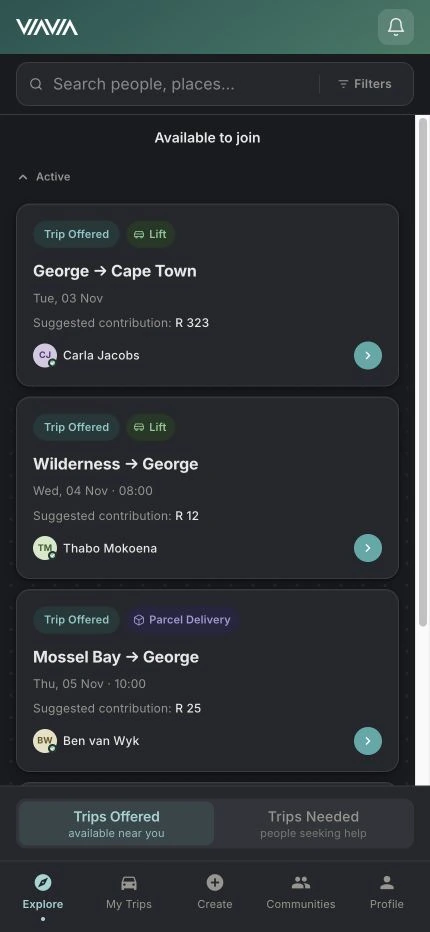
ViaVia’s founder can introduce the service through a public website and bring members into a working mobile web app. We planned and built the product, brand and website with the client. Members can find or offer trips, request a lift and coordinate an accepted journey in private chat.
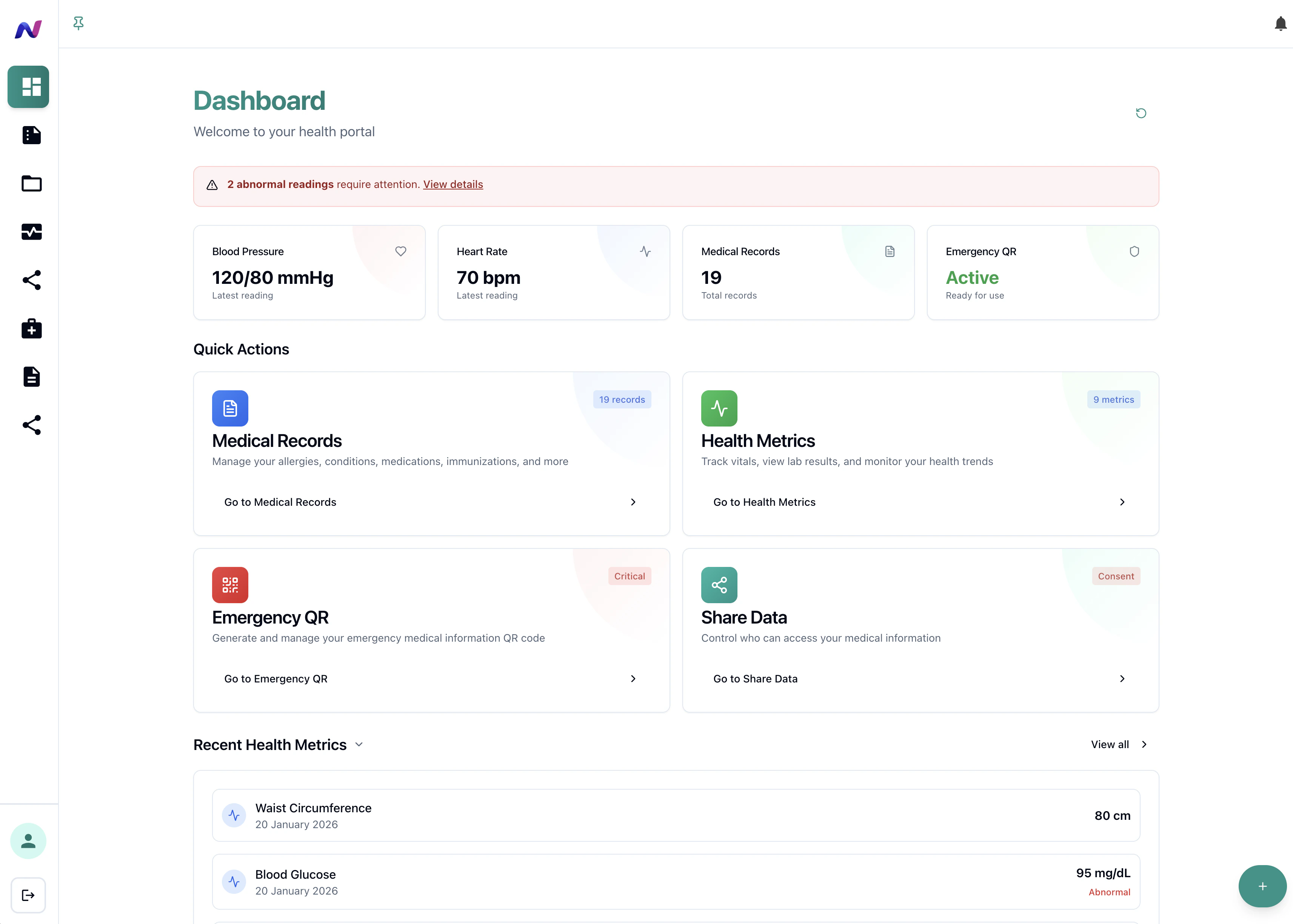
Neno Health needed patients, practitioners and administrators to work with health information in different ways. We developed the brand and three connected portals. Patients manage their records and approve or decline practitioner requests, with the scope, purpose and expiry of access defined in the request.
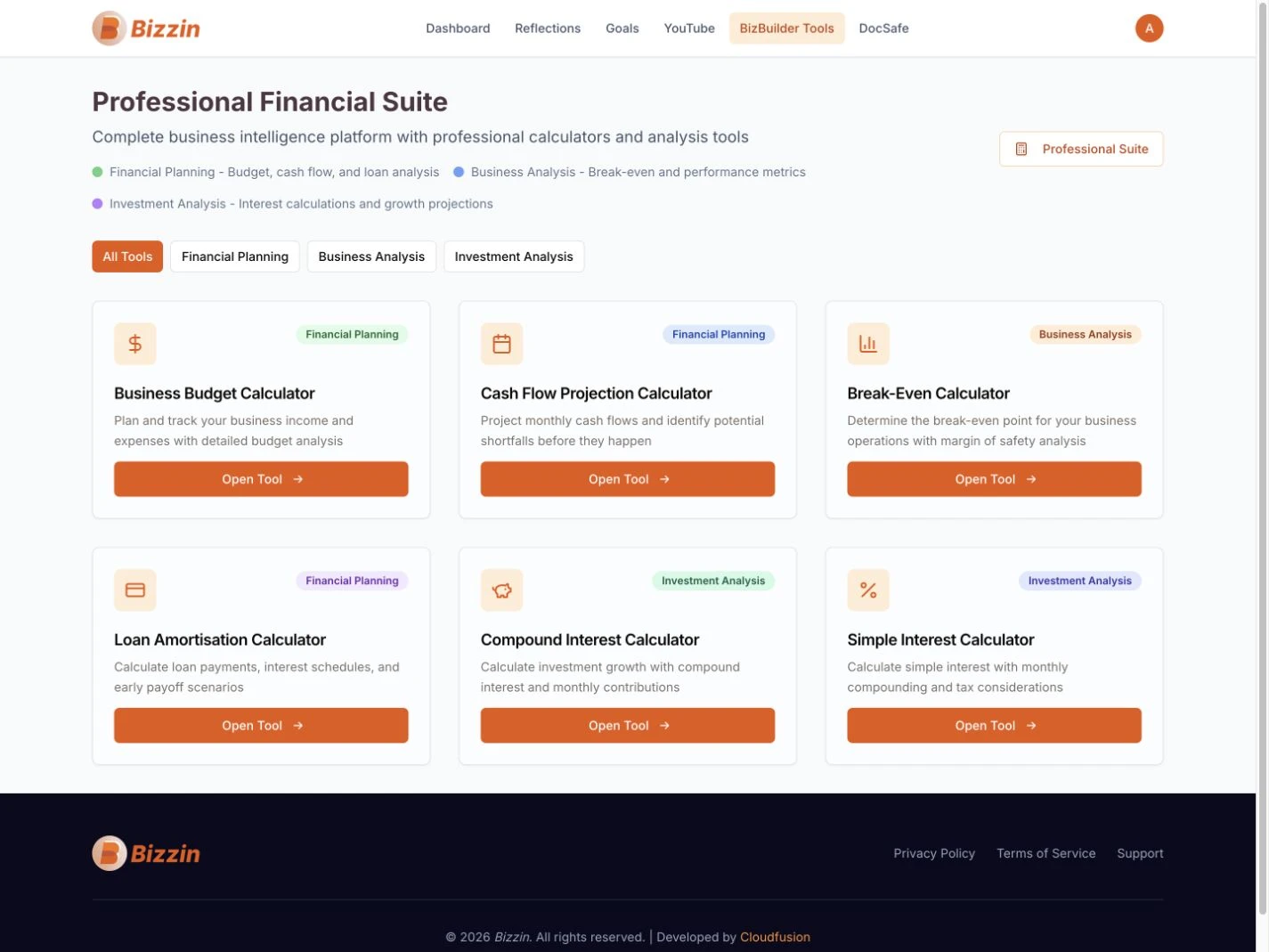
An online toolkit for entrepreneurs.A subscription platform brings journals, goals, financial tools, learning and document storage into one account, with AI-assisted reflection helping entrepreneurs explore their next steps.
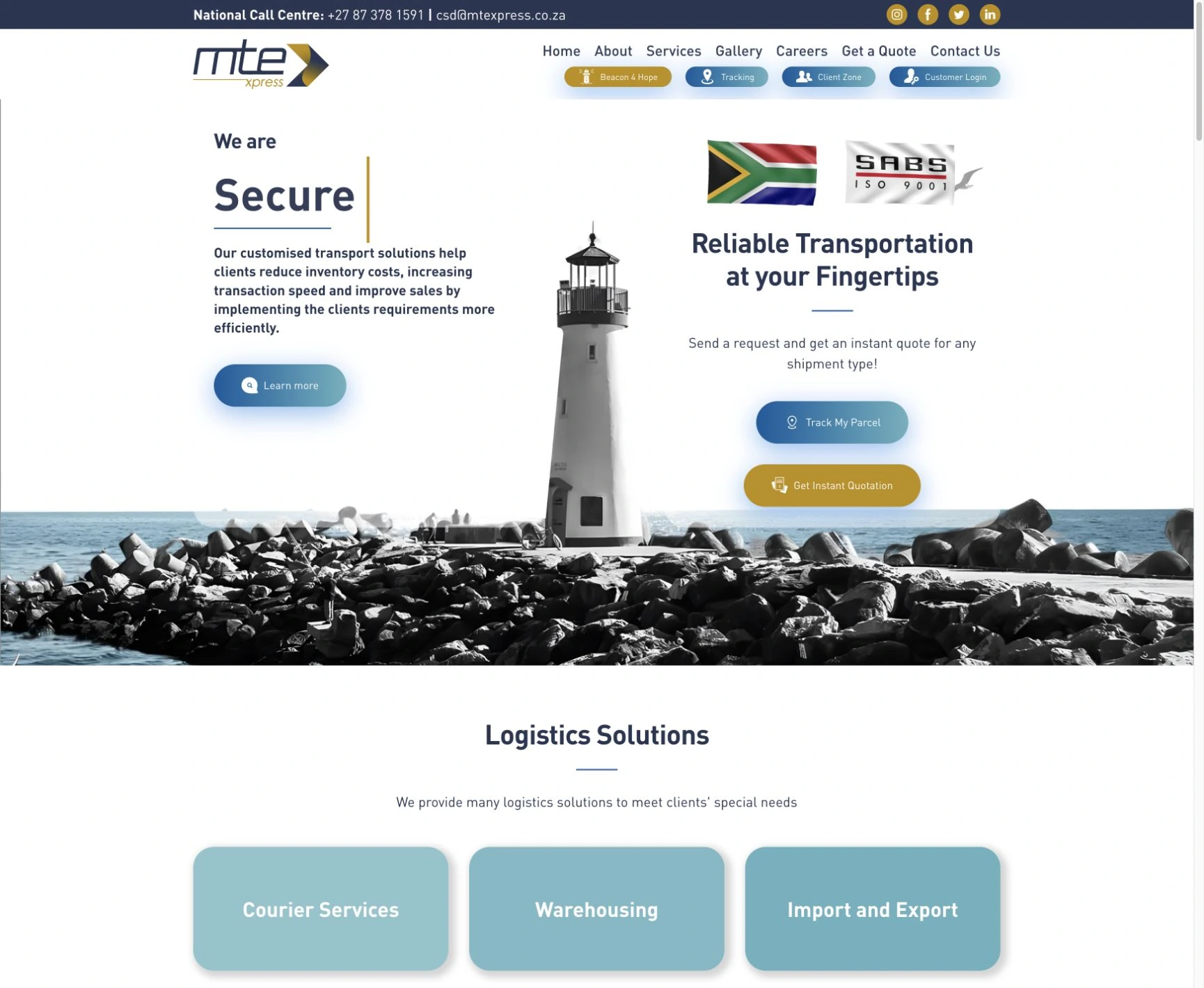
Sending shipping invoices to Sage.A custom Shiplogic-to-Sage connection moves invoice information into accounting, with review, retry and catch-up tools for records that need attention.
We built Genio Roasters’ customer portal to bring maintenance guidance, diagnostics and training together. Customers can return to that material, while the team manages content and follows guide and course completion.
Agree what belongs in the first release, then review the experience and working software as it develops.
Define the first release.
Decide who will use the software and what they must be able to do. Identify the connections, permissions and dependencies, and agree what can wait.
A brief, priorities and proposed scope
Review the screens and steps.
Work through how a person completes a task before it is built. Check access, missing information and the points where someone needs help or a decision.
Screen designs and the steps users will follow
Review working features.
Develop and test the screens, records and connections. Review the working features together, including failed connections and how someone gets back on track.
Working features and tested connections
Prepare the launch and handover.
Check the release, plan the launch and confirm who will look after the software. Feedback from use can inform the improvements that follow.
For your technical team: technology chosen for the job +
The requirements, connections and maintenance plan guide the technology. These are technologies we’ve used in the projects linked below, rather than a fixed stack for every build.
Interfaces people can use
React · TypeScript · PWAs
The screens people use on phones and computers. A progressive web app, or PWA, can also be installed where the device supports it.
The quote follows the first release you agree. Features, access permissions, connected services and any information that needs moving all affect the work.
If discovery is needed, we agree its scope and fee first. Hosting, support, subscriptions and usage charges are identified separately from development.
Your agreement confirms the source code, editable files and handover documents included, with the ownership and licence terms. Third-party software and assets can have separate terms.
Accounts and handover
Agree who manages the application, hosting and connected accounts, who needs access and how your team receives the work.
Running costs
Identify hosting, subscriptions and any usage charges separately from development, so the costs relevant to the release are understood before work begins.
Support after launch
Agree who looks after the software, what support covers and its ongoing cost. Further features are planned and quoted as needs change.
No. Tell us what you want the software to do, who will use it and what you’re working with now. We can help turn that into screens, features and a clear scope. A larger or less-defined project may start with paid discovery; a focused requirement may need a shorter planning exercise.
The quote depends on what the software needs to do, who will use it, the systems it must connect to and any data we need to move. We discuss those requirements and agree a first phase before quoting. If discovery is needed, we agree its scope and fee first. Hosting, support and third-party subscriptions are listed separately.
We agree a realistic delivery plan once the first phase is defined. Complexity, access to other systems, content and review turnaround all affect timing. We identify dependencies before promising a launch date.
Yes. A web app works through a browser; a PWA can offer an installed experience on supported devices. ViaVia, shown above, is a mobile web app. Offline work, device features and an Apple App Store or Google Play release need separate assessment and scope. We check those requirements before recommending how to build and distribute the application.
Often, yes. We first check whether each system gives us the access and connection tools, usually called APIs, that the job needs. That determines what is possible and how the connection should work. MTE Xpress’s Shiplogic-to-Sage invoice sync and ViaVia’s connected services are examples in our selected work.
We can stay involved to support, refine and extend the product. We agree responsibilities, access, support scope and ongoing costs as part of planning, so the business knows how the software will be looked after.
Show us what you use and where it falls short. We can review it with you and decide whether a repair, new feature, integration or rebuild makes sense. If the existing system can do the job with a few changes, there may be no need to replace it.
Yes. We start with the jobs people need to complete: checking an order, sharing a document, making a request or finding support. Then we plan what each account can see, what your staff can manage and which systems the portal needs to connect to. Genio Roasters’ customer aftercare portal is one example. The first release can focus on a few useful tasks and grow from there.
Who prepares and maintains the content in a customer portal?
Agree who supplies, checks and updates guides, training material and other information as part of the project scope. The software and its content need separate upkeep. Genio Roasters’ original portal included a guide editor for organising maintenance guidance. For your project, we agree what your team can edit, what needs approval and any content preparation or migration included in the work.
How do you choose the technology for a custom application?
We look at the people using it, the systems it must connect to and how it will be maintained. Our project work includes React and TypeScript interfaces, Node.js services and PostgreSQL databases. Those are options, rather than a fixed requirement for every build. We explain the proposed approach, hosting and ongoing responsibilities before you commit.
Should we buy existing software or commission a custom system?
Start with the work your team needs to finish. An existing product may be enough if it supports the workflow, access rules and connections you need. Custom development becomes relevant when important requirements cannot be met sensibly through configuration or an integration. We review those options before agreeing a build; buying licences, migrating information and developing new software are separate costs.
We agree what each type of account may see and change, the information it handles and who is responsible for approving the release. Representative checks cover the intended task, missing information, a failed connection and an account without permission. Sensitive-data requirements and any specialist security verification need their own agreed scope. Neno Health shows a delivered role and consent model; it is not a certification of every application.
We review your enquiry and get in touch to discuss the scope, budget and next step. Sending it does not commit you to a project.
CLOUDFUSION / SERVICE BRIEF
Custom software & apps
We plan and build business systems, apps and customer portals from George, South Africa, working locally and remotely. We help define a useful first release, connect the tools it needs and plan support after launch.
Scope
Give customers their own space. Give customers a place to find information, follow a request or manage agreed tasks. Plan what each person can see and do, alongside the work your team needs to manage.
Bring a business process together. Build a shared place for requests, approvals, records and reporting. Define how work moves between people and what needs to happen before a task is complete.
Build an app people can use. Turn an idea into a first version with the core screens, accounts and administration. Device features, offline work and app-store distribution help determine whether a web app, PWA or native app is appropriate.
How the work takes shape
Define the first release. A brief, priorities and proposed scope
Review the screens and steps. Screen designs and the steps users will follow
Review working features. Working features and tested connections
Prepare the launch and handover. A handover and agreed support plan
Know what’s included.
Code and ownership. Your agreement confirms the source code, editable files and handover documents included, with the ownership and licence terms. Third-party software and assets can have separate terms.
Accounts and handover. Agree who manages the application, hosting and connected accounts, who needs access and how your team receives the work.
Running costs. Identify hosting, subscriptions and any usage charges separately from development, so the costs relevant to the release are understood before work begins.
Support after launch. Agree who looks after the software, what support covers and its ongoing cost. Further features are planned and quoted as needs change.