
Skip to content ← Back to projects
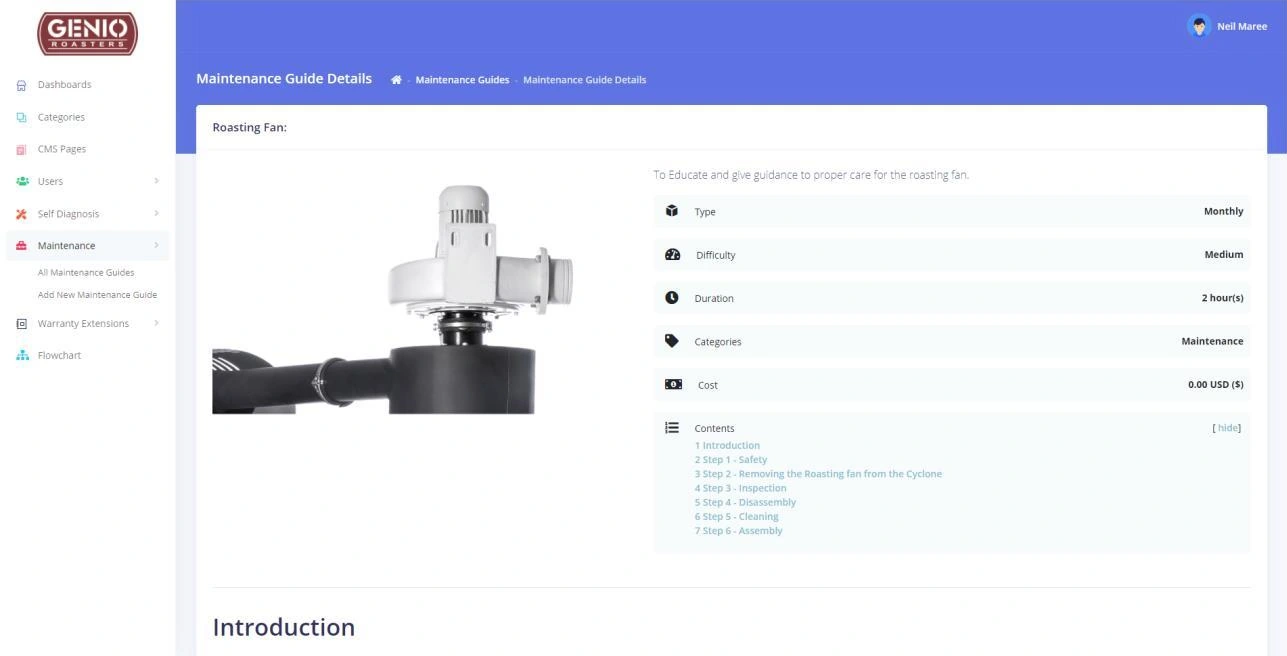
Original Genio portal maintenance guide, showing equipment information and a sequence of service steps
SELECTED WORK / CUSTOMER PORTAL + PRODUCT DEVELOPMENTGenio RoastersScroll into the project
Original customer portal · Archived maintenance guide · EXPLORE BELOW
SELECTED WORK / Genio Roasters

Beyond the roaster.
A customer support hub.

For Genio Roasters, we developed a customer hub that brings equipment support, maintenance guides and training into a connected web application. The 2020–2021 project grew through staged delivery and direct feedback from the Genio team.

Visit the customer portal (opens in a new tab)Explore the experience ↓
02 / THE BRIEF

Specialist knowledge.
Customer access.

Project period
2020–2021 · customer portalPlanning, interface design, development and iterative delivery of the support hub.

Product planning · Portal UX · Custom development · Maintenance guides · Training · Iterative improvements

WHAT THE CLIENT WANTED

Genio needed a central place for customers to find equipment guidance, follow diagnostic steps and access training, while giving its team a practical way to manage the material.

HOW WE HELPED

We translated the portal brief into wireframes and a working application, then refined it through milestone reviews. Customer guidance and the administration tools behind it were developed together.

01 / CONTENT MANAGEMENT

Useful guidance starts with useful tools.

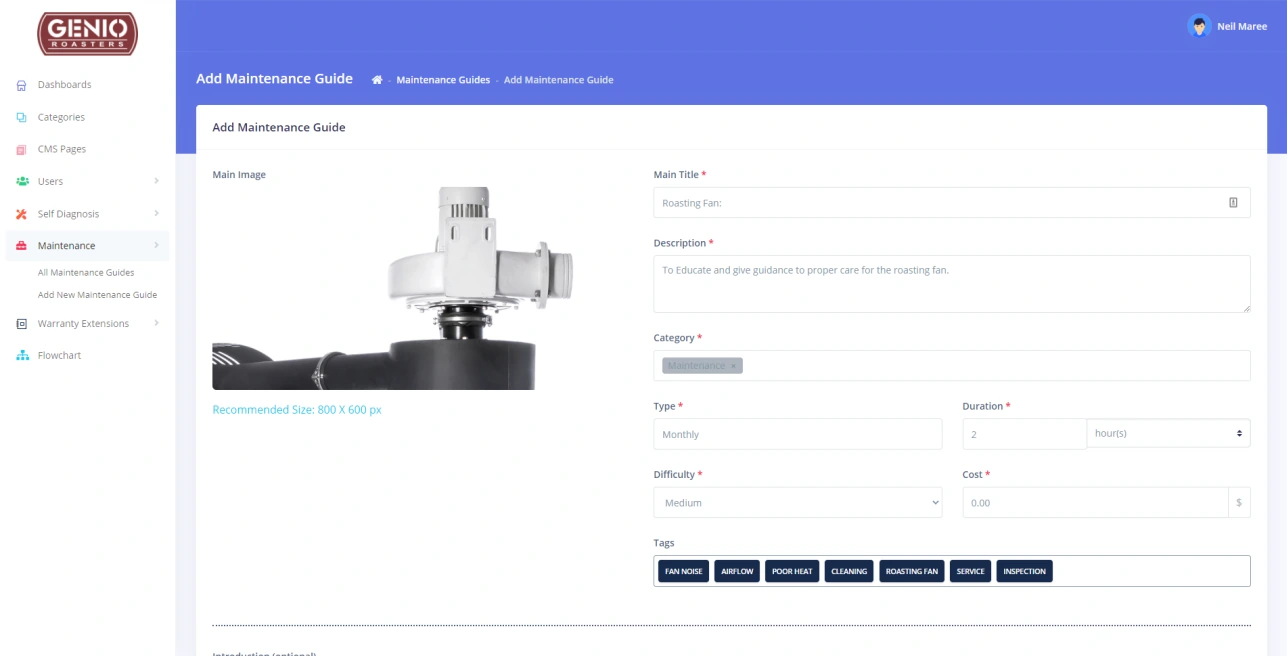
The original guide editor lets the Genio team organise equipment instructions with categories, maintenance frequency, duration, difficulty and searchable tags. This archived development screen shows a different part of the workflow from the guide preview above.
GENIO ROASTERS / CUSTOMER HUB
Original Genio maintenance guide editor with category, duration, difficulty and tag fields
SCROLL TO REVEAL 01 / 01
BEHIND THE EXPERIENCE

From a question
to a practical next step.

The hub brings the support journey and its administration into the same product.

01 / Equipment guidanceFindCustomer hub

Start with the relevant information.

Customers can look for self-diagnosis and maintenance material organised around their equipment.

02 / Structured stepsFollowGuides & training

Make technical knowledge easier to use.

Guides break work into steps, with supporting information and a clear contents structure.

03 / A route to the teamSupportSupport requests

Keep assistance close to the guidance.

Support tickets provide a path back to the Genio team when a customer needs more help.

04 / Ongoing refinementImproveAdministration

See how guidance is being used.

The team can manage guides and training. Later improvements added visibility into who had completed them.

Product workflow summary. Interface captures are from the original project archive.

05 / DELIVERY

A working portal.
Refined with the team.

Custom portal development

Customer and administration experiences developed through a staged programme in 2020–2021.

Guidance and self-diagnosis

Structured maintenance material, diagnostic guidance and content-management tools for the team.

Training and completion tracking

Training features and follow-up improvements that let administrators see who had completed guides and courses.

Collaborative refinement

Milestone reviews and subsequent change requests informed the interface and operational workflow.

TECH STACK & CONNECTIONS
Portal interface
Bootstrap · ArgonResponsive dashboard styling for the customer portal.
Browser interaction
jQueryJavaScript interaction support within the portal interface.
WHAT THE WORK MADE POSSIBLE

Expertise customers
can return to.

Genio gained a dedicated place for customer support content beyond the sale of a roaster. Maintenance, diagnostics and training material can be organised within a working customer and administration portal.

Bring practical guidance together

Customers have a structured place to find maintenance and diagnostic information alongside training content.

Give the team a working support tool

Administration and completion tracking support the delivery of that content, with improvements shaped through project reviews.

IN THE CLIENT’S WORDSGoogle review5 out of 5Selected excerpt

Cloudfusion's team of international programmers are developing an advanced customer portal for us with superb communication and development speed.

Neil MareeGenio RoastersFeedback during the customer portal build
Read the Google review (opens in a new tab)
THE WIDER PICTURE

Work. Ideas.
Useful connections.

RELATED READING / FROM THE ARCHIVE
YOUR NEXT PROJECT

Put your expertise
within reach.

Discuss a customer portal ↗View all projects ↗
NEXT PROJECT

Bizzin

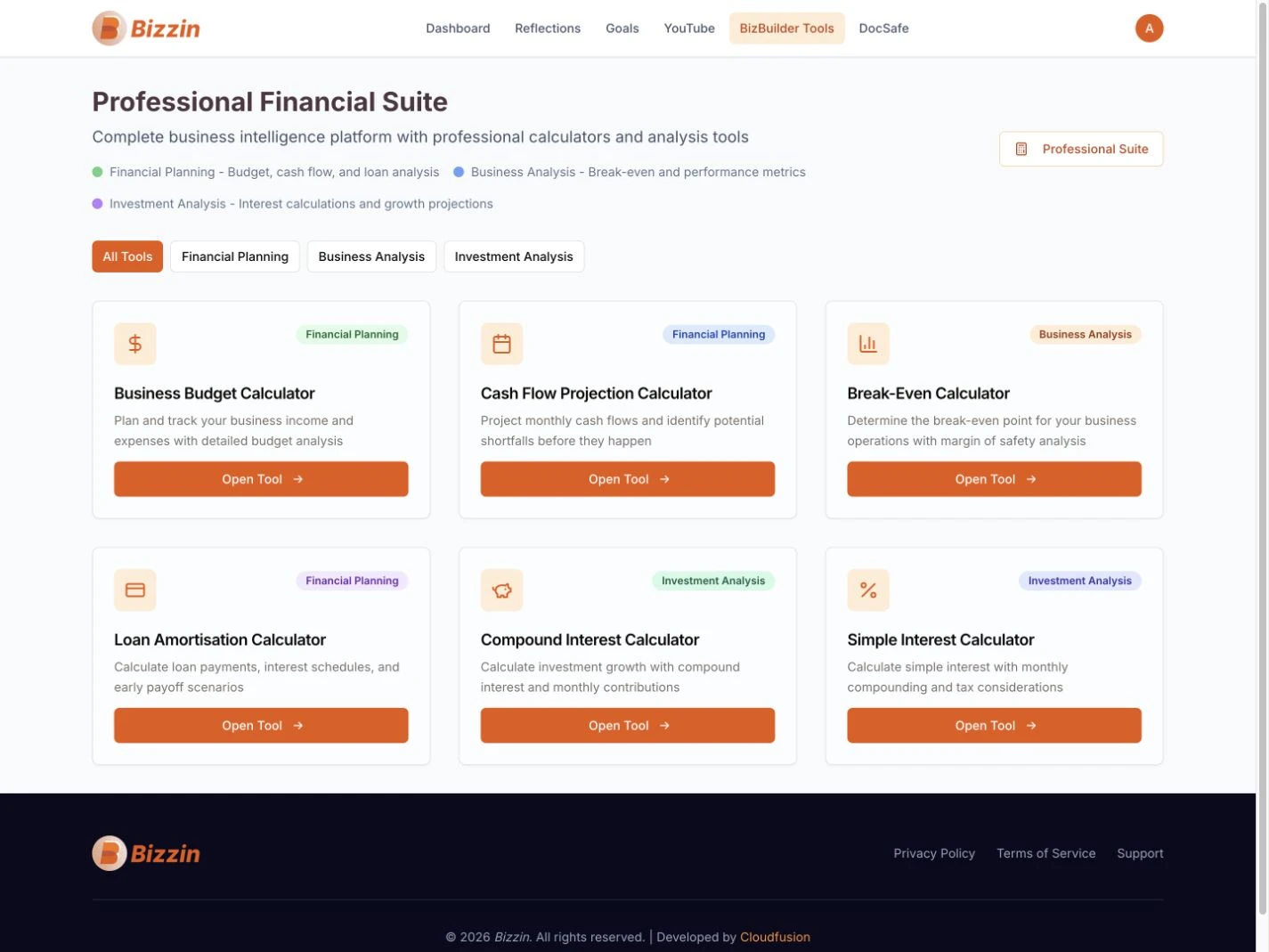
Bizzin’s BizBuilder financial suite with six complete calculator cards for business and investment planning
Explore Bizzin
← Divo Entertainment
Enlarged project screen
CLOUDFUSION / YOUR NEXT CHAPTER
Rather talk first?+27 (0)81 044 5554Call
  1. 01 Start
  2. 02 Shape it
  3. 03 Send it
What would you like help with?

Choose the closest fit. It’s fine if you’re still working it out.

Already a client?Account help, faults, access or renewals.

Nothing is sent until you submit. How we use your details (opens in a new tab) ↗ · Privacy Notice (opens in a new tab) ↗ ·

ALREADY WITH CLOUDFUSION

Client
access.

Use the right workspace for what you need to do.

Client login Invoices, renewals, hosting, domains and account details.Get support Sign in to open a support ticket for a service Cloudfusion already manages. Your ticket stays with your account history.

Trouble signing in?

For an active project, use the workspace link supplied by your Cloudfusion contact.

Set the atmosphere.

Adjust the music and interaction sounds to suit you. Music keeps playing as you explore or switch tabs.

Prefer less movement?