Make space for business reflection.
Record business experiences and decisions, with AI-assisted insights to help examine patterns.


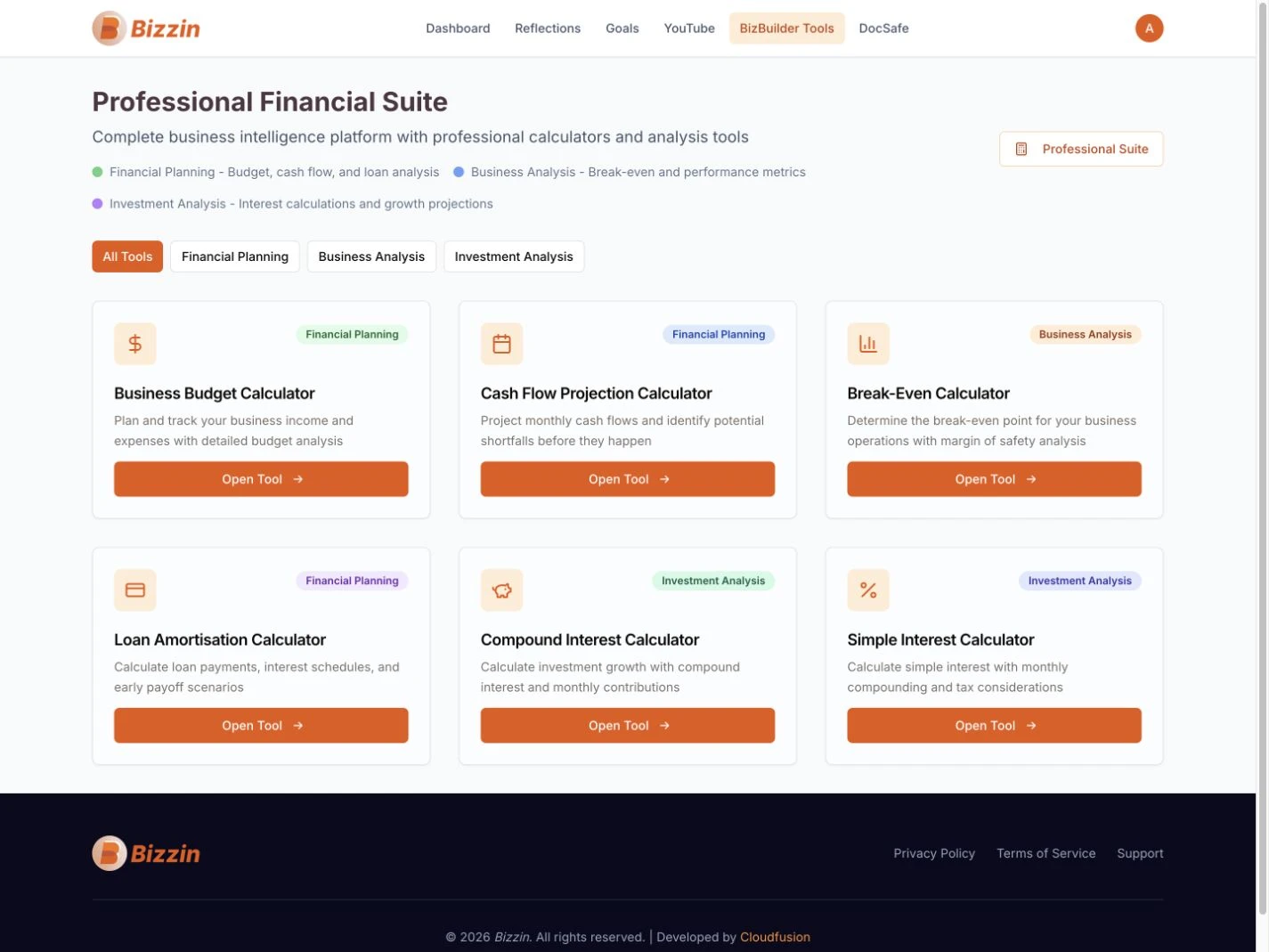
Bizzin brings the work of building a business into a shared digital space. We developed its subscription platform around journals, goals, financial tools and learning, with AI-assisted reflection helping users think through their next steps.
Visit Bizzin (opens in a new tab)Explore the experienceCustom web application · Subscription product · Business journals · Goal tracking · Financial tools · Learning · Document storage
Business planning is an ongoing activity. Bizzin needed a platform that people could return to as they recorded ideas, set goals, explored their numbers and developed their knowledge, with a connected account experience around those tools.
We developed the web application and subscription journeys alongside its business-building tools. Journals and goals support regular reflection, financial calculators help users explore assumptions, and learning content and DocSafe organise useful resources. AI-assisted prompts add another way to reflect; the platform does not make business decisions on a user’s behalf.
Bizzin has a custom subscription product with account access, a trial-to-subscription journey and connected business tools. Users can save their journals, goals and documents and return to them alongside calculators and learning content, making the service useful beyond a first visit.
Journals, goals, calculators and learning sit within a shared account rather than separate services.
Saved content and AI-assisted reflection give users a place to revisit their thinking and plan what to do next.
The product brings several parts of an entrepreneur’s working routine into the same platform.
Record business experiences and decisions, with AI-assisted insights to help examine patterns.
Track goals and use calculators for budgets, cash flow, break-even and financing questions.
Curated business learning content sits alongside the practical tools in the platform.
Bring business documents into an account-based document area within the same product.
Reflection, planning, learning and document organisation form part of the same subscription product.
The public homepage introduces the connected product and its subscription journey, bringing business planning, learning and document tools into a single offering.

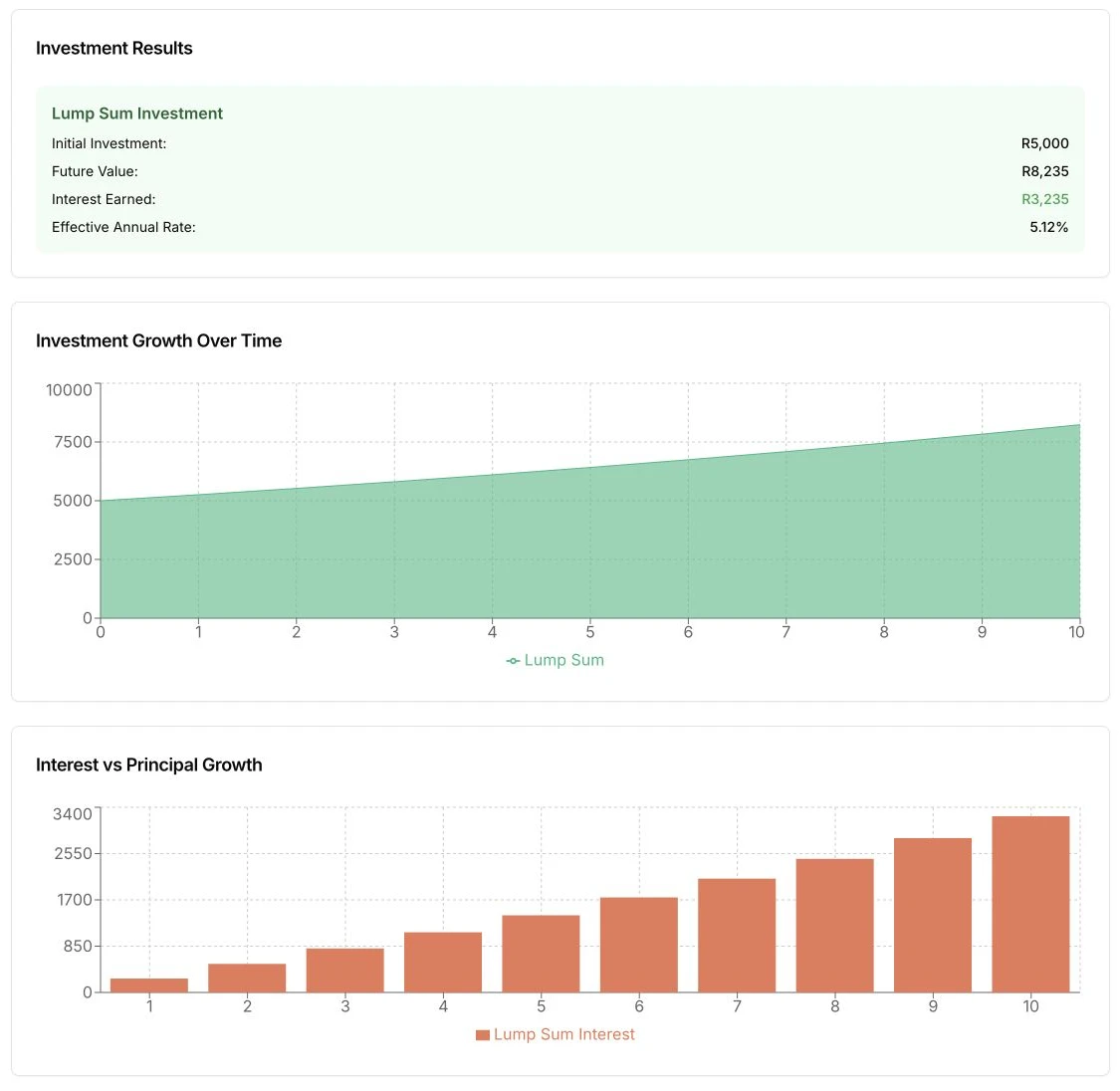
Inside the compound-interest calculator, a result summary and two charts explain how a scenario develops over time. This is a detail from the working application, using illustrative calculation figures—not Bizzin’s business results.
A custom web application bringing journals, goals, learning, financial tools and document storage into a shared experience.
Public product pages, account access and a trial-to-subscription path give the business a way to offer its software as a service.
Business reflection and insights form part of the product alongside conventional tools and structured information.

Bizzin brings the work of building a business into a shared digital space. We developed its subscription platform around journals, goals, financial tools and learning, with AI-assisted reflection helping users think through their next steps.
Custom web application · Subscription product · Business journals · Goal tracking · Financial tools · Learning · Document storage
Business planning is an ongoing activity. Bizzin needed a platform that people could return to as they recorded ideas, set goals, explored their numbers and developed their knowledge, with a connected account experience around those tools.
We developed the web application and subscription journeys alongside its business-building tools. Journals and goals support regular reflection, financial calculators help users explore assumptions, and learning content and DocSafe organise useful resources. AI-assisted prompts add another way to reflect; the platform does not make business decisions on a user’s behalf.
Bizzin has a custom subscription product with account access, a trial-to-subscription journey and connected business tools. Users can save their journals, goals and documents and return to them alongside calculators and learning content, making the service useful beyond a first visit.