Skip to content ← Back to projects
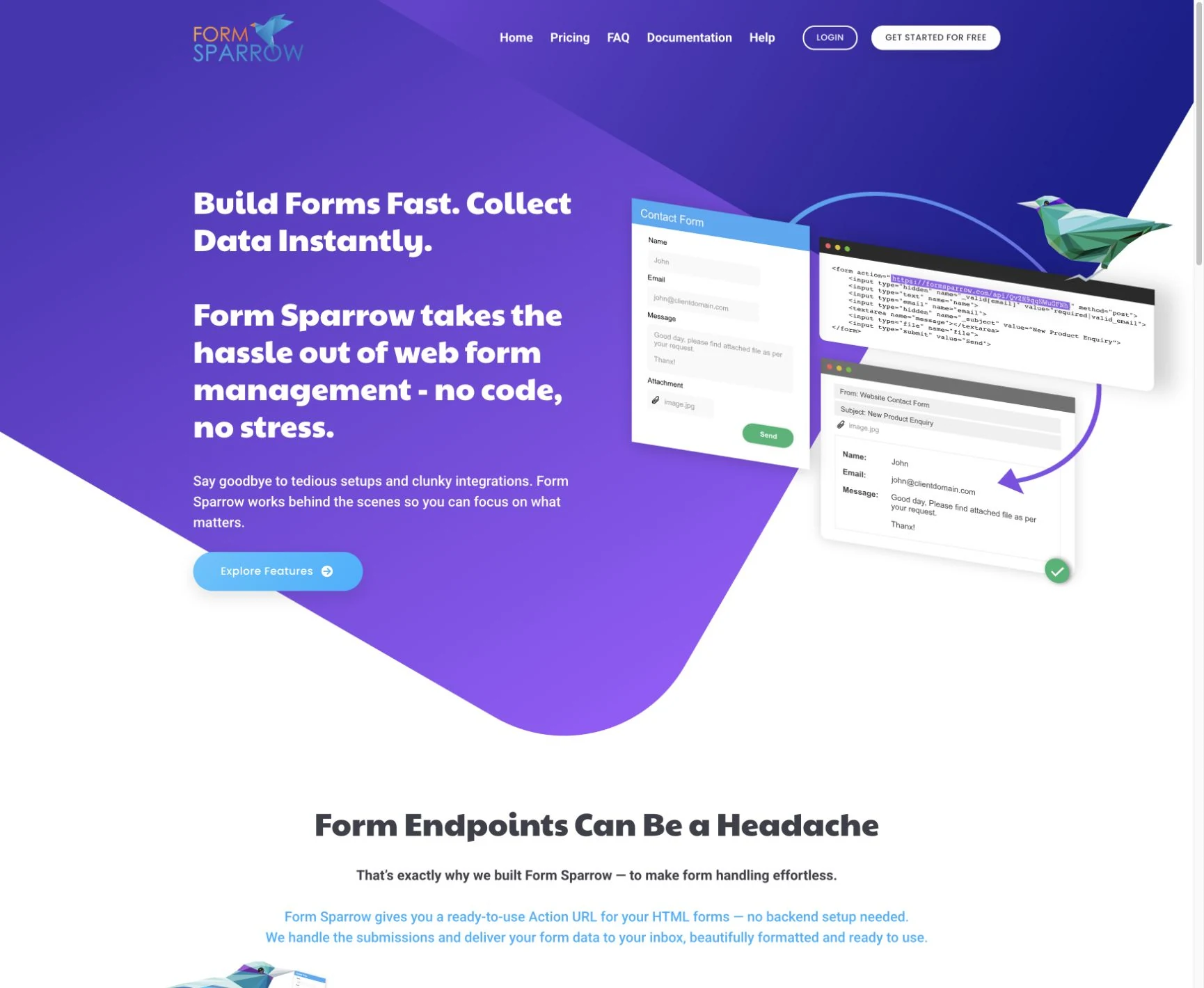
FormSparrow public product website introducing its form submission and email delivery service
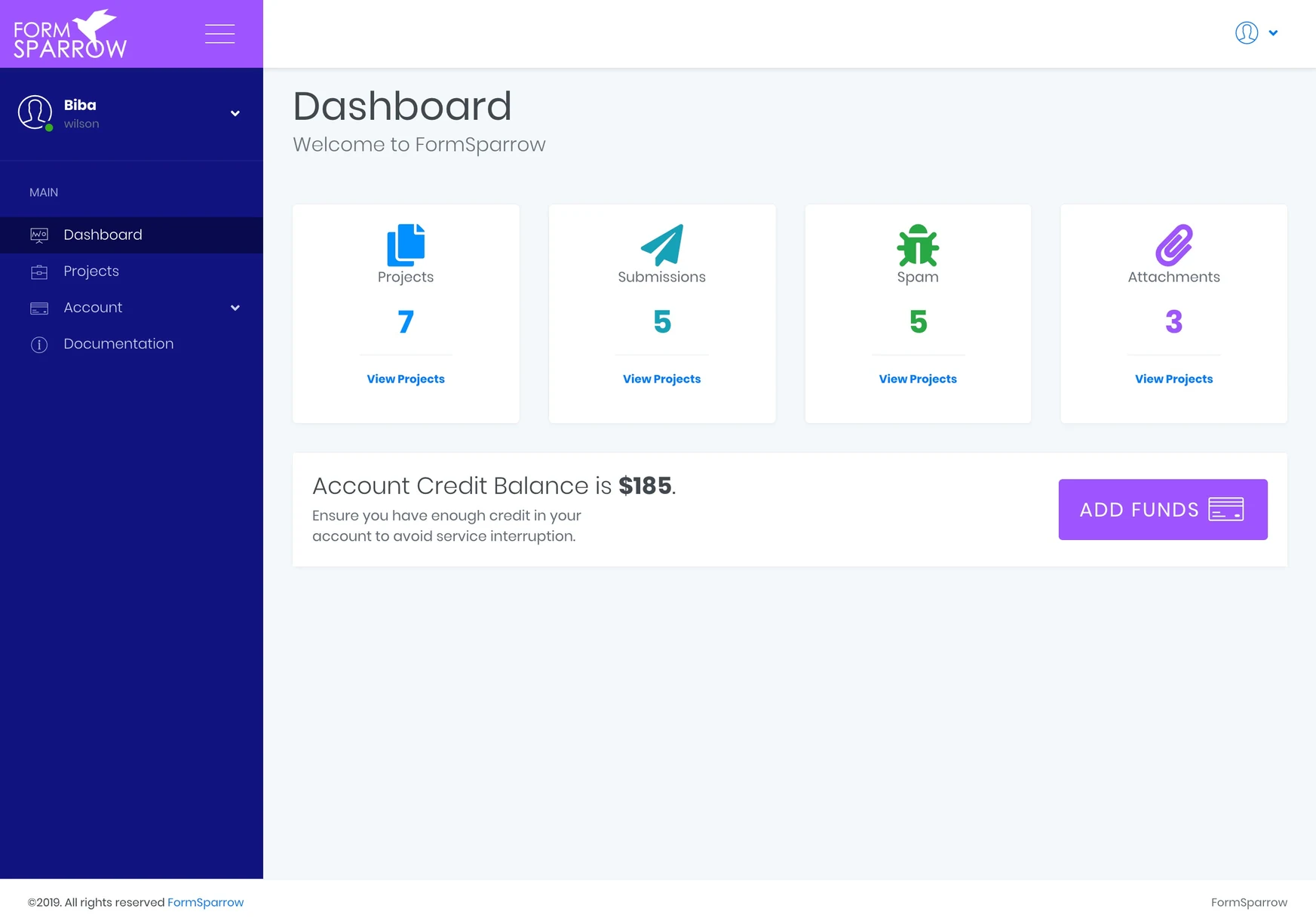
Original 2019 FormSparrow dashboard with projects, submissions, spam and attachments summaries
SELECTED WORK / PRODUCT WEBSITEFormSparrowScroll into the project
PUBLIC PRODUCT WEBSITE + ORIGINAL 2019 DASHBOARD · EXPLORE BELOW
SELECTED WORK / FormSparrow

Keep your form.
Connect the delivery.

Built from scratch by Cloudfusion, FormSparrow connects a website’s own HTML form with submission handling and formatted email delivery. A form action URL provides the connection; the website keeps its own presentation.

Launch project (opens in a new tab)Explore the experience ↓
02 / THE BRIEF

Your HTML form.
A response backend.

Our own product
2019 · Cloudfusion productDeveloped from scratch by the Cloudfusion team as a website form-handling service.

Cloudfusion product · Custom form backend · HTML integration · Submission and email handling / 2019

WHAT THE PRODUCT NEEDED

A website form needs somewhere to send its submissions. Building a separate backend for every site adds another piece of work to maintain.

HOW WE HELPED

We developed FormSparrow as a dedicated form-handling service, with an action URL, documented attributes and validation options connecting the website form to the delivery workflow.

01 / INTEGRATION DOCUMENTATION

Make the connection understandable.

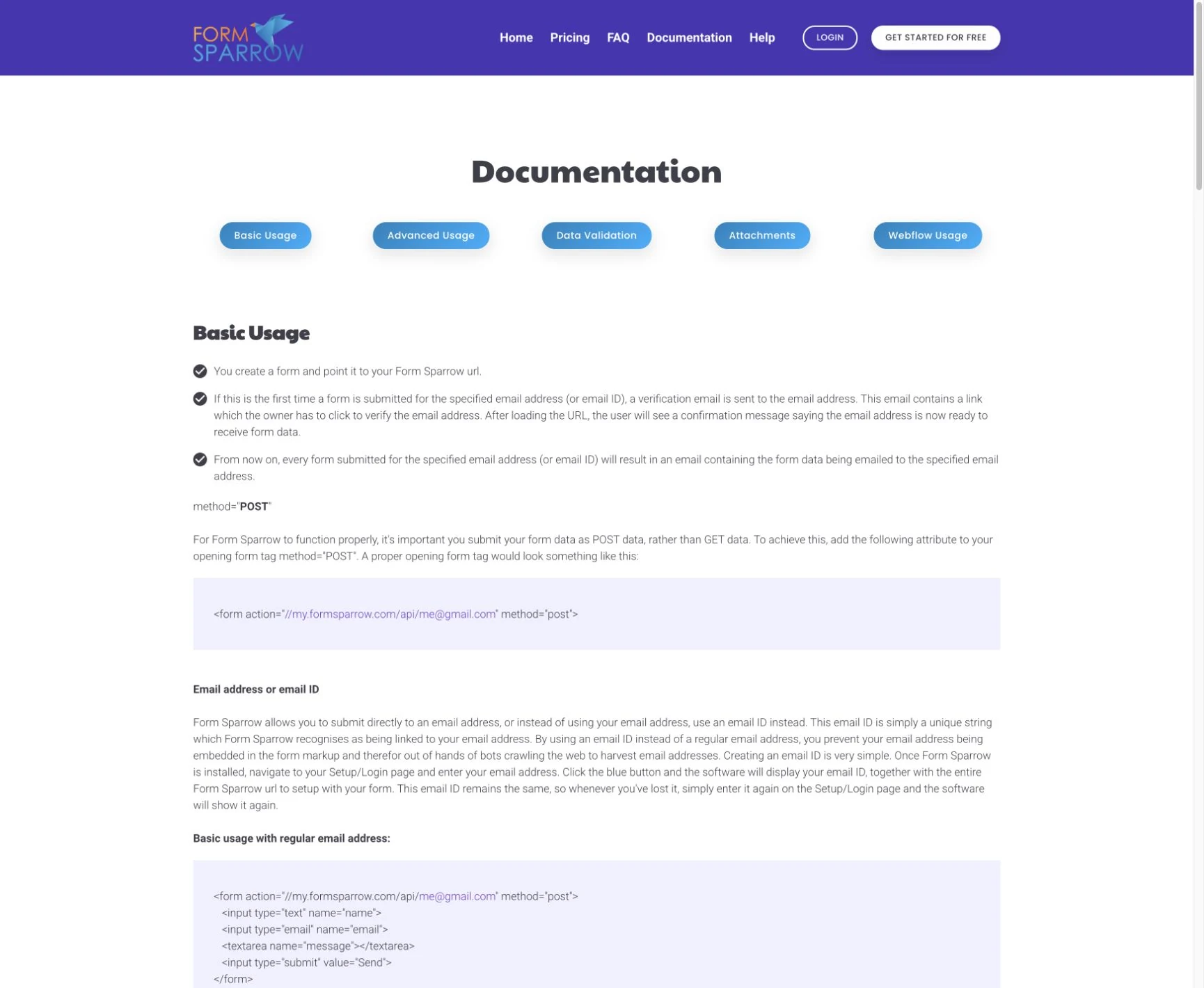
The public documentation explains the form action URL, custom form attributes and validation. It gives the implementation a clear reference.

FormSparrow / CLOUDFUSION PRODUCT
FormSparrow documentation showing an HTML form action URL and supported form attributes
SCROLL TO REVEAL 01 / 01
BEHIND THE EXPERIENCE

From submission
to delivery.

The integration begins in the website form and continues through the form-handling service.

01 / Action URLConnectHTML form

Give the form its destination.

The form’s action attribute points to the configured FormSparrow endpoint.

02 / HandlingSubmitFormSparrow

Receive the response.

The service handles the submitted fields using the configured form attributes and validation.

03 / Follow-upDeliverEmail & submission records

Bring the response to the team.

Formatted email delivery and submission handling connect the form with the business’s next action.

The dashboard artwork comes from the original 2019 presentation. Its displayed values are not performance results for the product.

05 / DELIVERY

The form connection.
The response workflow.

Custom form backend

A product developed by the Cloudfusion team to handle website form submissions.

Documented integration

Action URLs, custom attributes and validation guidance support implementation in an existing HTML form.

Product interface

The original dashboard brings projects, submissions, spam and attachments into the product’s management view.

TECH STACK & CONNECTIONS
Form integration
HTML forms · action URLA configured POST destination connects the website form with FormSparrow.
Product services
Submission handling · email deliveryCustom backend functionality handles submissions and formats their email delivery.
WHAT THE WORK MADE POSSIBLE

Your form design.
Connected responses.

FormSparrow gives a website’s HTML form a backend destination and delivery workflow. Its documented integration connects the form’s presentation with the service that receives and handles responses.

A reusable backend connection

An action URL connects a form without requiring a separate custom backend for that website.

A management view for the responses

The product interface brings submission-related information into a dedicated dashboard.

RELATED READING / FROM THE ARCHIVE
YOUR NEXT PROJECT

Connect your forms.
Keep your design.

Discuss your software project ↗View all projects ↗
NEXT PROJECT

ShipToSage

ShipToSage product website preview illustrating invoices moving from Shiplogic into Sage; the invoice values are examples
Explore ShipToSage
← AnswerMetrix
Enlarged project screen
CLOUDFUSION / YOUR NEXT CHAPTER
Rather talk first?+27 (0)81 044 5554Call
  1. 01 Start
  2. 02 Shape it
  3. 03 Send it
What would you like help with?

Choose the closest fit. It’s fine if you’re still working it out.

Already a client?Account help, faults, access or renewals.

Nothing is sent until you submit. How we use your details (opens in a new tab) ↗ · Privacy Notice (opens in a new tab) ↗ ·

ALREADY WITH CLOUDFUSION

Client
access.

Use the right workspace for what you need to do.

Client login Invoices, renewals, hosting, domains and account details.Get support Sign in to open a support ticket for a service Cloudfusion already manages. Your ticket stays with your account history.

Trouble signing in?

For an active project, use the workspace link supplied by your Cloudfusion contact.

Set the atmosphere.

Adjust the music and interaction sounds to suit you. Music keeps playing as you explore or switch tabs.

Prefer less movement?