01 / TRIP DETAILS
Find a journey that fits.
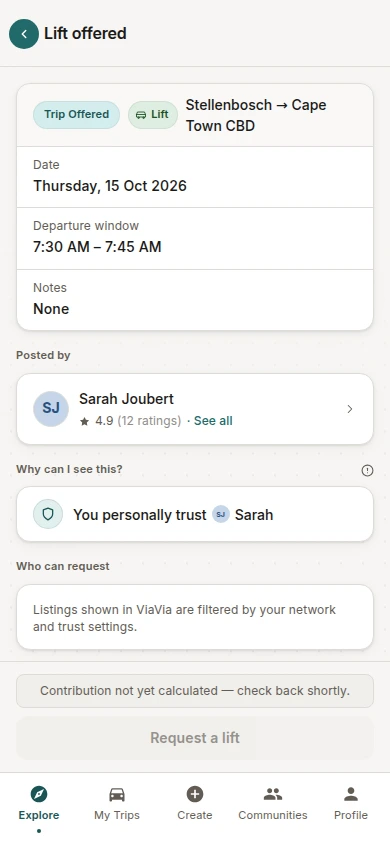
The app brings the route, departure time and trust context together before a member requests a lift. Actual ViaVia interface shown with demo data.


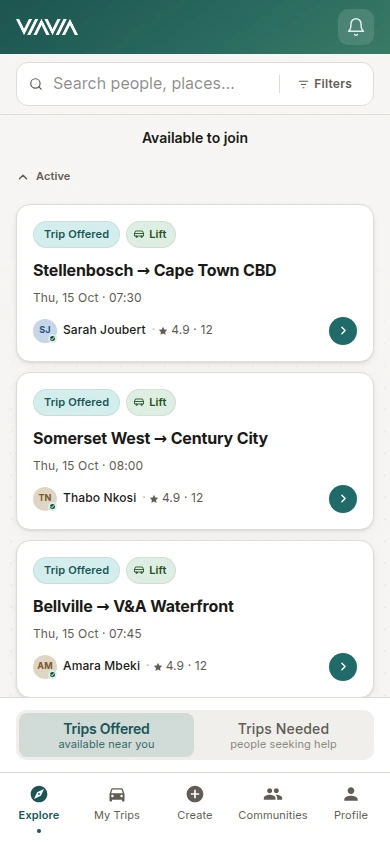

Logo design, a public website and a mobile-first web app for ViaVia. We brought the lift-sharing idea to life across its identity, online introduction and the product people use to find and coordinate journeys.
Visit the website (opens in a new tab)Explore the app (opens in a new tab)Explore the experience ↓Logo design · Public website · Product planning · UX & UI · PWA · Backend
Lifts and parcel requests were getting lost in community chats. ViaVia needed a practical way to find a journey, understand the connection and coordinate the trip.
We designed the ViaVia logo and public website alongside the app experience. The website introduces the service and its trust model; the app connects communities, journeys and private trip coordination. Client reviews refined the path from invitation to completed trip.
The app brings the route, departure time and trust context together before a member requests a lift. Actual ViaVia interface shown with demo data.
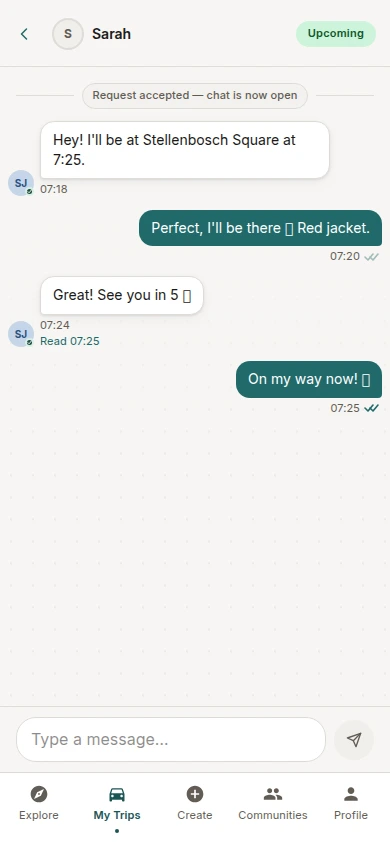
Participants coordinate collection and updates within the agreed journey. Actual ViaVia interface shown with demo data.
The product connects the steps that informal group chats leave people to organise themselves.
Community links give workplaces, schools and local groups a practical starting point. Members can create communities and build their connections.
Explicit trust relationships and visibility checks shape which listings a member can access. The product makes the reason for a connection part of the experience.
Listings carry journey details. Requests, acceptance, decline, cancellation and expiry states keep the arrangement clear as it changes.
Participant-restricted chat, trip status, completion, contribution follow-up and ratings carry the experience beyond the initial request.
Product journey illustration. App screens use demo data.
The original ViaVia wordmark gives the service a recognisable identity across its public website and app.
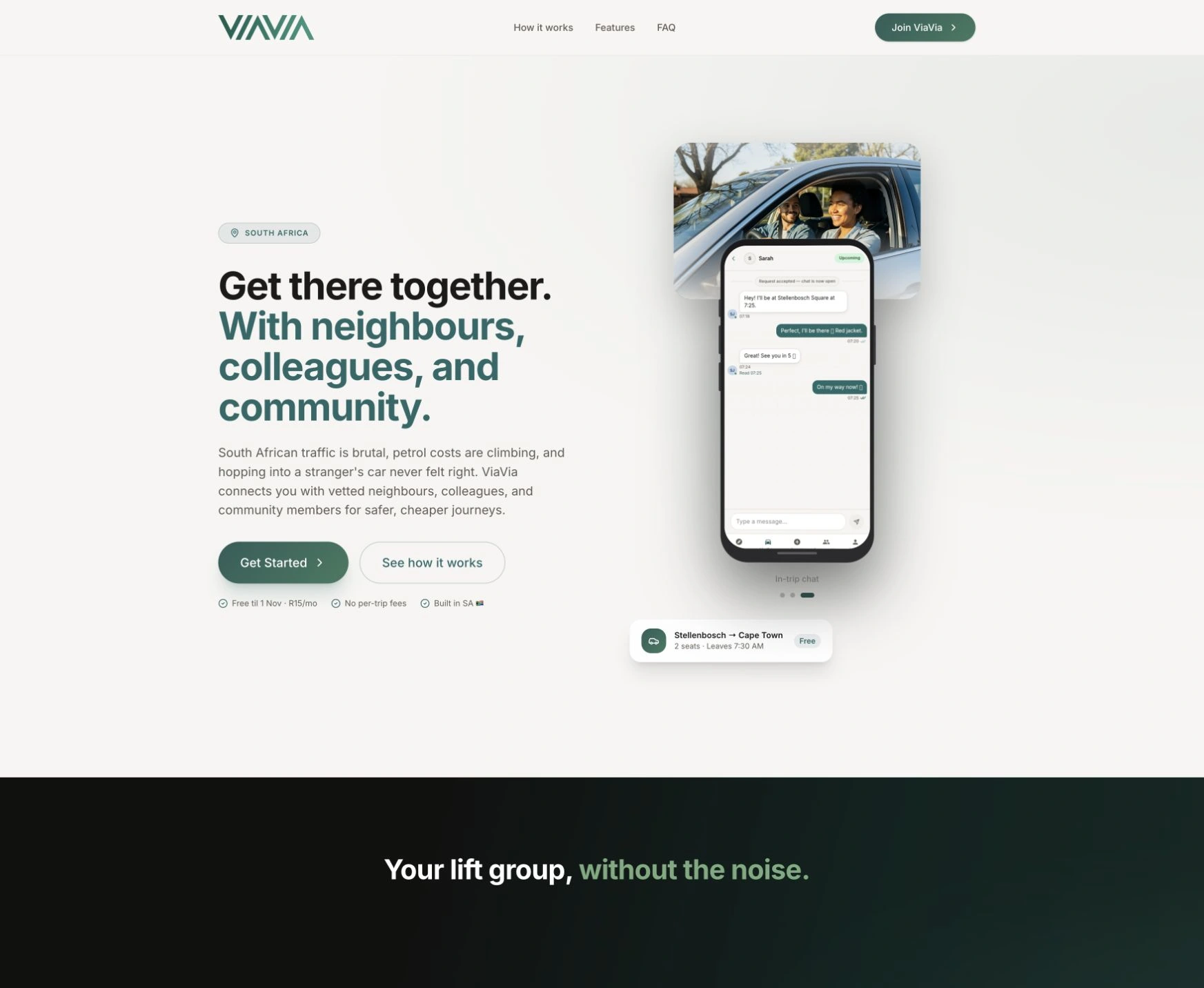
A dedicated website introduces lift-sharing, explains the community and trust model, and guides visitors into the app.
Onboarding, profiles, communities and trust checks connect to ride and parcel listings, requests, private trip chat, completion and ratings.
Trials, subscriptions, checkout, cancellations and reminders are supported by owner controls. Trip contributions remain arrangements between members.
Installable app shell, cached interface assets and browser push support. Current listings, messages and actions require a connection.
ViaVia has a recognisable identity, a public website that explains the offer, and a working PWA for its community. The founder can demonstrate and develop the service around real member journeys.
The logo and website give prospective members a consistent first impression and explain how the service fits into their lives.
Trip listings, trust connections, conversations and membership tools bring the core experience into one product, supported by administration behind it.
I highly recommend … the Cloudfusion team to anyone looking for a skilled, reliable, and proactive developer.

Adjust the music and interaction sounds to suit you. Music keeps playing as you explore or switch tabs.