
Skip to content ← Back to projects
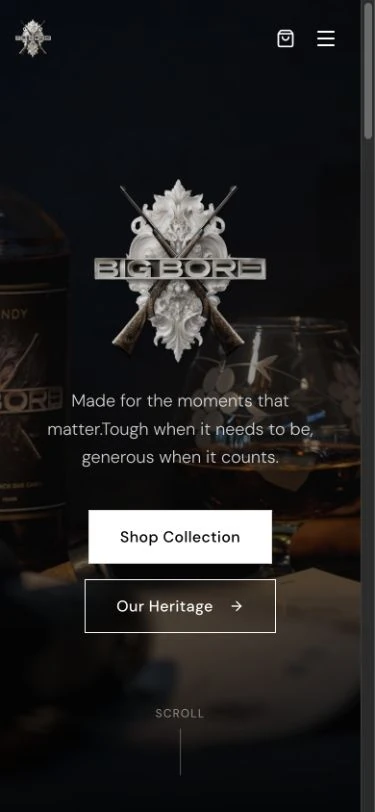
Actual BigBore website designed and developed for the project
Actual responsive BigBore homepage
SELECTED WORK / WEBSITE EXPERIENCEBigBoreScroll into the project
THE ACTUAL WEBSITE · EXPLORE BELOW
SELECTED WORK / BigBore

A bold identity.
A connected store.

Branding, a custom online store and the connections that carry an order beyond checkout.

Launch project (opens in a new tab)Explore the experience ↓
02 / THE BRIEF

A distinctive storefront.
A connected business.

Engagement
Brand through to operationsA connected delivery spanning identity, online sales and the systems behind each order.

Branding · Website · Online store · Order management · Integrations

WHAT THE CLIENT WANTED

BigBore needed an online sales experience that expressed the brand and connected payments, accounting, fulfilment and customer communication.

HOW WE HELPED

We brought the visible customer journey and the operational workflow together, from discovering the collection to managing paid orders and delivery updates.

01 / THE COLLECTION

Choose from the collection.

Categories, product names and prices make the range easy to browse.
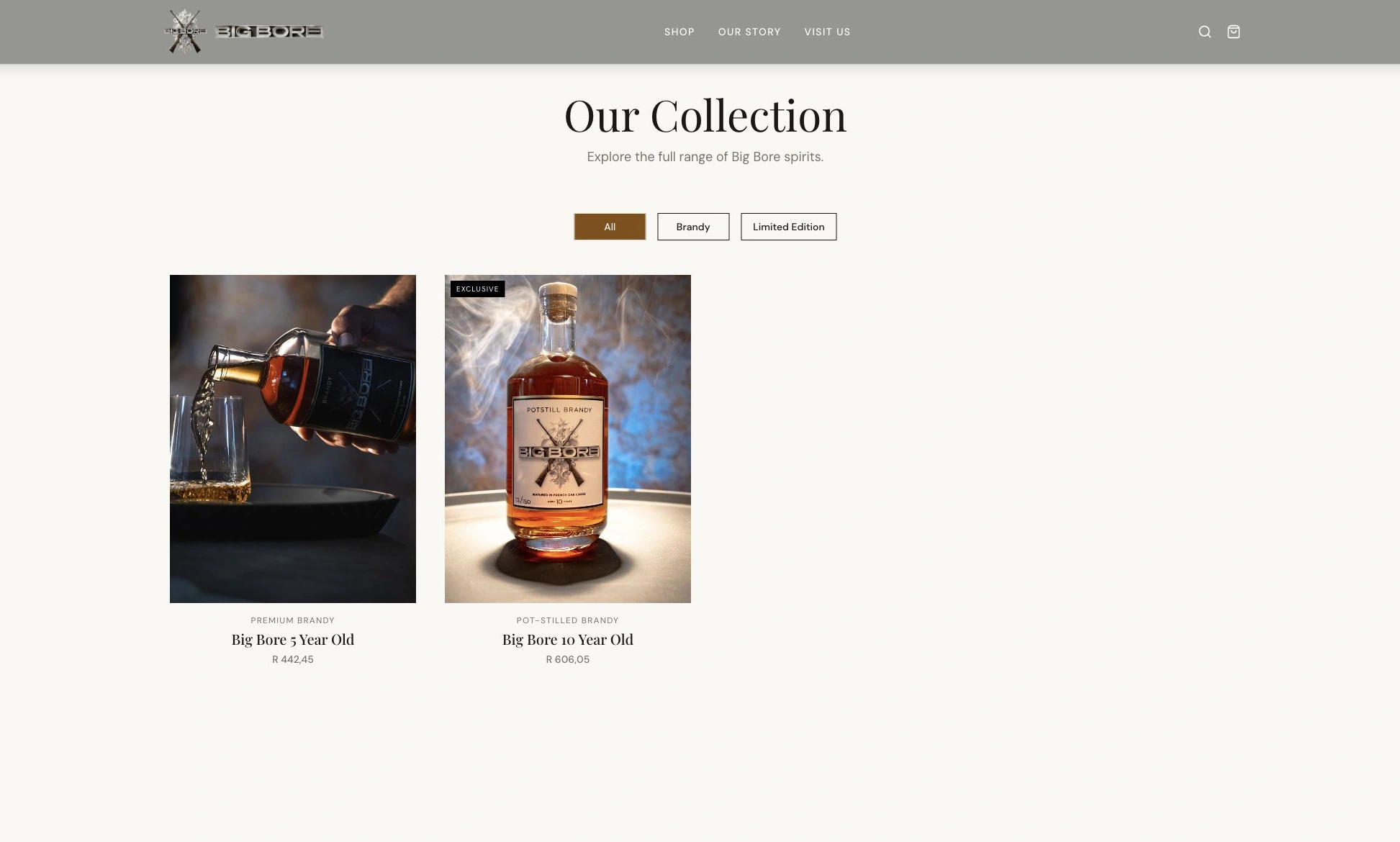
bigborebrandy.co.za
Actual BigBore collection interface
SCROLL TO LOOK CLOSER 01 / 02
02 / THE PRODUCT

From product detail to checkout.

The gallery and tasting notes explain the product. Price, stock and purchase controls complete the buying journey.
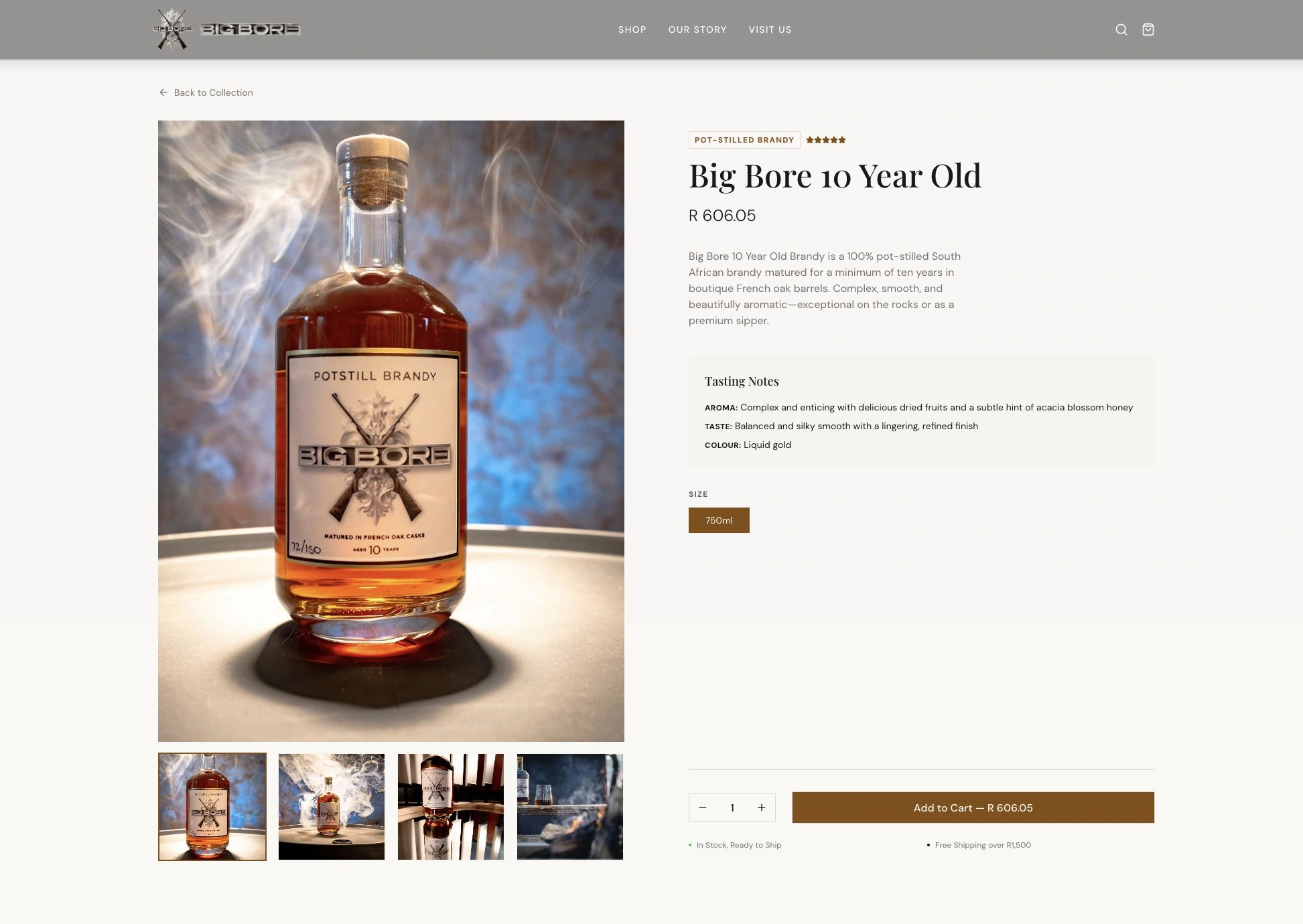
bigborebrandy.co.za
Actual BigBore product interface
SCROLL TO LOOK CLOSER 02 / 02
BEHIND THE EXPERIENCE

One order.
Connected systems.

Follow the connections behind the storefront, from payment confirmation to customer communication.

01 / Payment confirmedPaymentPaystack

The checkout connects to the order.

Paystack sends a payment confirmation to the store, feeding the order workflow.

02 / AccountingAccountingSage

Customer and invoice data move together.

The Sage integration covers customer lookup, new customer records and tax invoices for paid orders.

03 / FulfilmentFulfilmentBobGo

The order connects to delivery.

BobGo supports the shipment workflow and reports delivery events back to the website.

04 / Customer communicationCommunicationResend

The customer stays informed.

Resend handles transactional messages, including order confirmations and delivery notifications.

Illustrated integration sequence. No live orders or customer data.

05 / DELIVERY

The storefront.
The systems behind it.

Brand and commerce

Branding and website development carry the customer from the collection into product detail and checkout.

One view of the order

Custom management brings payment, fulfilment, waybill and Sage invoice status together, with internal notes and delivery references.

Beyond the sale

Fulfilment updates, cancellations and returns connect to payment refunds, shipment cancellation and accounting credit notes.

TECH STACK & CONNECTIONS
Frontend
React 19TypeScript · Vite 7 · Wouter
Interface
Tailwind CSS 4Radix UI · Lucide · Custom CSS
Commerce
Medusa v2Commerce backend and JavaScript SDK
Server
Node.js 20Express 4 · TypeScript
Data
PostgreSQLDrizzle ORM for custom application data
Domain DNS
CloudflareDNS for bigborebrandy.co.za, connecting the branded domain to the online store.
PaystackPaymentsSageAccountingBobGoFulfilmentResendTransactional email
WHAT THE WORK MADE POSSIBLE

An order placed.
A business ready to act.

BigBore can sell through a storefront that carries its identity and follow the sale through payment, accounting, fulfilment and customer communication. The customer experience and the working day are connected.

Sell with the brand intact

Customers can explore the collection, understand the products and check out within a consistent BigBore experience.

Keep the order in view

The team can work with payment, shipment and Sage invoice status together, including the follow-up needed for cancellations and returns.
RELATED READING / FROM THE ARCHIVE
YOUR NEXT PROJECT

Build something
that works together.

Discuss your project ↗View all projects ↗
NEXT PROJECT

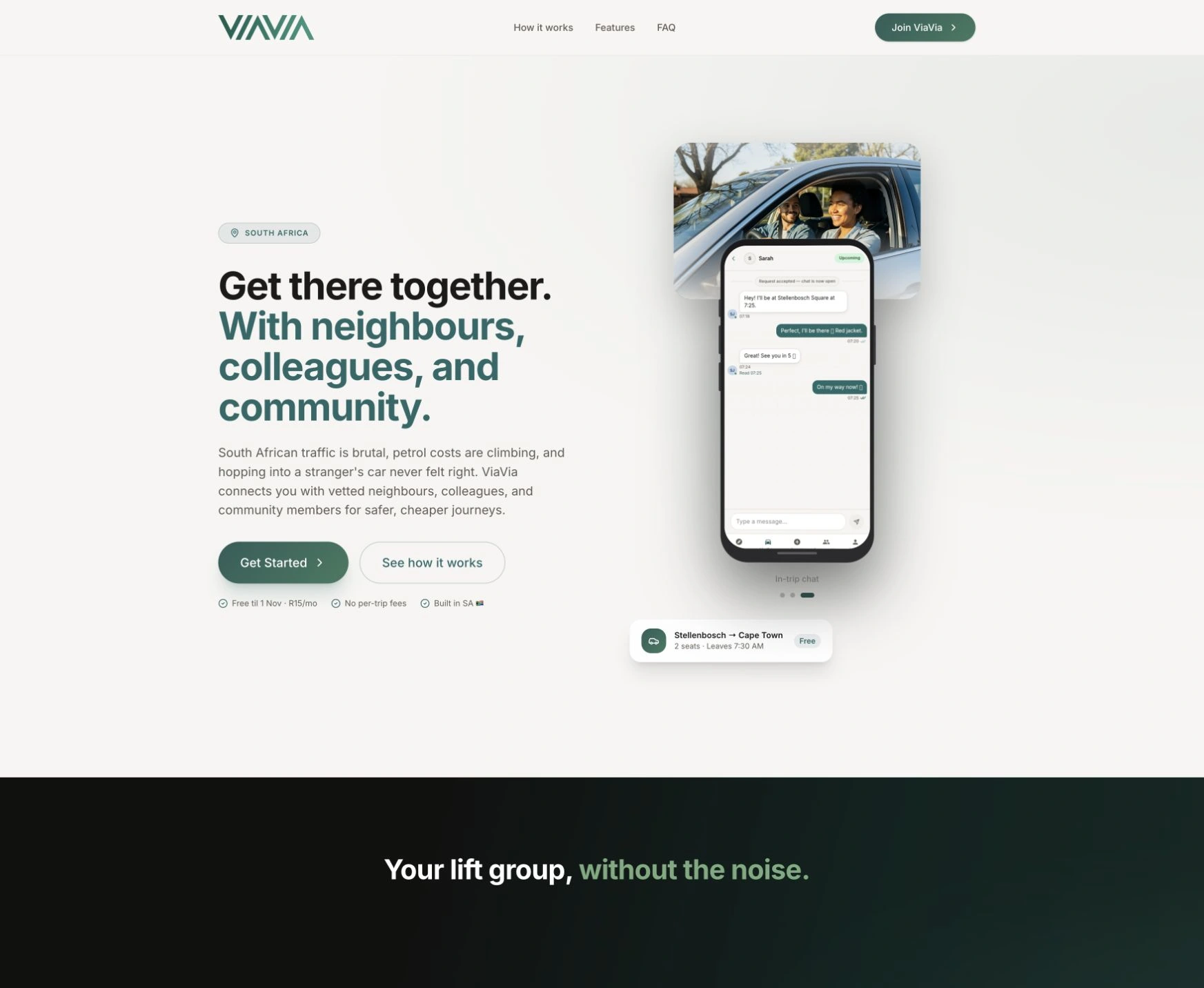
ViaVia

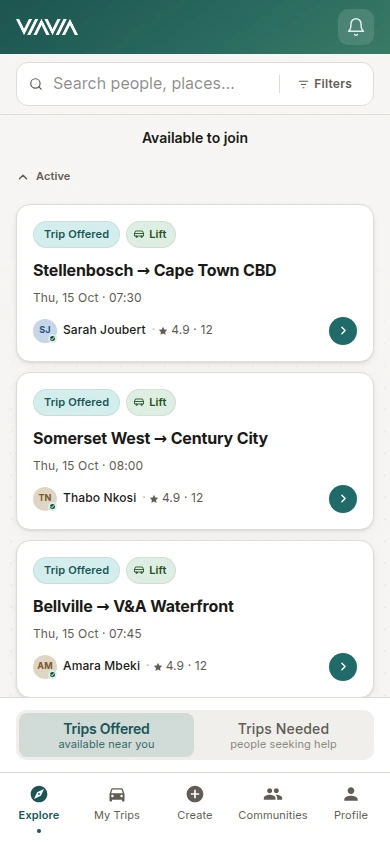
ViaVia live website with its community lift-sharing app preview
Browse trip offers — actual ViaVia interface with demo data
Explore ViaVia
← HostiHomes
Enlarged project screen
CLOUDFUSION / YOUR NEXT CHAPTER
Rather talk first?+27 (0)81 044 5554Call
  1. 01 Start
  2. 02 Shape it
  3. 03 Send it
What would you like help with?

Choose the closest fit. It’s fine if you’re still working it out.

Already a client?Account help, faults, access or renewals.

Nothing is sent until you submit. How we use your details (opens in a new tab) ↗ · Privacy Notice (opens in a new tab) ↗ ·

ALREADY WITH CLOUDFUSION

Client
access.

Use the right workspace for what you need to do.

Client login Invoices, renewals, hosting, domains and account details.Get support Sign in to open a support ticket for a service Cloudfusion already manages. Your ticket stays with your account history.

Trouble signing in?

For an active project, use the workspace link supplied by your Cloudfusion contact.

Set the atmosphere.

Adjust the music and interaction sounds to suit you. Music keeps playing as you explore or switch tabs.

Prefer less movement?