01 / MEDICAL RECORDS
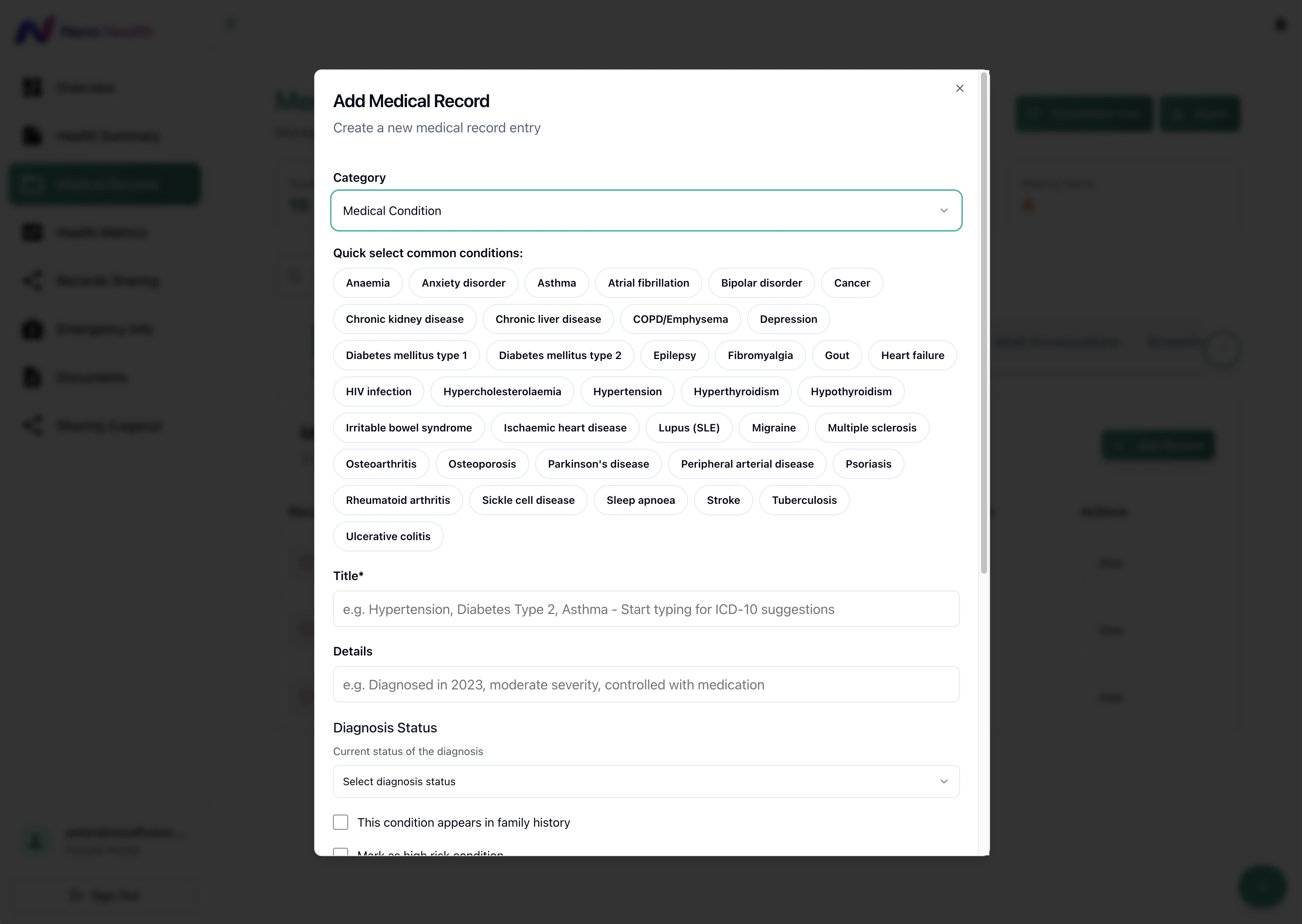
A clearer way to build a health history.
Quick selections and structured fields help patients add medical conditions, describe their history and record diagnosis status.


A custom health platform connecting patient, practitioner and admin portals, with consent-based sharing, encryption, device security and audit trails. Originally developed as U-Health.
Launch project (opens in a new tab)Explore the experience ↓Branding · Product design · Patient portal · Practitioner portal · Admin console · Consent management · Emergency QR · Encryption · Device security · Audit trails
Patients needed a way to organise their health history and share selected information with practitioners. The product also needed emergency access and an administration layer to manage accounts, consent settings and audit records.
We delivered three connected portals: patients manage their records and sharing decisions; practitioners request access and view approved information; administrators manage practitioner accounts and platform controls.
Quick selections and structured fields help patients add medical conditions, describe their history and record diagnosis status.
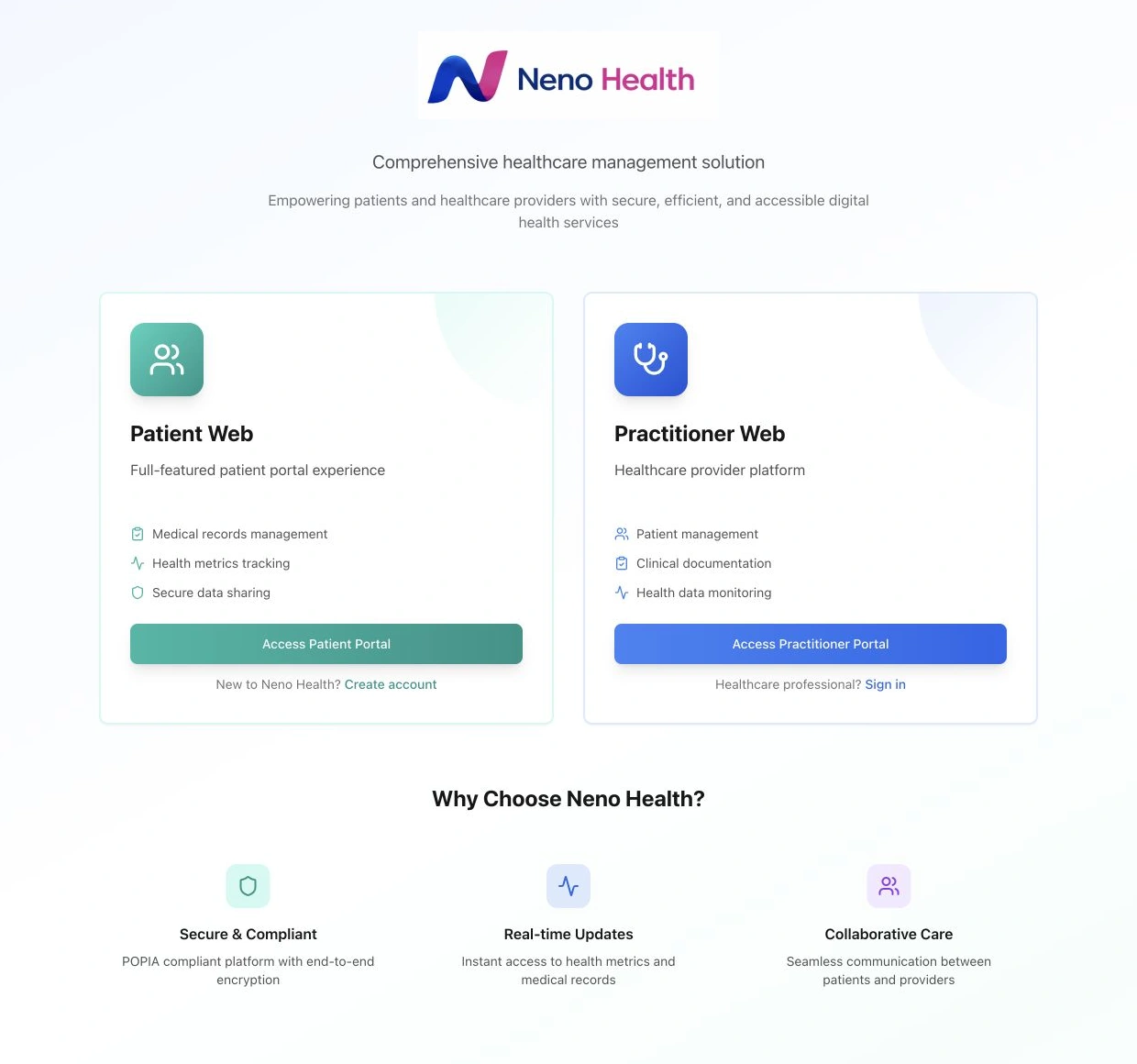
The public entry screen directs patients and healthcare practitioners into their respective portals, explaining what each experience provides.
A practitioner request defines what information is needed, why it is needed and when access should expire. The patient decides whether to approve it.
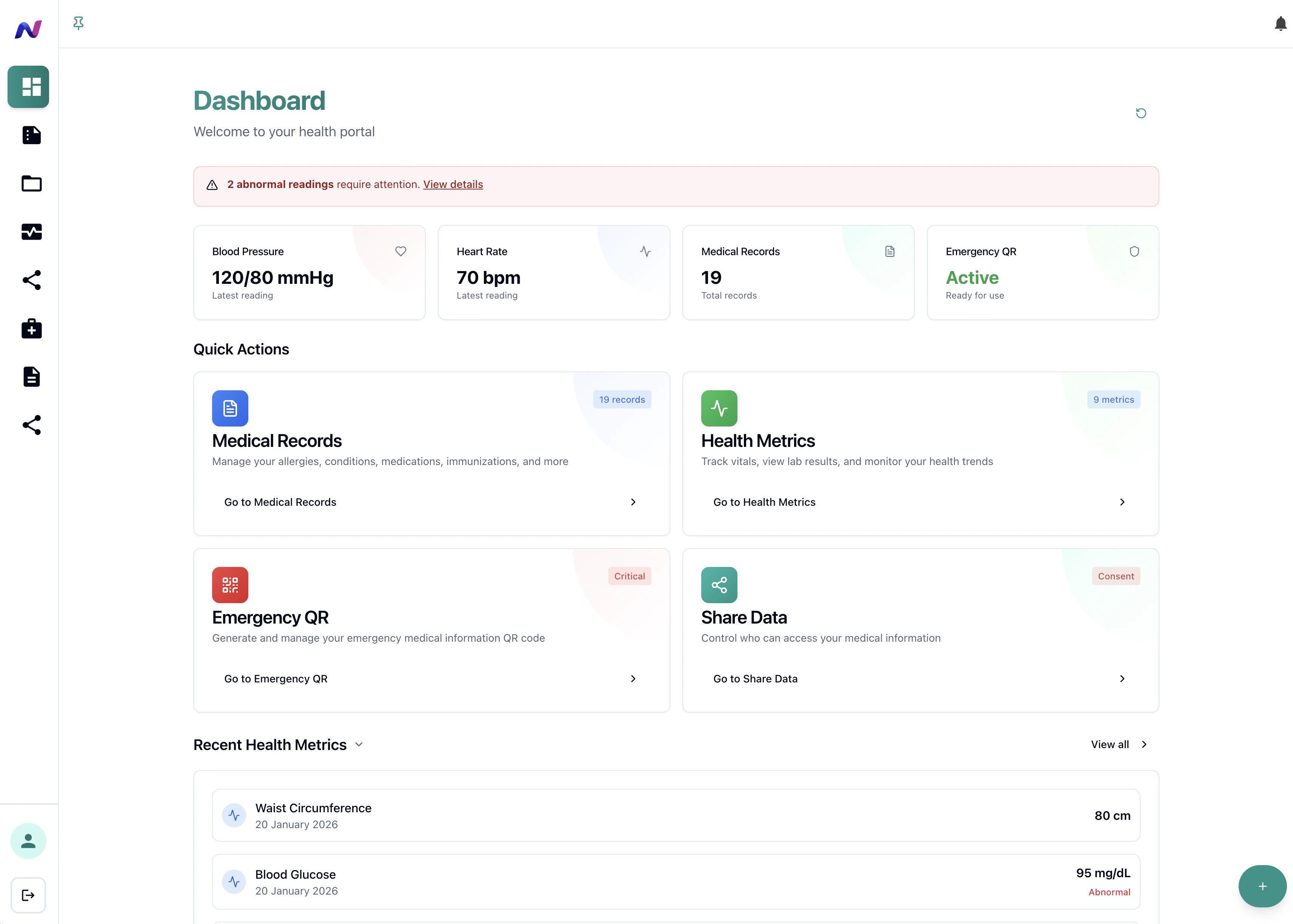
Patients manage allergies, conditions with ICD-10 lookup, medications, immunisations, screenings and family history. Vitals include BMI calculations and historical charts.
Practitioners search by email or ID and compose requests with a defined scope, purpose and expiry. A request list makes progress and status visible.
Patients approve or deny practitioner requests. Approved information is presented through read-only shared views based on that consent.
Administrators create and verify practitioner accounts, explore and export audit logs, and manage consent settings, security settings and email templates.
Product workflow overview across the patient, practitioner and administration portals.
Onboarding captures consent; profiles include medical aid and emergency contacts. Six medical-history categories and vitals charts make the record useful beyond a basic profile.
A configurable public emergency card is accessed by QR code. Separate practitioner requests use scope, purpose and expiry, with patient approval and read-only shared views.
Practitioner verification, consent settings, security settings and email templates give administrators the tools to manage the platform behind the patient and practitioner experiences.
Encryption, device security, access controls and audit trails form part of the delivered platform, alongside patient-controlled sharing.
Encryption adds protection for health information handled by the platform, alongside the permissions that govern access.
Device security forms another layer of the platform’s safeguards, complementing account permissions and patient-controlled sharing.
Administrators can filter audit logs and export them as CSV files, giving the team a record to review when investigating platform activity.
Role management and row-level data policies separate access across the three portals. Practitioner requests define scope, purpose and expiry, with the patient deciding whether to approve.
Neno has a working foundation for connecting health information around people. Patients, practitioners and administrators each have a defined experience, with consent and access decisions built into the journeys.
Separate portals organise the information and actions needed by patients, practitioners and the team administering the platform.
Consent controls and emergency QR access support the intended sharing journeys, alongside records and medical-history features.
Encryption and device security complement consent and access controls, while reviewable audit trails give administrators greater visibility into platform activity.

Adjust the music and interaction sounds to suit you. Music keeps playing as you explore or switch tabs.