Start with the shipping invoice.
Invoices created in Shiplogic provide the source information for the accounting handoff.


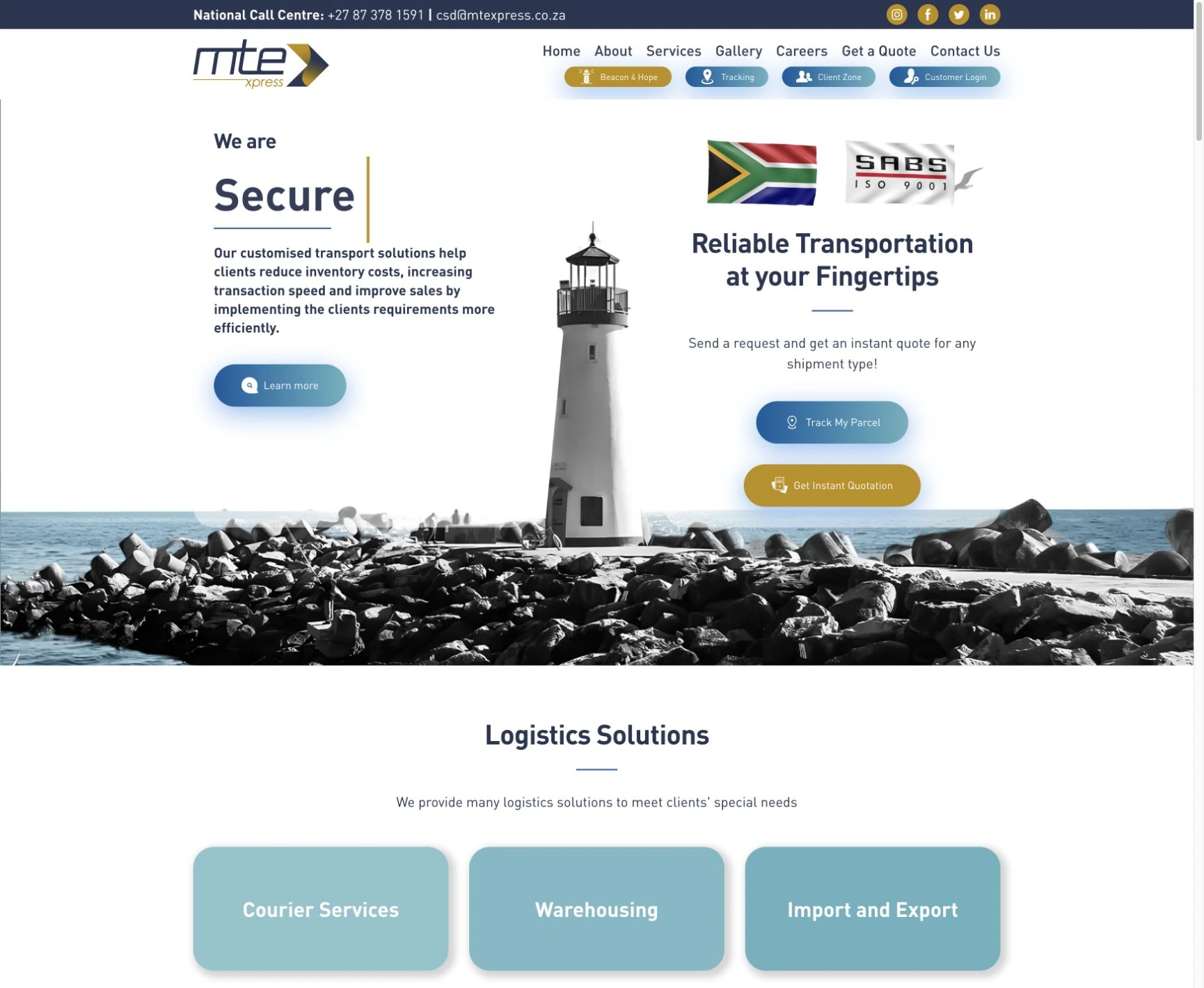

We helped MTE Xpress establish its business with a logo, website, domain, hosting and Microsoft 365 / Office 365 licensing. They have remained a Cloudfusion client since launch. Later, we delivered a separate Shiplogic-to-Sage integration and sync solution for their invoicing workflow.
Visit MTE Xpress (opens in a new tab)Explore the experience ↓Logo design · Website design & development · Domain & hosting · Microsoft 365 / Office 365 licensing · Separate Shiplogic-to-Sage integration & invoice sync
At launch, MTE Xpress needed a recognisable identity, a website and the everyday technology to run the business. As its requirements developed, connecting Shiplogic invoicing with Sage became a separate piece of work.
We created the logo and website, provided the domain, hosting and Office 365 licences, and have stayed involved from the beginning. We later built the Shiplogic-to-Sage integration and synchronisation solution to connect shipping invoices with accounting.
Delivered as a separate project within the ongoing relationship, the custom integration synchronises invoice information from Shiplogic into Sage, with review, retry and catch-up processing when records need attention.
Invoices created in Shiplogic provide the source information for the accounting handoff.
The integration transfers invoice information from Shiplogic into Sage, connecting the two systems.
Successfully synchronised invoices become available to the accounts team in its accounting system.
Records that need attention can be reviewed, corrected and retried, with catch-up synchronisation available for missed invoice batches.
Illustrated workflow based on the delivered integration. No live invoices, customer records or accounting data are shown.
We created the original MTE Xpress logo as the business was starting, giving it the identity customers recognise.
We created the company website to present its services and give customers routes to quotations, parcel tracking and account access.
We provided the domain and hosting as part of getting the business established online.
We provided Office 365 licences for the team’s everyday work as part of the original business setup.
A later, separate solution connecting Shiplogic invoice data with Sage accounting, including sync review, retry and catch-up processing.
MTE Xpress has a recognisable identity, a website for customers and the domain, hosting and office software supporting daily business. The later Shiplogic-to-Sage sync solution gives the accounts team a connected invoice workflow. Cloudfusion remains involved as the same partner that helped the business get started.
Customers can recognise MTE Xpress, understand its services and find quotation, tracking and account-access routes through the website.
Domain, hosting and Microsoft 365 licensing support the business’s online presence and the team’s everyday work.
Successfully synchronised Shiplogic invoices become available in Sage. Review, retry and catch-up processing help the accounts team address records that need attention.
I highly recommend them as I cannot "speak IT" but my needs are catered for.

Adjust the music and interaction sounds to suit you. Music keeps playing as you explore or switch tabs.