
What Is SSL Certificate? 85% of Websites Use It for Security
Learn what SSL certificates do for website security and client trust. Discover types, benefits, myths, and deployment steps for SMEs with 85% HTTPS adoption data.
Start reading
SSL certificates often get credit for guaranteeing total website security, but that’s a dangerous oversimplification. These digital credentials encrypt data and verify identity, yet they’re just one layer in a comprehensive security framework. For IT managers at SMEs, understanding what SSL actually does versus what it can’t do is critical for making informed decisions that protect both data and reputation.
Table of Contents
- Understanding SSL Certificates: What They Are and How They Work
- Types of SSL Certificates and Their Use Cases
- Common Misconceptions and Myths About SSL Certificates
- How SSL Certificates Enhance Website Security and Client Trust
- How to Select and Deploy SSL Certificates for Your SME
- Secure and Enhance Your Website with Cloudfusion Solutions
- What Is SSL Certificate? Frequently Asked Questions
Key Takeaways
| Point | Details |
|---|---|
| SSL encrypts communications | Creates secure HTTPS connections using 128-256 bit encryption between browsers and servers. |
| Validation levels vary | DV, OV, and EV certificates offer different trust levels and issuance speeds. |
| HTTPS adoption exceeds 85% | Over 85% of websites globally now use HTTPS secured by SSL certificates. |
| SSL boosts SEO rankings | HTTPS sites can see up to 5-10% improvement in Google search rankings. |
| Not a complete solution | SSL protects data in transit but doesn’t prevent server breaches or malware. |
Understanding SSL Certificates: What They Are and How They Work
An SSL certificate is a digital security credential issued by a trusted Certificate Authority that enables encrypted communication between web browsers and servers. When you visit a website secured with SSL, your browser and the server perform a cryptographic handshake that establishes a secure channel. All data transmitted through this channel gets encrypted using robust algorithms, typically 128-256 bit encryption, making it virtually impossible for attackers to intercept and read sensitive information.
The primary functions of SSL certificates go beyond just encryption. They authenticate website identity, proving to visitors that they’re connecting to the legitimate site and not an imposter. This authentication prevents phishing attacks where criminals create fake websites to steal credentials. When you see the padlock icon in your browser’s address bar, that visual indicator confirms both encryption and authentication are active.
HTTPS protocol serves as the visible marker of SSL protection. The “S” stands for secure, signaling that the website has implemented SSL. According to HTTPS Encryption Statistics, adoption has skyrocketed from 55% in 2017 to over 85% globally in 2023. This massive shift reflects both user demand for privacy and search engines prioritizing secure sites.
For e-commerce sites specifically, SSL becomes non-negotiable. The importance of HTTPS for e-commerce extends to payment processing compliance, customer confidence, and regulatory requirements. Payment card industry standards mandate SSL for any site handling credit card data.
Key technical components of SSL include:
- Public and private key pairs that enable asymmetric encryption
- Digital signatures from Certificate Authorities validating authenticity
- Session keys for symmetric encryption of actual data transfers
- Certificate chains establishing trust back to root CAs
Pro Tip: Review your SSL certificate status quarterly to ensure renewal processes are functioning and your site maintains continuous protection. Set calendar reminders 30 days before expiration to avoid service disruptions.
Types of SSL Certificates and Their Use Cases
SSL certificates come in several varieties, each designed for specific deployment scenarios and validation requirements. Understanding these distinctions helps you select the right certificate without overpaying or underprotecting your digital assets.
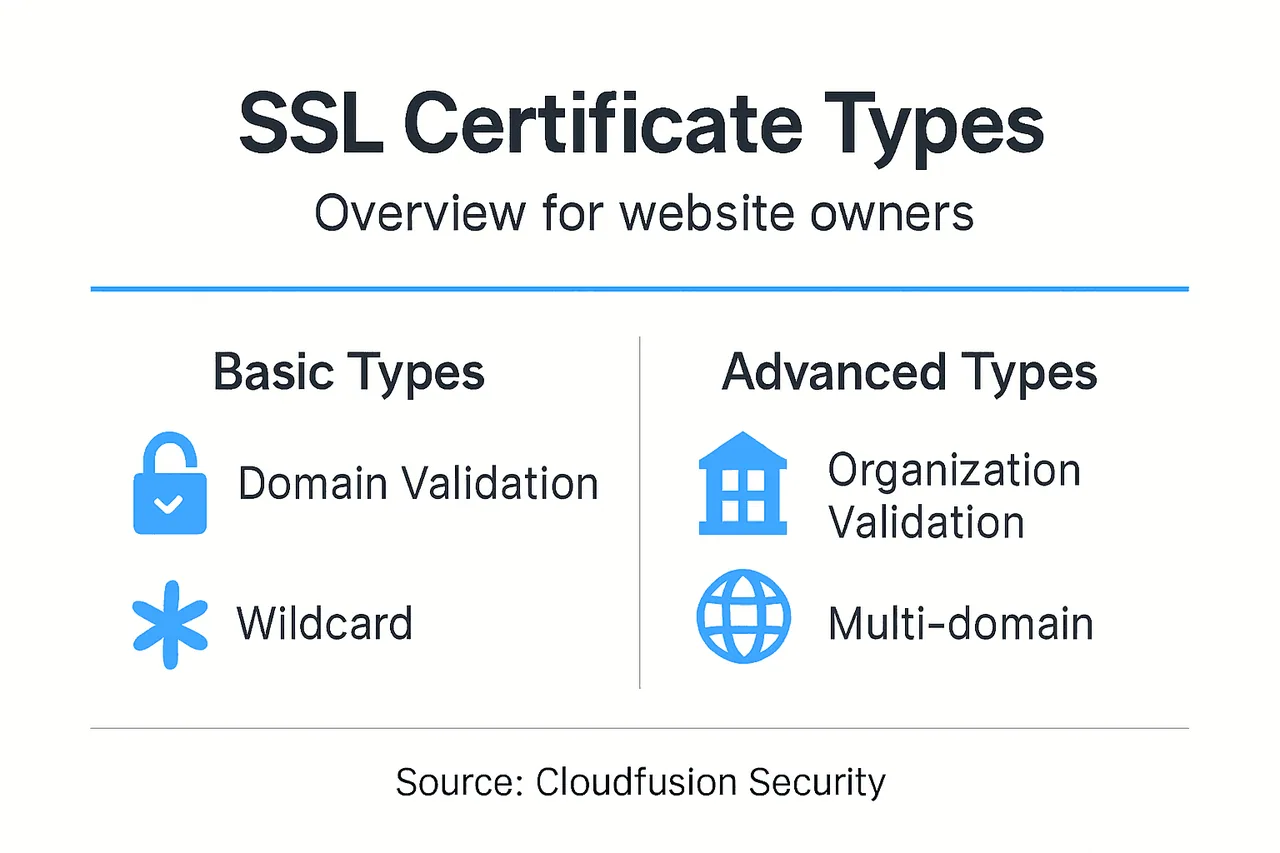
Domain Validation certificates represent the most basic option. DV certificates verify only that you control the domain name, typically through an automated email or DNS record check. Issuance takes minutes to hours, making DV certificates ideal for blogs, informational sites, and internal tools where brand validation isn’t critical. The encryption strength matches more expensive options, but the validation process provides minimal identity assurance.

Organization Validation certificates add a layer of business verification. The Certificate Authority contacts your organization directly to confirm legal existence and operational status before issuing the certificate. This process takes one to three business days but provides visitors with verified company information in the certificate details. OV certificates suit corporate websites, client portals, and professional services where reputation matters.
Extended Validation certificates offer the highest trust level through rigorous vetting. EV certificates trigger the green address bar in many browsers, displaying your company name prominently. Obtaining an EV certificate requires extensive documentation proving legal, physical, and operational existence. The multi-day process costs more but delivers maximum credibility for financial institutions, e-commerce platforms, and enterprises handling sensitive transactions.
Wildcard certificates secure a primary domain plus unlimited subdomains at a single level. For example, a wildcard certificate for *.yourdomain.com covers shop.yourdomain.com, blog.yourdomain.com, and any other subdomain you create. This flexibility makes wildcard certificates perfect for growing businesses that frequently add new web properties.
Multi-domain certificates, also called SAN certificates, protect multiple distinct domains and subdomains within one certificate. You might secure yourdomain.com, yourotherdomain.com, and shop.yourdomain.com all under one certificate. This approach simplifies management for businesses operating multiple brands or websites.
| Certificate Type | Validation Level | Issuance Time | Best For | Typical Cost |
|---|---|---|---|---|
| Domain Validation | Domain ownership only | Minutes to hours | Blogs, internal tools | Low |
| Organization Validation | Business verification | 1-3 business days | Corporate sites, portals | Medium |
| Extended Validation | Rigorous vetting | 3-7 business days | E-commerce, finance | High |
| Wildcard | Varies by base type | Depends on validation | Multiple subdomains | Medium-High |
| Multi-Domain | Varies by base type | Depends on validation | Multiple domains | Medium-High |
Selection criteria should include:
- Number of domains and subdomains requiring protection
- Level of brand trust you need to establish
- Budget constraints and total cost of ownership
- Technical expertise available for deployment
- Compliance requirements for your industry
For SMEs managing SSL certificate types for e-commerce, balancing cost against customer trust becomes crucial. A startup blog might thrive with free DV certificates, while an online retailer benefits from investing in OV or EV options.
Pro Tip: Start with a DV certificate for initial deployment, then upgrade to OV or EV once your site generates revenue and brand recognition matters more. This staged approach conserves resources while maintaining security.
Common Misconceptions and Myths About SSL Certificates
Several persistent myths about SSL certificates lead IT managers to make suboptimal security decisions. Clearing up these misconceptions ensures you implement SSL with realistic expectations and appropriate complementary measures.
Myth: SSL certificates guarantee complete website security. Reality check: SSL encrypts data in transit between browsers and servers, but it doesn’t protect against server vulnerabilities, SQL injection attacks, malware infections, or insider threats. A hacker who compromises your server can access data after it’s decrypted, regardless of your SSL certificate. Think of SSL as locking your front door while leaving windows open. You need comprehensive security including firewalls, intrusion detection, regular patching, and application security.
Myth: Free SSL certificates offer inferior encryption. The truth surprises many people. Free certificates from services like Let’s Encrypt use the same encryption algorithms and key lengths as paid certificates. A 256-bit encryption key provides identical protection whether it came from a free or premium provider. The differences lie in validation levels, warranty coverage, customer support, and brand reputation. For technical security, free and paid certificates perform identically.
Myth: Installing SSL solves all customer trust issues. While HTTPS displays that reassuring padlock icon, savvy users understand SSL only confirms encryption, not business legitimacy. Scammers routinely obtain SSL certificates for phishing sites. Customers evaluate trust through multiple signals including site design, reviews, contact information, and business history. SSL is necessary but insufficient for building comprehensive trust.
Myth: SSL dramatically impacts website performance. Early SSL implementations did slow page loads through encryption overhead, but modern servers and protocols like TLS 1.3 have eliminated most performance penalties. You might see millisecond differences that users never notice. The SEO benefits and trust factors typically outweigh any minimal speed reduction.
Myth: One SSL certificate lasts forever once installed. Certificates expire, typically after one or two years depending on the issuer. Expired certificates trigger scary browser warnings that drive visitors away immediately. You must monitor expiration dates and renew certificates proactively. Many sites now use automated renewal systems to prevent lapses.
Important clarifications include:
- SSL works best as part of layered security with firewalls, monitoring, and access controls
- Certificate validation level matters more than price for trust signals
- Regular security audits remain essential even with valid SSL
- User education about identifying legitimate sites complements SSL protection
- Compliance frameworks typically require SSL plus additional security measures
Understanding SSL’s actual capabilities lets you deploy it effectively while investing appropriately in complementary security controls that address what SSL cannot protect.
How SSL Certificates Enhance Website Security and Client Trust
The measurable benefits of SSL certificates extend beyond basic encryption to deliver tangible business value. Data from multiple sources quantifies exactly how HTTPS impacts security posture, search visibility, and customer behavior.
Encryption protects sensitive data during transmission. When customers enter passwords, credit card numbers, or personal information, SSL ensures that data travels encrypted from their browser to your server. Attackers monitoring network traffic see only scrambled gibberish instead of readable text. This protection proves critical on public WiFi networks where packet sniffing remains trivially easy.
Authentication prevents impersonation and phishing attacks. Certificate Authorities verify domain ownership before issuance, creating a chain of trust that browsers recognize. When visitors see the padlock icon and HTTPS, they know they’ve reached your actual website, not a criminal’s fake duplicate. This verification becomes especially valuable for financial services, healthcare providers, and any business handling confidential data.
The shift toward universal HTTPS adoption reflects growing security awareness. Global HTTPS adoption data shows steady increases year over year, with over 85% of websites now defaulting to encrypted connections. This trend creates user expectations, where visitors actively look for HTTPS and question sites still using HTTP.
Search engine optimization receives a measurable boost from HTTPS implementation. Google confirmed HTTPS as a ranking signal in 2014, and its impact has grown since. Secure HTTPS sites can see up to a 5-10% increase in search rankings compared to unsecured equivalents, according to HTTPS as a Google Ranking Signal. This advantage compounds over time as search algorithms increasingly prioritize user security.
Customer trust and conversion rates improve with visible security signals. Research indicates up to 30% higher confidence levels among users when shopping on HTTPS sites versus HTTP equivalents. The effect of HTTPS on SEO and trust demonstrates direct correlation between security indicators and purchasing behavior.
| Metric | Impact | Source |
|---|---|---|
| Global HTTPS Adoption | 85% of websites | Google Transparency Report |
| SEO Ranking Improvement | 5-10% increase | Google Search Documentation |
| Customer Trust Increase | Up to 30% higher confidence | Industry Surveys |
| Mobile HTTPS Usage | 95% of traffic | Browser Analytics |
| Certificate Encryption | 256-bit standard | SSL Standards |
Key business benefits include:
- Reduced cart abandonment rates on e-commerce sites
- Higher conversion rates for lead generation forms
- Improved email deliverability from HTTPS domains
- Compliance with data protection regulations like GDPR
- Protection against man-in-the-middle attacks
For SMEs specifically, the SSL impact on customer trust directly affects bottom-line revenue. Losing even a small percentage of potential customers due to security warnings or missing HTTPS can cost thousands in annual revenue. The relatively low cost of SSL certificates delivers substantial return on investment through both security and business performance improvements.
How to Select and Deploy SSL Certificates for Your SME
Implementing SSL correctly requires following a systematic process and avoiding common pitfalls that can compromise security or create technical problems. This step-by-step approach ensures smooth deployment.
1. Assess your requirements. Count how many domains and subdomains need protection. Determine what validation level matches your business type and customer expectations. Review any industry compliance requirements that mandate specific certificate types. Budget for both initial purchase and annual renewals.
2. Select a Certificate Authority. Research CA reputation, customer support quality, and pricing models. Major providers include DigiCert, Sectigo, GlobalSign, and Let’s Encrypt for free options. Verify that browsers and operating systems trust your chosen CA to avoid compatibility issues.
3. Generate a Certificate Signing Request. Your web server or hosting control panel includes tools to create a CSR. This process generates a private key that stays on your server and a CSR file containing your public key and organization details. Never share your private key with anyone, including the CA.
4. Submit your CSR to the Certificate Authority. Provide the CSR file along with any required business documentation. Complete the validation process, which might involve responding to an email, adding a DNS record, or uploading a file to your website. Wait for the CA to verify your information and issue the certificate.
5. Install the certificate on your server. Download the issued certificate files from your CA. Upload them to your web server following platform-specific instructions for Apache, Nginx, IIS, or your hosting environment. Install any intermediate certificates the CA provides to complete the trust chain.
6. Configure HTTPS enforcement. Update your server configuration to redirect all HTTP traffic to HTTPS automatically. This prevents visitors from accessing insecure versions of your pages. Configure HTTP Strict Transport Security headers to tell browsers they should always use HTTPS for your domain.
7. Update internal links and resources. Scan your website for hardcoded HTTP links in images, scripts, and stylesheets. Change these to HTTPS or use protocol-relative URLs to prevent mixed content warnings. Update XML sitemaps and inform search engines about your HTTPS migration.
8. Test thoroughly before going live. Use SSL testing tools like SSL Labs to verify correct installation and configuration. Check for certificate chain issues, weak cipher suites, and protocol vulnerabilities. Test your site in multiple browsers to confirm the padlock icon appears without warnings.
Selection criteria checklist:
- Domain count matches certificate type capabilities
- Validation level appropriate for your business context
- CA included in all major browser trust stores
- Pricing structure fits your budget for multi-year renewals
- Technical support available during installation
- Automated renewal options to prevent expiration
Common deployment mistakes to avoid:
- Installing certificates on wrong server or domain
- Forgetting to install intermediate certificates
- Mixed content from HTTP resources on HTTPS pages
- Allowing certificate expiration without renewal
- Using self-signed certificates in production
- Inadequate testing before launch
For SMEs wanting to maximize SSL deployment for SEO benefits, timing the migration carefully prevents ranking disruptions. Implement HTTPS site-wide rather than page by page, update search console properties, and monitor crawl errors for several weeks post-migration.
Pro Tip: Set up automated monitoring that alerts you 30 days before certificate expiration and tests HTTPS functionality daily. Free tools like UptimeRobot or paid services provide this monitoring, preventing costly downtime from expired certificates.
Secure and Enhance Your Website with Cloudfusion Solutions
Implementing SSL certificates correctly requires both technical expertise and ongoing management that many SMEs struggle to handle in-house. Cloudfusion delivers comprehensive professional web design services that integrate security from the ground up, ensuring your website protects data while building customer trust. Our custom website development solutions include SSL deployment, HTTPS enforcement, and performance optimization tailored to your business requirements. Combined with our reliable web hosting packages, you get automated certificate management and expert support that keeps your site secure without technical headaches. Let Cloudfusion handle the complexity so you can focus on growing your business.
What Is SSL Certificate? Frequently Asked Questions
What does an SSL certificate do?
An SSL certificate encrypts data transmitted between web browsers and servers, preventing interception of sensitive information like passwords and payment details. It also authenticates your website’s identity, proving to visitors they’re connected to your legitimate site rather than an imposter.
How long does it take to get an SSL certificate issued?
Domain Validation certificates issue within minutes to a few hours through automated verification. Organization Validation certificates require one to three business days for manual verification of your company details. Extended Validation certificates take three to seven business days due to rigorous vetting processes.
Can I use one SSL certificate for multiple subdomains?
Yes, wildcard SSL certificates secure your primary domain plus unlimited subdomains at one level. For example, a wildcard certificate for *.yourdomain.com protects blog.yourdomain.com, shop.yourdomain.com, and any other subdomain you create now or in the future.
Do free SSL certificates offer the same security as paid ones?
Free and paid SSL certificates use identical encryption algorithms and provide the same technical security for data in transit. The differences lie in validation levels, warranty coverage, customer support quality, and browser compatibility. Free certificates work perfectly well for many SME websites.
What happens if I don’t renew my SSL certificate before expiration?
Expired certificates trigger severe browser warnings that block visitors from accessing your site, displaying scary security error messages. Most users abandon the site immediately rather than clicking through warnings. You’ll lose traffic, damage your reputation, and potentially lose search rankings until you renew and reinstall a valid certificate.