Skip to content ← Back to projects
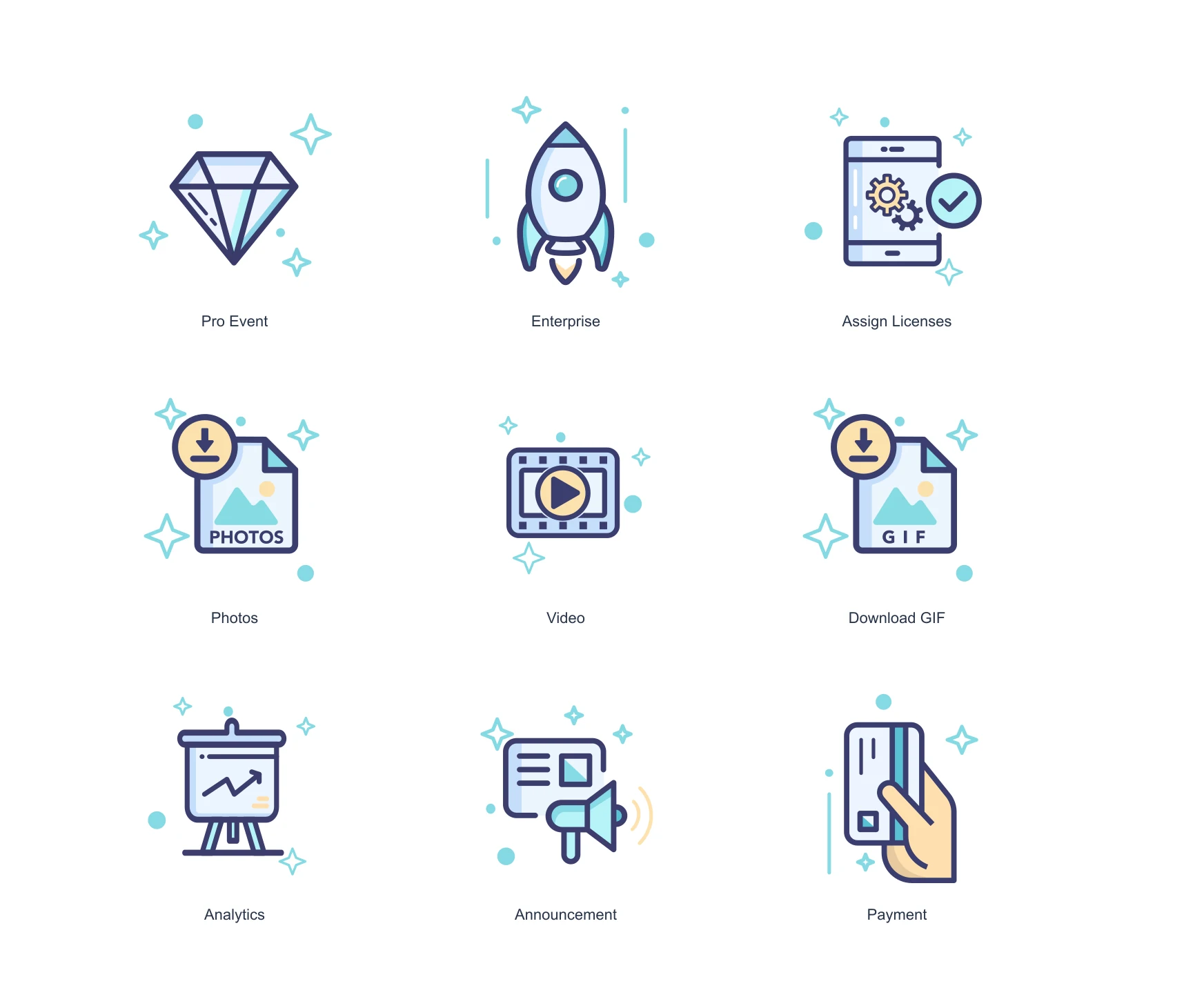
Nine original Snappic vector icons for event setup, media and licence tasks
SELECTED WORK / CUSTOM VECTOR ICONSSnappicScroll into the project
Original icon artwork, presented together · EXPLORE BELOW
SELECTED WORK / Snappic

Small icons.
A personality of their own.

A software interface has dozens of small moments that need a visual cue. For Snappic, we designed a custom icon family with a playful character and a consistent approach to everyday account, event and media tasks.

Explore the experience ↓
02 / THE BRIEF

Make the small details belong.
Across the interface.

Original project record
Published May 2019Custom icon design · Vector artwork · Interface visual language

Custom icon design · Vector artwork · Interface visual language / 2019

WHAT THE CLIENT WANTED

Snappic provides photo-booth software. Its custom icons needed to bring the brand’s character into a range of practical interface actions.

HOW WE HELPED

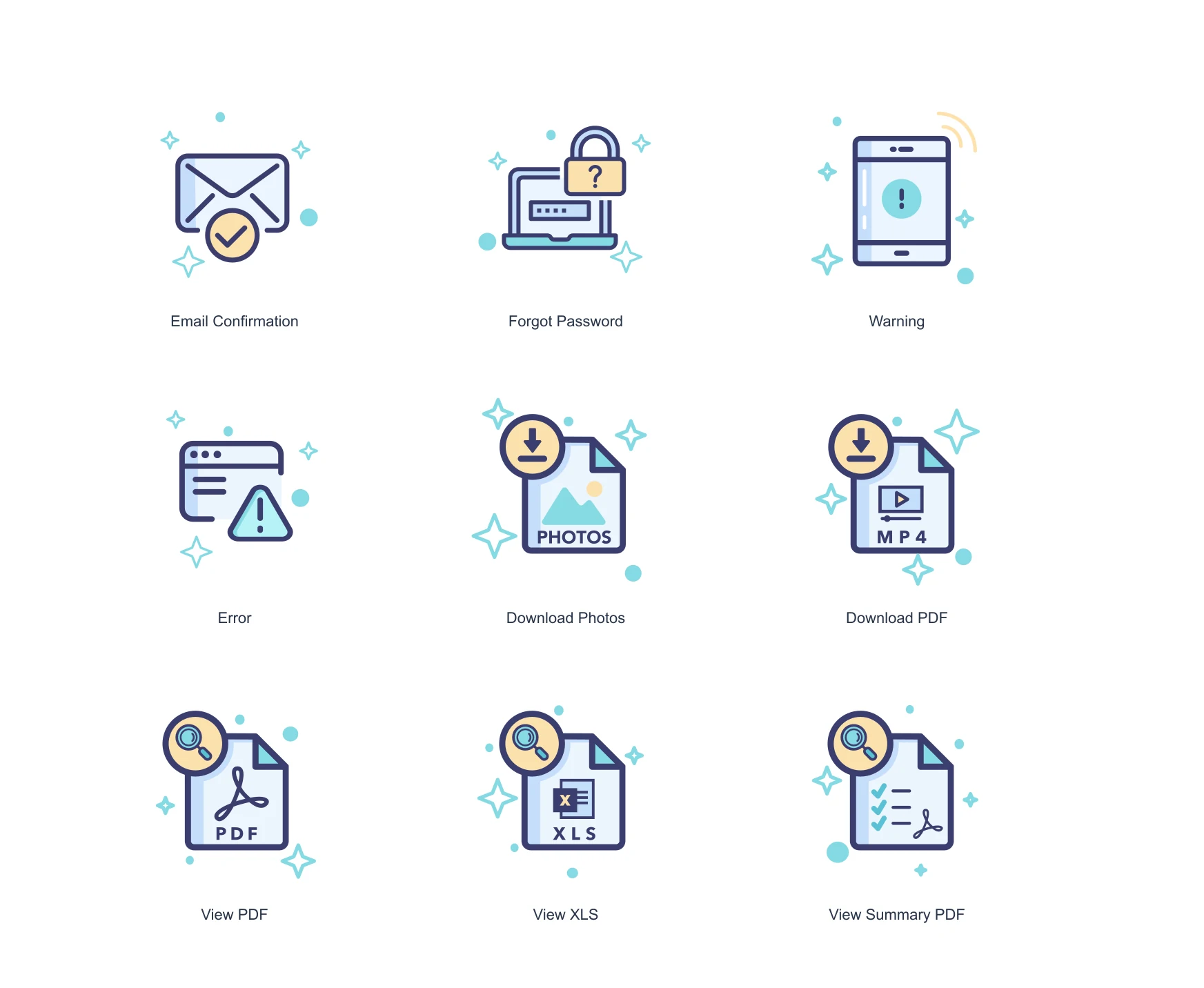
We designed a family rather than a collection of unrelated symbols. Across the original artwork, pale blue fills, fine outlines and small decorative details give different tasks a recognisable shared style.

01 / ACCOUNT, REPORTING & STATUS

Keep the same character when the task changes.

Account access, file formats and status messages each have a different job. These original icons carry the same light, playful style across the tasks.

Snappic / ORIGINAL ARTWORK
Nine original Snappic vector icons for account, reporting, download and status tasks
SCROLL TO REVEAL 01 / 01
BEHIND THE EXPERIENCE

Different actions.
One visual family.

The original files show how a shared style can carry across very different software tasks.

01 / MeaningActionsTask-specific icons

Give each task its own symbol.

Camera, document and account motifs distinguish media, reporting and account actions.

02 / ConsistencyFamilyShared visual treatment

Keep the drawing language connected.

The original set shares line work, light blue fills and a playful decorative treatment.

03 / ClarityArtworkOriginal SVG files

Keep the source scalable.

The supplied vector files preserve the icon shapes and detail across sizes.

Cloudfusion’s engagement was custom icon design; the photo-booth software itself is Snappic’s product.

05 / DELIVERY

A product detail
worth designing properly.

A custom icon family

Original icons for the product’s event, media, account and reporting actions.

Vector source artwork

SVG files containing the original shapes, outlines and colours.

A coherent visual treatment

A consistent illustration style across a varied set of tasks.

DESIGN & APPLICATIONS
Format
SVG vector artwork18 original vector icons for different product tasks.
Applications
Interface actions & messagesEvent, media, account, reporting and status icons.
WHAT THE WORK MADE POSSIBLE

Useful symbols.
Recognisably Snappic.

Snappic gained an original icon family that carries a shared personality across different interface tasks. The work shows how a small design engagement can give everyday product details a more considered identity.

Give the interface its own character

Custom illustrations let practical actions belong to one visual family.

Retain crisp source artwork

The original vector files provide scalable artwork for implementation.
THE WIDER PICTURE

Work. Ideas.
Useful connections.

RELATED READING / FROM THE ARCHIVE
YOUR NEXT PROJECT

Tell us what you have in mind.
We’ll work out the next step.

Let’s talk ↗View all projects ↗
NEXT PROJECT

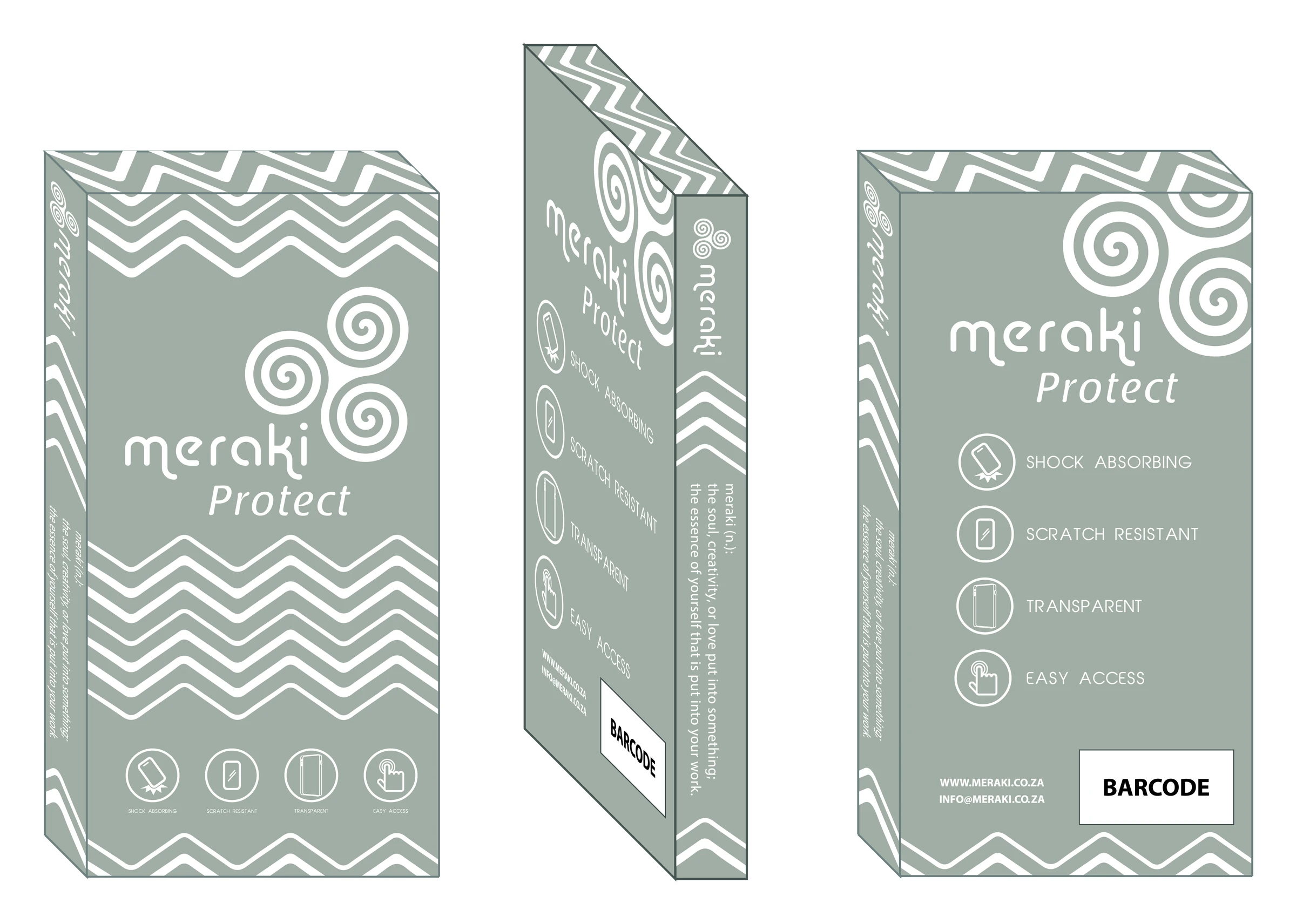
Meraki Packaging

Original Meraki Protect packaging concept showing front, side and reverse panels
Explore Meraki Packaging
← WeSolve4x
Enlarged project screen
CLOUDFUSION / YOUR NEXT CHAPTER
Rather talk first?+27 (0)81 044 5554Call
  1. 01 Start
  2. 02 Shape it
  3. 03 Send it
What would you like help with?

Choose the closest fit. It’s fine if you’re still working it out.

Already a client?Account help, faults, access or renewals.

Nothing is sent until you submit. How we use your details (opens in a new tab) ↗ · Privacy Notice (opens in a new tab) ↗ ·

ALREADY WITH CLOUDFUSION

Client
access.

Use the right workspace for what you need to do.

Client login Invoices, renewals, hosting, domains and account details.Get support Sign in to open a support ticket for a service Cloudfusion already manages. Your ticket stays with your account history.

Trouble signing in?

For an active project, use the workspace link supplied by your Cloudfusion contact.

Set the atmosphere.

Adjust the music and interaction sounds to suit you. Music keeps playing as you explore or switch tabs.

Prefer less movement?