

How to build a custom web app workflow for max ROI
Learn how to build a custom web app workflow that delivers $3.70 ROI per $1 invested. A step-by-step guide for business owners and decision-makers.
Start reading
TL;DR:
- Custom web apps improve operational efficiency by aligning processes with business needs.
- Selecting the right development methodology, like Agile or Waterfall, is crucial for success.
- Measuring KPIs post-launch ensures continuous improvement and sustained ROI.
Off-the-shelf software promises speed and simplicity, but for most growing businesses, it quietly becomes a constraint. You end up adjusting your processes to fit the tool rather than the other way around, and that misalignment compounds over time into real operational costs. A purpose-built custom web app workflow changes that equation entirely. This guide walks you through assessing your current processes, selecting the right development methodology, implementing your build phase by phase, and measuring outcomes that actually move the needle. Whether you manage ten people or a thousand, this is the strategic roadmap your digital transformation needs.
Table of Contents
- Assessing your current workflow and defining objectives
- Planning your custom web app workflow: Methodologies and tools
- Implementing the custom web app workflow step-by-step
- Measuring results and iterating for continuous improvement
- Why a flexible mindset outperforms rigid processes in custom app workflows
- Supercharge your workflow with expert custom web development
- Frequently asked questions
Key Takeaways
| Point | Details |
|---|---|
| Custom workflow boosts ROI | A tailored web app workflow can deliver over triple your investment in operational savings and growth. |
| Plan methodology wisely | Choosing Agile, Waterfall, or a hybrid affects speed, flexibility, and project outcomes. |
| Iterate for long-term success | Continuous improvement and tracking metrics ensure your workflow stays aligned with business goals. |
| Off-the-shelf vs. custom | Custom apps outperform generic solutions for specialized processes and long-term efficiency. |
Assessing your current workflow and defining objectives
Now that you know why custom workflows matter, let’s start by examining your current process. Before writing a single line of code or briefing a development team, you need a clear picture of where your operations currently stand. Most inefficiencies are not obvious at first glance; they hide inside repeated manual steps, redundant approvals, and data re-entry between disconnected systems.
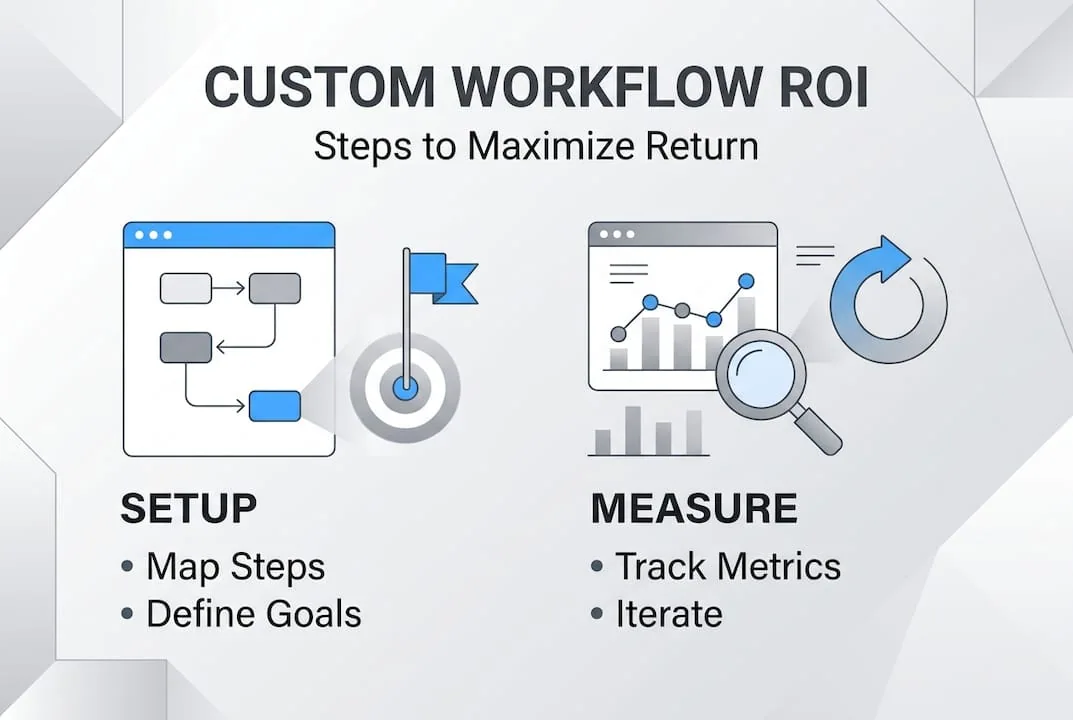
Start by mapping every step your team takes to complete a core business process. Document who does what, which tools are involved, and where handoffs occur. Then ask the hard question: where does work stall? Common bottlenecks include manual data capture, siloed reporting, and approval chains that require physical sign-off. These are not minor inconveniences. They translate directly into cost overruns, delayed client delivery, and missed revenue opportunities.
The web app workflow gains your business can achieve become measurable only once you define specific, quantified objectives. Vague goals like “improve efficiency” will not guide development decisions. Instead, set targets such as reducing invoice approval time from five days to 24 hours, cutting data entry errors by 40%, or increasing order throughput by 30% within six months.
| Workflow inefficiency | Business impact |
|---|---|
| Manual data entry across systems | High error rate, wasted staff hours |
| Disconnected approval chains | Project delays, poor accountability |
| Lack of real-time reporting | Reactive decisions, missed opportunities |
| Duplicate processes across departments | Inflated operational costs |
| No audit trail for compliance | Regulatory risk, client disputes |
Quantified objectives also make it easier to evaluate ROI after launch. Research shows that custom web app returns reach $3.70 per $1 invested within 12 months, rising to 2.3 times ROI at 18 months, with case studies reporting 287% conversion improvements, 78% performance gains, and $420,000 in annual savings. Those numbers are not accidental; they reflect businesses that defined objectives first and built toward them deliberately.
Leverage unlocking efficiency principles to guide your objective-setting process, ensuring your targets align with broader digital transformation goals rather than isolated departmental fixes.
Pro Tip: Involve frontline staff and process owners in the discovery phase before engaging developers. They know exactly where the friction is, and their input prevents costly requirement gaps later in the build.
Planning your custom web app workflow: Methodologies and tools
With goals defined, it’s time to map out how you’ll actually build the application. The development methodology you choose shapes every subsequent decision, from timelines and team structure to how you handle scope changes. Choosing wrong here is an expensive mistake.

Agile vs Waterfall web projects research confirms that Agile dominates where flexibility and iterative feedback matter, Waterfall suits fixed-scope, compliance-heavy builds, and hybrid approaches like Water-Scrum-Fall have become the standard in enterprise-scale web applications. Understanding which model fits your context is not a technical decision; it is a strategic one.
| Methodology | Best for | Pros | Cons |
|---|---|---|---|
| Agile | Evolving requirements, new products | Fast feedback, adaptable, early value | Scope can drift, requires active stakeholder input |
| Waterfall | Regulated industries, fixed deliverables | Predictable timeline, thorough documentation | Inflexible to change, late testing |
| Hybrid | Enterprise apps, phased rollouts | Balances structure with adaptability | Requires experienced project management |
Here is a structured approach to selecting your methodology:
- Assess scope certainty. If your requirements are fully defined and unlikely to change, Waterfall provides the structure you need. If requirements will evolve based on user testing, Agile is more appropriate.
- Evaluate regulatory constraints. Compliance-heavy industries such as finance or healthcare often require Waterfall’s documentation rigour.
- Consider team experience. Agile demands self-organising, communicative teams. Assess whether your internal stakeholders can commit to sprint reviews and rapid feedback cycles.
- Map your budget model. Agile budgets flex with scope; Waterfall locks costs early. Choose the model your financial governance supports.
- Plan for integration points. If your app must connect to existing enterprise systems, hybrid approaches allow you to manage integration phases with greater control.
The agile development advantages are significant for businesses entering new digital territory, particularly because iterative releases surface usability problems before they become architectural ones.
Pro Tip: Use low-fidelity wireframes and clickable prototypes in the earliest planning sprint. Getting real user feedback on a prototype costs a fraction of what it costs to redesign a built feature.
Implementing the custom web app workflow step-by-step
Armed with a methodology and toolset, let’s put your workflow into action. Implementation is where strategy becomes software, and the sequence of your build phases matters as much as the quality of your code.
Experienced developer communities consistently favour a schema-first approach, where data architecture decisions are locked in early to prevent costly rewrites during later development stages. That principle should anchor your implementation plan.
Follow these core phases in sequence:
- Wireframing and UX design. Translate your workflow map into screen-by-screen wireframes. Define every user interaction, form field, and decision point before any code is written.
- Interactive prototyping. Build a clickable prototype and test it with a representative group of actual users. Document every friction point they encounter.
- Architecture and schema design. Define your database schema, API contracts, and integration touchpoints. Changing these post-build is expensive. Get them right now.
- Iterative development sprints. Build features in prioritised increments, releasing working modules for stakeholder review at the end of each sprint.
- Quality assurance and performance testing. Test for functionality, security, load capacity, and edge-case behaviour before any user-facing release.
- Phased rollout and training. Deploy to a pilot user group first. Gather structured feedback and resolve issues before full organisational rollout.
- Hypercare period. Assign dedicated support during the first 30 days post-launch to resolve issues quickly and maintain user confidence.
Businesses that follow this structured sequence report web app performance gains of up to 78%, with conversion improvements reaching 287% in documented case studies. These are the outcomes of disciplined implementation, not exceptional luck.
Pro Tip: Document workflow changes and staff training requirements as you build each sprint, not after go-live. Real-time documentation reduces onboarding time and ensures institutional knowledge is captured before team compositions shift.
Measuring results and iterating for continuous improvement
Launching is just the beginning; ongoing improvement ensures your workflow remains effective. Many businesses invest heavily in building a custom web app and then measure its impact informally or not at all. That approach squanders the strategic value of the investment.
Define your KPIs before launch so baselines are already established when measurement begins. The most relevant indicators for workflow-focused applications include:
- Time saved per process cycle compared to the pre-app baseline
- User satisfaction scores gathered through structured in-app or post-task surveys
- Error and rework rates in previously manual processes
- Cost per transaction relative to the same process before automation
- System uptime and performance response times as operational health indicators
- Total cost of ownership (TCO) evaluated over a 36-month horizon
“Switching to a Progressive Web App architecture can reduce infrastructure and maintenance costs by 60 to 80 percent compared to maintaining separate native applications, making it one of the highest-leverage decisions in custom app development.”
The measuring custom ROI framework used by high-performing businesses treats the 36-month TCO as the primary financial lens, since year-one costs rarely reflect the true value delivered as the application matures.
| Metric | Before custom app | After custom app |
|---|---|---|
| Invoice approval time | 5 business days | 18 hours |
| Data entry errors per month | 120 | 11 |
| Report generation time | 4 hours manual | 3 minutes automated |
| Cost per order processed | R48 | R12 |
Avoid these common measurement mistakes:
- Measuring too early, before users have had time to adapt to the new workflow
- Tracking vanity metrics such as page views instead of process-level outcomes
- Failing to establish pre-launch baselines, making improvement impossible to quantify
- Ignoring qualitative feedback from frontline users who interact with the system daily
For custom excels over off-the-shelf performance, the data consistently shows that businesses conducting quarterly review cycles and adjusting workflows based on measured outcomes sustain their ROI gains far longer than those who treat launch as the finish line.
Why a flexible mindset outperforms rigid processes in custom app workflows
Finally, let’s look at what most guides miss: the human and strategic side of custom workflow success. Most failed custom app projects are not technical failures. They are organisational ones. A solution that looked perfect on paper collapsed because the team responsible for it resisted change, or because leadership defined requirements once and never revisited them.
The businesses that extract lasting value from web app innovation treat their custom application as a living system, not a completed project. They schedule quarterly reviews, actively solicit feedback from frontline users, and empower their development partners to recommend improvements based on usage data rather than waiting for something to break.
The uncomfortable truth is that rigid processes feel safe but erode competitive advantage over time. Your competitors are iterating. Markets shift. User expectations evolve. A workflow that was optimised for 2024 conditions may be actively limiting you by 2026 if it has never been reassessed.
Pro Tip: Create a formal feedback channel between your frontline staff and your technology team. The people who use your system daily surface problems months before they appear in performance dashboards.
Supercharge your workflow with expert custom web development
Whether you’re planning your first workflow or ready for ongoing enhancements, action is the next step. At Cloudfusion, we specialise in building custom web development solutions that are architected around your unique business processes, not generic templates. Our development team works with you from discovery through deployment, ensuring every feature serves a measurable business outcome. We also provide reliable web hosting solutions to ensure your application performs at scale from day one. Explore our portfolio to see real-world workflow transformations, or contact us today to discuss a custom solution tailored to your operational goals.
Frequently asked questions
What is a custom web app workflow?
A custom web app workflow is a set of tailored, automated processes within a web application designed to match your business’s unique operational needs, eliminating manual steps and improving throughput. Unlike off-the-shelf tools, these workflows are built around how your business actually operates, which is why custom app ROI reaches $3.70 per $1 invested within 12 months.
How much ROI can custom web app workflows provide?
Research shows a $3.70 return per dollar invested in the first 12 months, scaling to 2.3 times ROI at 18 months, with documented case studies showing 287% conversion improvements and $420,000 in annual savings.
Which development methodology is best for custom workflows?
Agile suits iterative builds where requirements evolve, Waterfall works for fixed-scope compliance projects, and hybrid approaches like Water-Scrum-Fall are most effective for enterprise-scale applications requiring both structure and adaptability.
How does a custom web app compare to off-the-shelf solutions?
Custom web apps align precisely with your unique workflows and deliver stronger long-term ROI, while off-the-shelf TCO over 36 months often reveals hidden costs from licensing, customisation workarounds, and process compromises that erode operational efficiency.